132 Chapter 4 Arts and Letters
To apply the Text Tracking text behavior:
1 In the transport controls, click Play (or press the Space bar).
2 From the Library, drag the Text Tracking behavior from the Text Animation subcategory
to the text object.
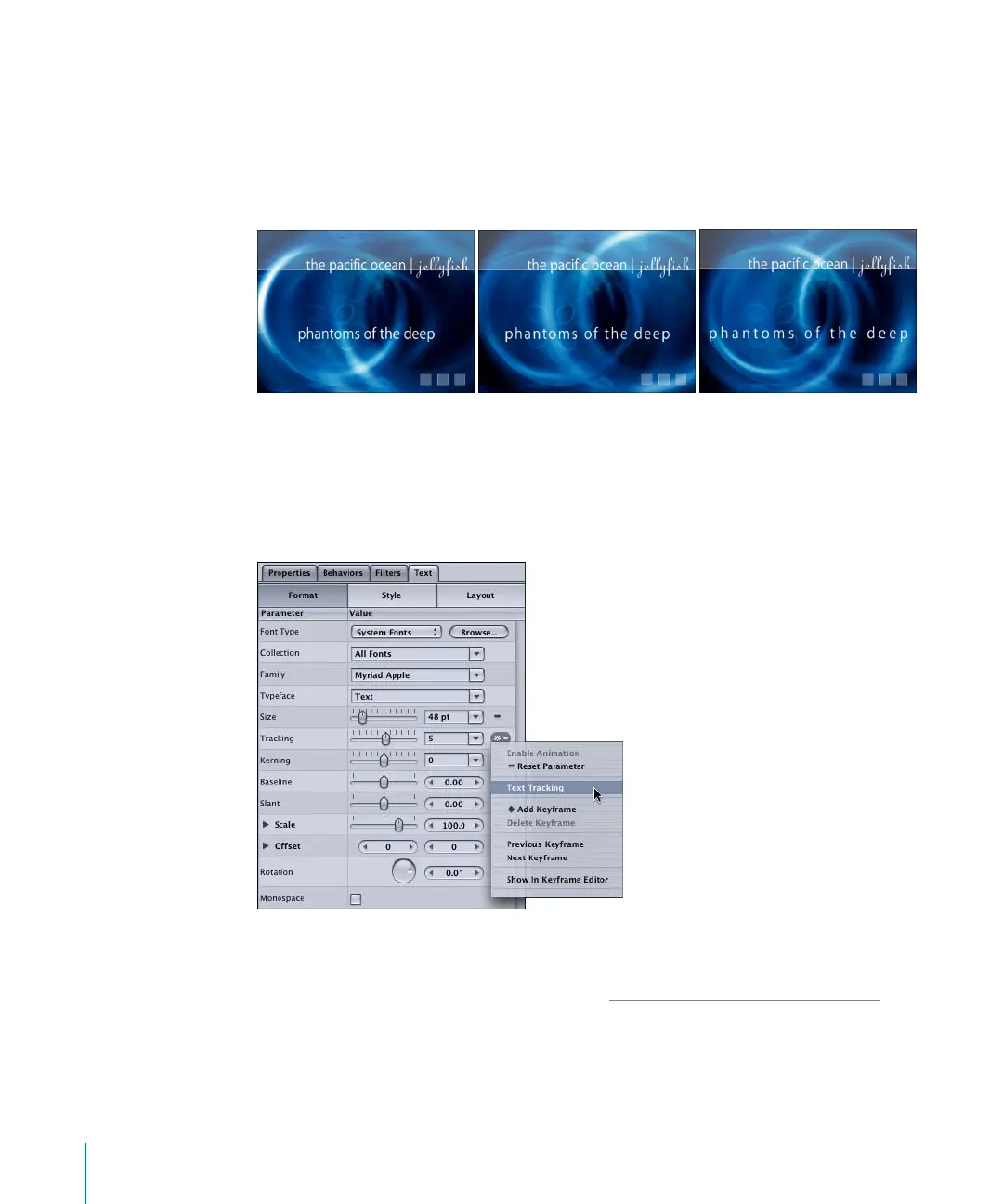
The text tracking is animated and the Tracking Dashboard (press D) appears.
You can adjust the Tracking rate in the Dashboard or Inspector. As the project plays, the
animated Tracking values are visible in the Format pane of the Inspector. The behavior
icon in the Tracking parameter’s Animation menu indicates that a behavior is applied to
the parameter. To quickly jump to the Behaviors tab in the Inspector, click the
Animation menu, then choose Text Tracking.
The duration of a Text Animation behavior is the length of the object to which it is
applied. You can stop the effect of a Text Animation at a certain frame by trimming its
bar in the Timeline. For more information, see “M
odifying Behaviors in the Timeline” on
page 102.
Note: The duration of the Text Sequence behaviors are 60 frames by default.
2505.book Page 132 Wednesday, June 30, 2004 5:58 PM



 To Next Page