Chapter 4 Arts and Letters 143
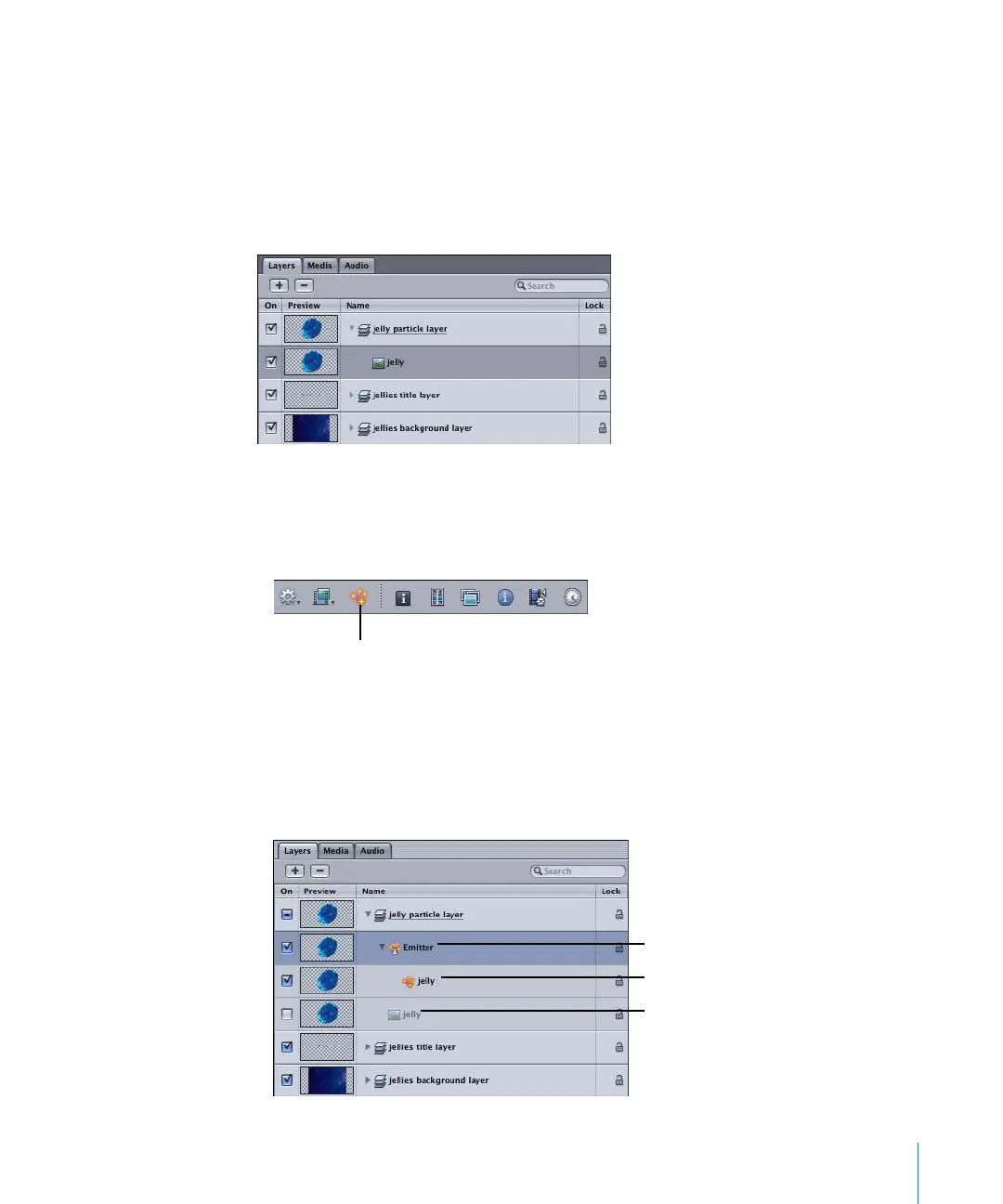
In the following basic example, a single, 120 x 240 pixel image called “jelly” is used as a
particle source over a background image to create a smack of jellyfish.
Note: “Smack” is the animal group name for jellyfish. Not as bad as an “implausibility”
of gnus, but not as good as a “rhumba” of rattlesnakes, either.
To create a custom emitter:
1 In the Layers tab, select the object you want use as a particle cell source (or “nozzle”).
Note: You can also add an emitter to a project when nothing is selected.
2 Select the object, then do one of the following:
• Click the Make Particles icon in the Toolbar.
• Press E.
Once an emitter is added to the project, the following occurs:
• The Emitter object appears in the Layers tab and is selected.
• The “jelly” object becomes an emitter source for the new particle cell.
• The original reference object is disabled.
Make Particles icon
Particle emitter
Particle cell
Reference object
2505.book Page 143 Wednesday, June 30, 2004 5:58 PM



 To Next Page