Revision Date – 22/12/2014 page 46
Replace rear cover – to refit
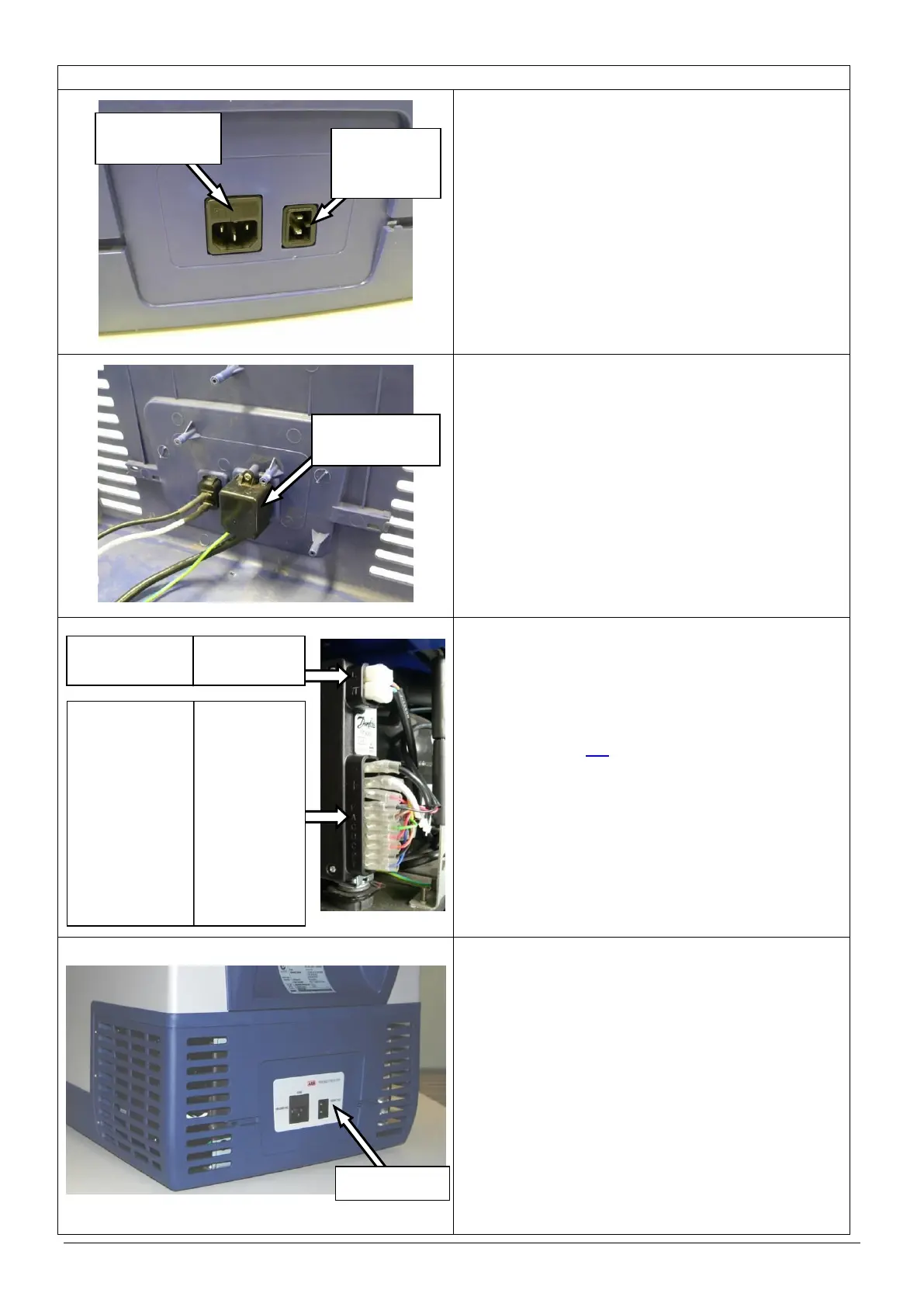
Fit the 12/24V DC and 100-240V AC sockets
(complete with leads) to the new rear cover.
NOTE: Make sure that the fuse holder in the
AC socket is at the top as shown.
NOTE: Make sure that the locating boss in the
DC socket faces the outer edge of the
fridge as shown.
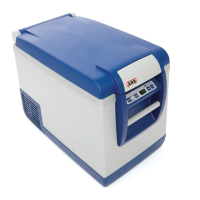
Refit the AC power socket cover.
Refit the earth cable to the compressor mounting
chassis.
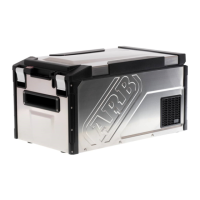
Reconnect the 11 connectors to the compressor
control unit in the correct order (refer to wiring
details).
Fit the main circuit board to the new rear cover.
(refer to section 9.4)
Refit the rear cover.
CAUTION: Ensure that all cables are securely
fastened away from sharp, moving
or hot surfaces.
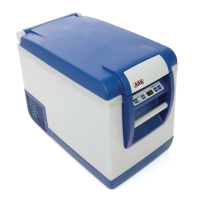
Fit new decal to the power panel.
‘L’ – BROWN (AC Socket)
‘N’ – BLUE (AC Socket)
‘-’ – BLACK (DC Socket)
‘+’ – WHITE (DC socket)
– YELLOW (lower PCB)
– RED (Fan)
‘F’ – BLACK (Fan)
‘A’ – BROWN (lower PCB)
‘C’ – GREEN (lower PCB)
‘D’ – RED (lower PCB)
‘C’ – ORANGE (lower PCB)
‘P’ – BLACK (lower PCB)
‘T’– BLUE (lower PCB)



 To Next Page