6 Local Control Panel
(continued)
C232-302-401/402/403/404-603 / C232/EN M/A23 6-3
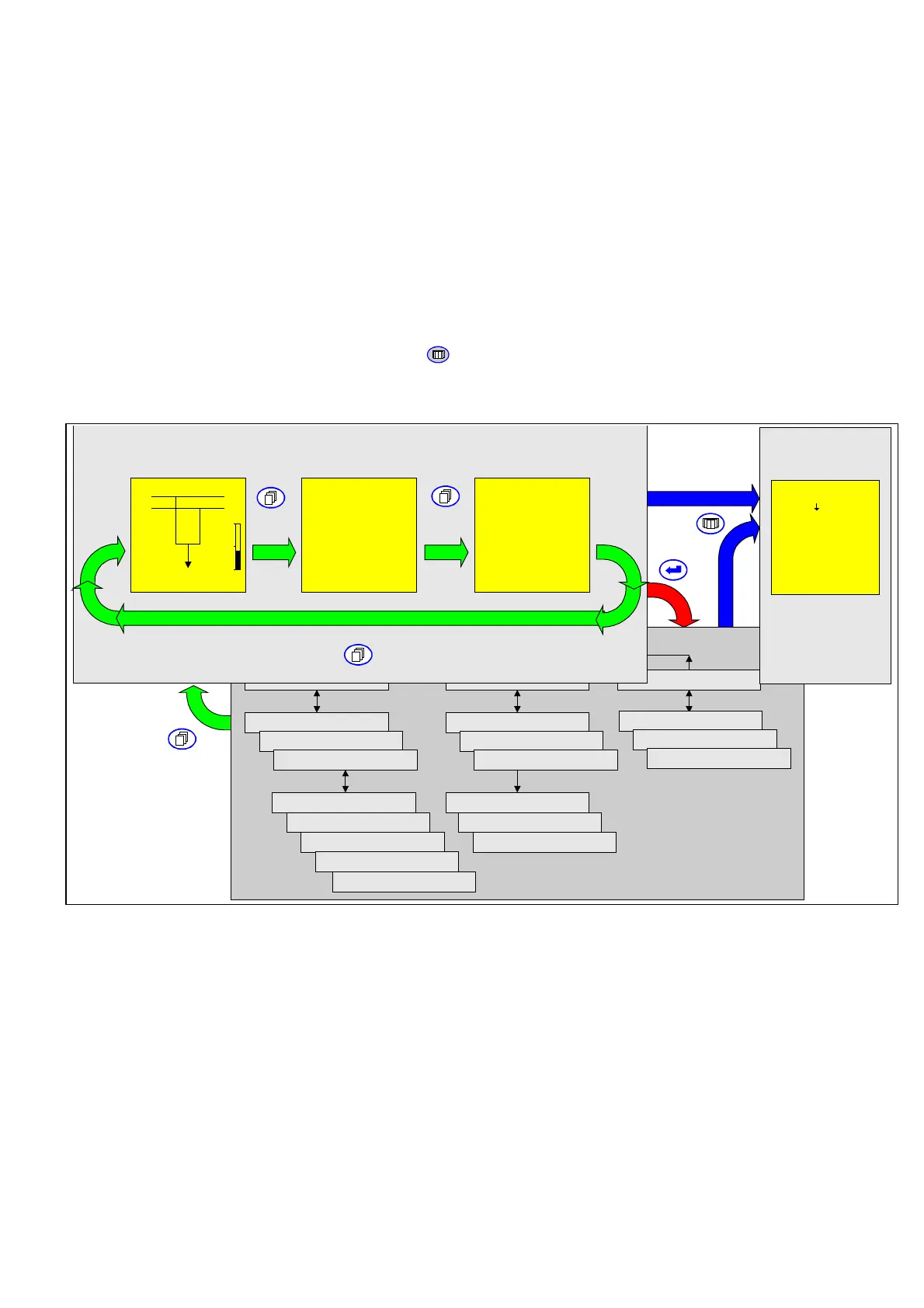
Display levels
All data relevant for operation and all device settings are displayed on two levels. Data
such as the switching status or the measured operating values are displayed at the
Panel level and provide an up-to-date overview of the state of the bay. The menu tree
level below the Panel level allows the user to select all data points (settings, signals,
measured variables, etc.) and to change them, if appropriate. To access a selected
event recording from either the Panel level or from any other point in the menu tree,
press the READ key
.
Menu tree
Device ID
Config. parameters
Function parameters
Events
Global Meas. operating data
General functions
Parameter subset 1
Parameter subset ...
Phys. state signals
Log. state signals
Cyclic values
Control and testing
Operating data rec.
Event counters
Measured fault data
Event recordings
Control
Recording
Oper/Rec/OP_RC
Operat. data record.
Control and Display Panels
Bay Panel
Measured Value
Panels
Signal Panel
Meas. values 16:57:33
Voltage A-B prim.
20.7 kV
Voltage B-C prim.
20.6 kV
Voltage C-A prim.
20.8 kV
Current A prim.
415 A
Current B prim.
416 A
Current C prim.
417 A
↑↓
X YYY 16:57:33
Unlock
Local
1088 A
↑
Curr. IP,max prim.
↓
Events 16:57:33
20.04.98
05:21:32.331 ARC
Enabled
Start
23:58:17.501 ARC
Enabled
End
21.04.98
00:03:57.677 ARC
Enabled
Start
↑↓
6-2 Display Panels and menu tree



 To Next Page