6 Local Control Panel
(continued)
C232-302-401/402/403/404-603 / C232/EN M/A23 6-29
6.5.7 Resetting
All information memories – including the event memories and the monitoring signal
memory – and also the LED indicators can be reset manually. In addition, the LED
indicators are automatically cleared and initialized at the onset of a new fault – provided
that the appropriate operating mode has been selected – so that they always indicate the
latest fault.
The LED indicators can also be reset manually by pressing the CLEAR key, which is
always possible in the standard control mode. This action also triggers an LED indicator
test and an LCD display test. The event memories are not affected by this action, so that
inadvertent deletion of the records associated with the reset signal pattern is reliably
prevented.
Because of the ring structure of the event memories, the data for eight consecutive
events are updated automatically so that manual resetting should not be necessary, in
principle. If the event memories need to be cleared completely, however, as would be
the case after functional testing, this can be done after selecting the appropriate
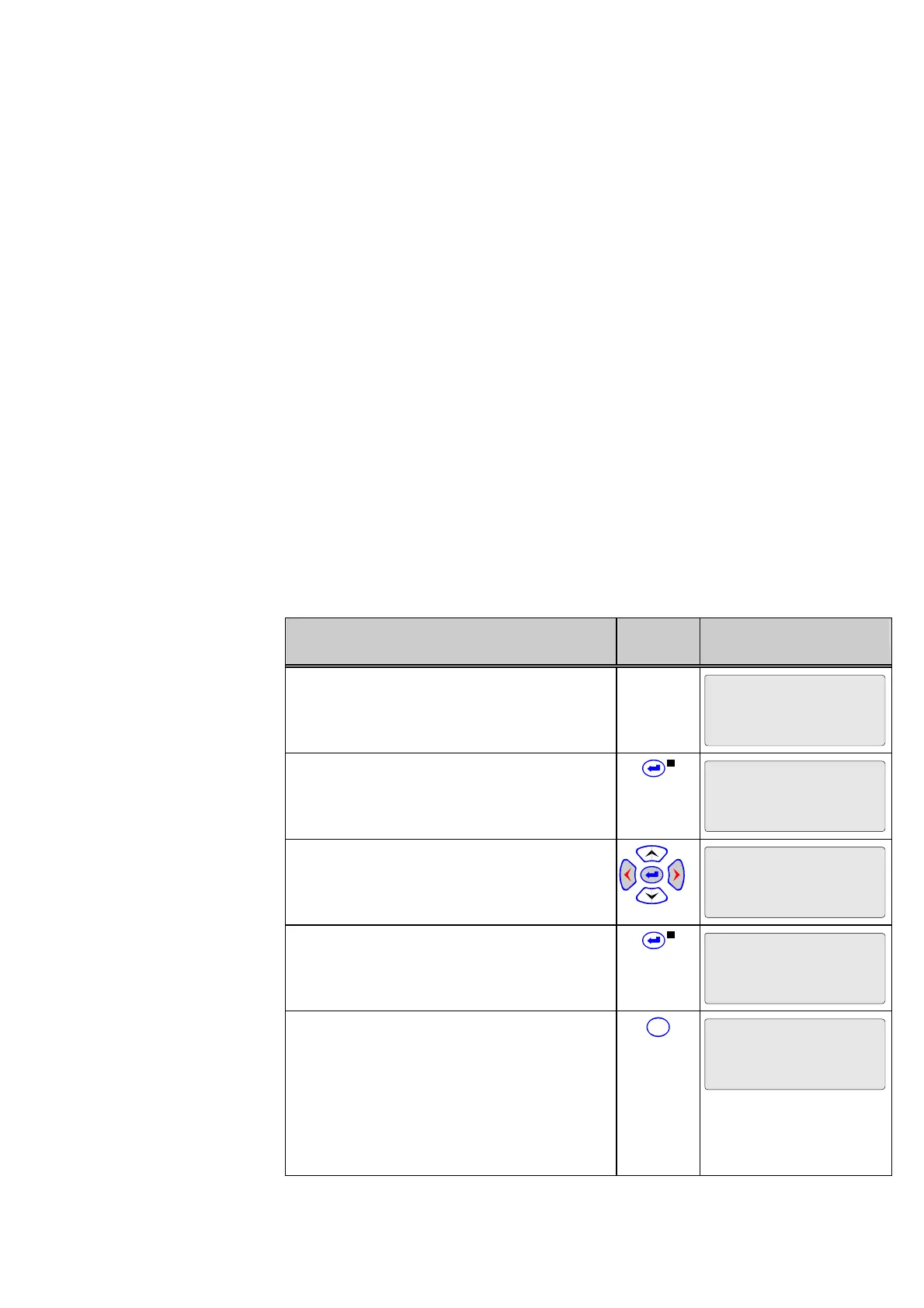
parameter. The resetting procedure will now be illustrated using the fault memory as an
example. In this example the global change-enabling function has already been
activated.
Control Step / Description Control
Action
Display
0 Select the reset parameter. Line 3 of the
display shows the number of faults since the
last reset, 10 in this example.
Oper/CtrlTest/FT_RC
Reset recording
10
1 Press the ENTER key. The LED indicator
labeled EDIT MODE will light up.
Oper/CtrlTest/FT_RC
Reset recording
10
Don't execute
2 Press the ‘up’ or ’down’ keys to change the
setting to ‘Execute’.
Oper/CtrlTest/FT_RC
Reset recording
10
Execute
3 Press the ENTER key. The LED indicator
labeled EDIT MODE will go out. The value in
line 3 is reset to ‘0’.
Oper/CtrlTest/FT_RC
Reset recording
0
4 To cancel the intended clearing of the fault
recordings after leaving the standard control
mode (the LED indicator labeled EDIT MODE
LED is on), press the CLEAR key. The LED
indicator will go out, and the fault recordings
remain stored in the device unchanged. Any
parameter can be selected again for a value
change by pressing the keys.
C
Oper/CtrlTest/FT_RC
Reset recording
10



 To Next Page