6 Local Control Panel
(continued)
6-22
C232-302-401/402/403/404-603 / C232/EN M/A23
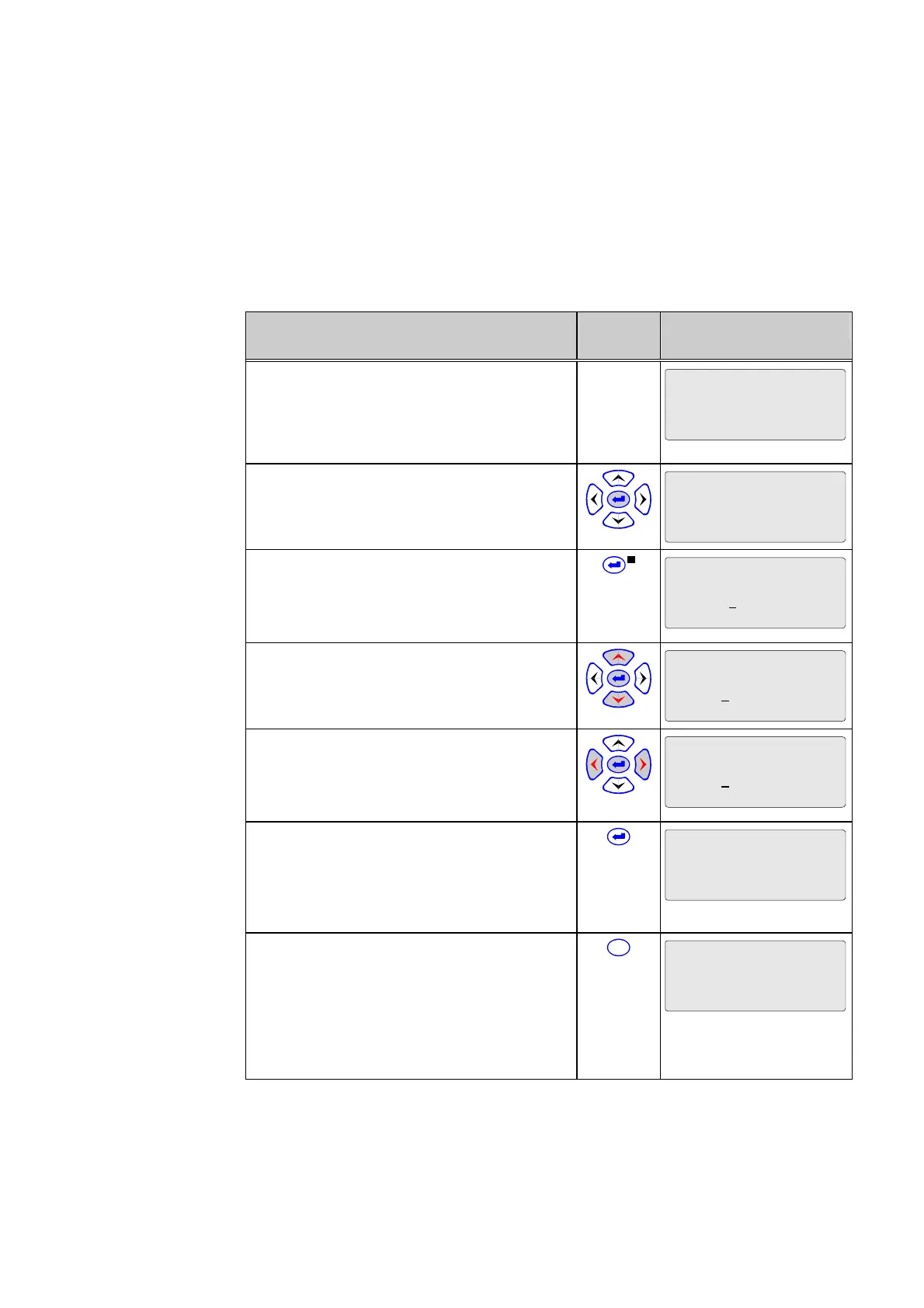
6.5.4 Changing Parameters
If all the conditions for a value change are satisfied (see above), the desired setting can
be entered.
Control Step / Description Control
Action
Display
0 Example of a display.
In this example the change-enabling function is
activated and the protective function is
disabled, if necessary.
Oper/CtrlTest/LOC
Param. change enabl.
Yes
1 Select the desired parameter by pressing
the keys.
Par/Conf/LOC
Autom. return time
50000 s
2 Press the ENTER key. The LED indicator
labeled EDIT MODE will light up. The last digit
of the value is highlighted by a cursor
(underlined).
Par/Conf/LOC
Autom. return time
50000
s
3 Press the ‘left’ or ’right’ keys to move the
cursor to the left or right.
Par/Conf/LOC
Autom. return time
5000
0 s
4 Change the value highlighted by the cursor
by pressing the ‘up’ and ’down’ keys. In the
meantime the device will continue to operate
with the old value.
Par/Conf/LOC
Autom. return time
5001
0 s
5 Press the ENTER key. The LED indicator
labeled EDIT MODE will go out and the device
will now operate with the new value. Press the
keys to select another setting parameter for a
value change.
Par/Conf/LOC
Autom. return time
50010 s
6 If you wish to reject the new setting while
you are still entering it (LED indicator labeled
EDIT MODE is on), press the CLEAR key. The
LED indicator will go out and the device will
continue to operate with the old value. A
further parameter can be selected for a value
change by pressing the keys.
C
Par/Conf/LOC
Autom. return time
50000 s



 To Next Page