Chapter 6: Using OrionNET Software
58 NOV CTES Argus TubeSpec User Guide
7. Select, from the menu bar, File > Save.
OR
Click the Save toolbar icon.
Hiding Channel Data
The user may hide non-critical channels to avoid viewing the entire gamut of available channel data.
To hide a channel from most OrionNET Viewer controls and functions
• Uncheck the Channel is visible in OrionNET Viewer checkbox in the OrionNET Configuration Util-
ity channel-property area.
The TubeSpec chart, probe-data, and waveform controls (views) still use the functionality of any hid-
den channel.
Any channel not visible in the Viewer is still viewable in the data-log view.
Calibrating the TubeSpec
Calibration must be performed when the TubeSpec is placed on coiled tubing with a different diameter
than the tubing previously used, or when the replacement or adjustment of the proximity probes has
occurred since the last calibration. See TubeSpec Specifications
for information concerning tubing-
size requirements in relation to TubeSpec model number. Also, see Accommodating Other Tubing
Sizes for a pictorial description of the process involved in changing tubing size.
To calibrate the TubeSpec
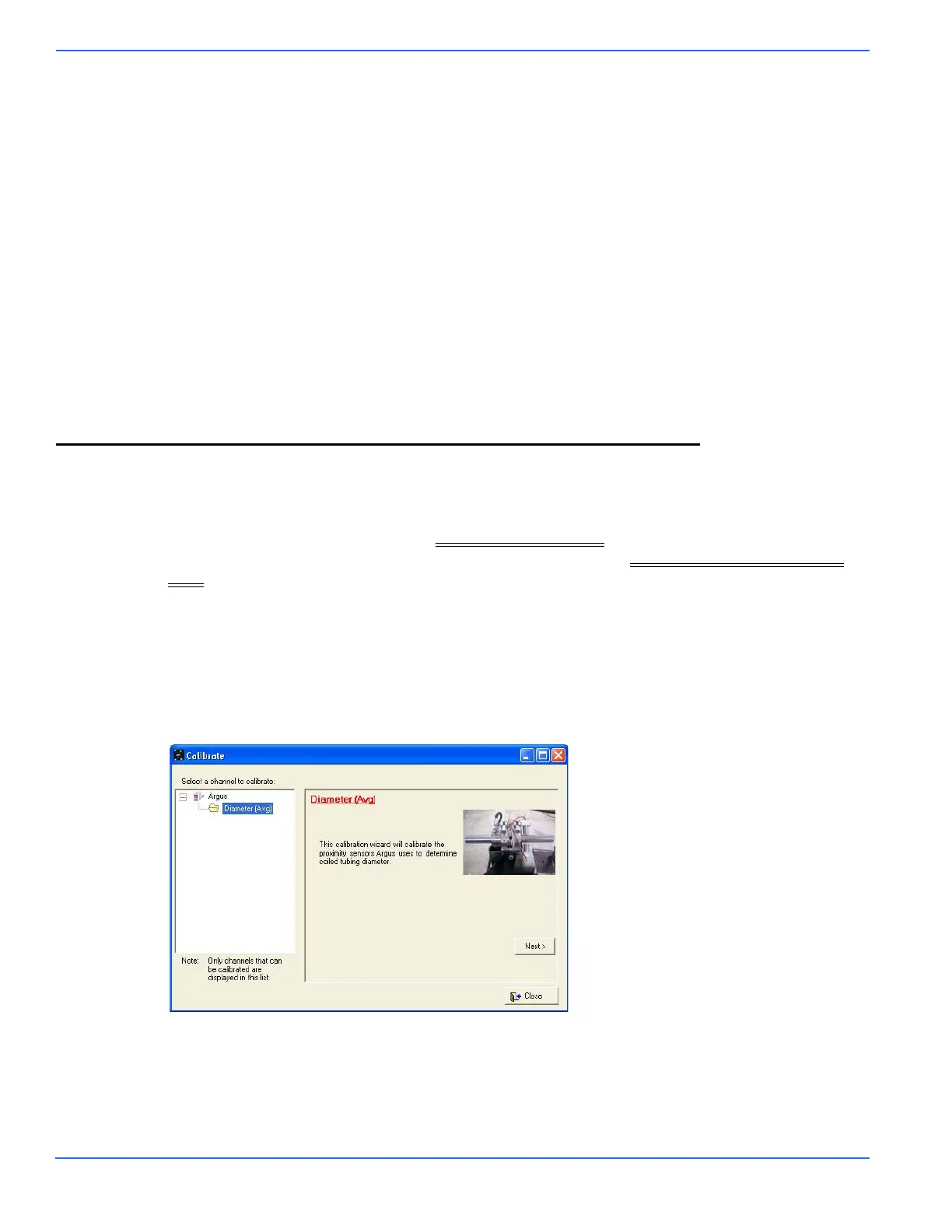
1. From the OrionNET Viewer menu-bar, select Orion > Calibrate.
The calibration wizard appears.
2. From the Select a channel to calibrate list, select Diameter (Avg).



 To Next Page