32 Quick Start Guide: 7500N Series Modular Switches
DC Power Adapter Installation for PWR-2700-DC-R Chapter 4: Cabling the Modular Switch
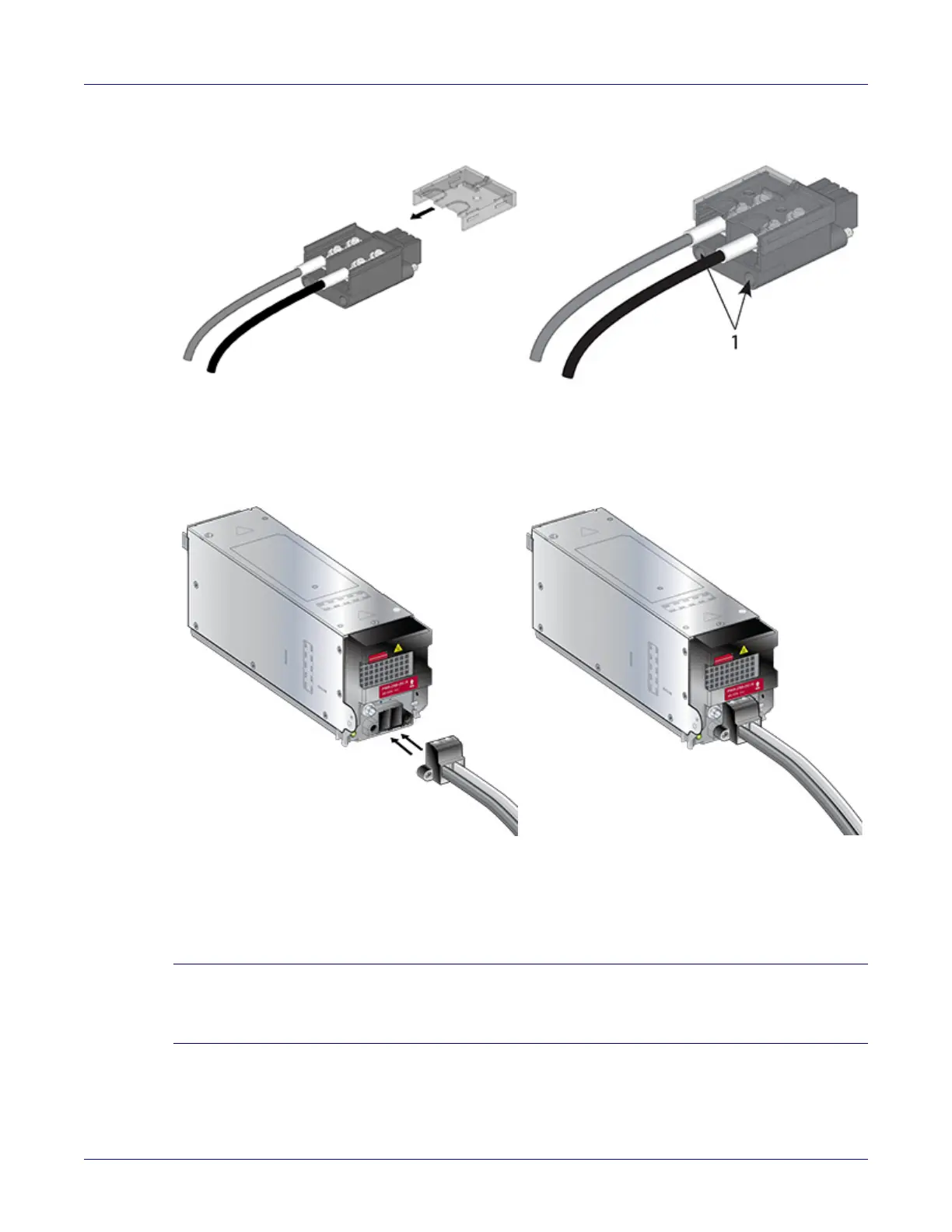
Step 5 Slide the cover over the terminal studs until it clicks into place.
Step 6 Insert the adapter into the DC power supply.
Step 7 Tighten the two captive screws (on the bottom of the adapter) to the power supply module.
Torque screws with #2 Posidriv to 2 N-m (17.7 in.-lbs.)
Step 8 Attach the power cable to the DC power source.
Important! Apply the ground connection first during installation and remove last when removing power.
Appliquer le motif connexion tout d'abord pendant l'installation et supprimer dernière lors du retrait de
puissance.
1 Captive screw slots






 To Next Page