EasyManua.ls Logo

Ariston CLAS - Menu; How to Access MENU

Ariston CLAS
71 pages
Print Icon
To Next Page IconTo Next Page
To Previous Page IconTo Previous Page
Loading...
Manuale didattico CLAS
Pag. 57 di 71
Manuale Didattico ACO
6.3 MENU
To set-adjust and visualize the parameters that regulate the operating logic, the UNO PLUS version boiler
has different menu.
The technicians can find below the description of all the programs on the menu.
6.3.1 How to access “MENU”
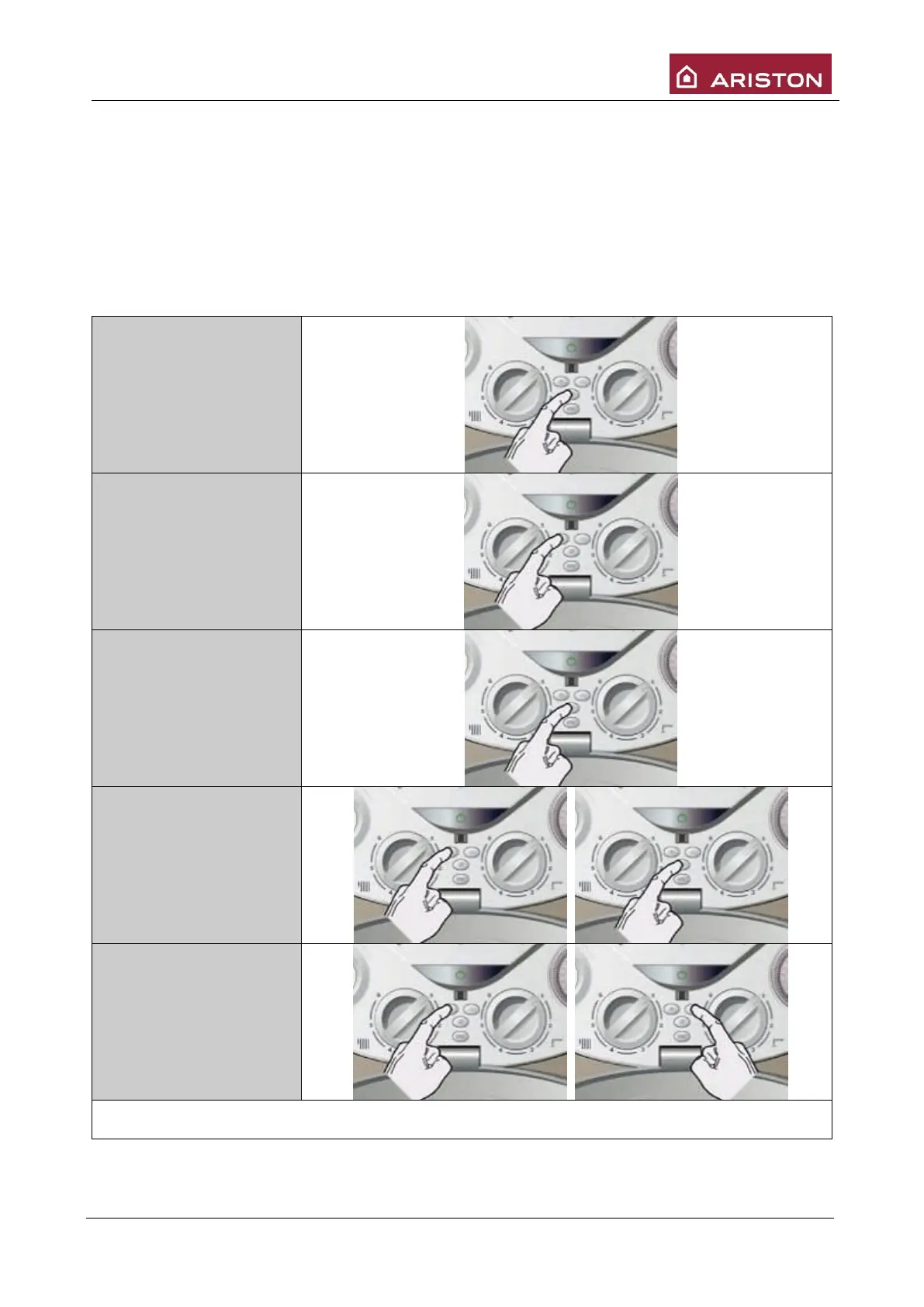
To access MENU follow the instructions below:
1. Press button
MENU/OK”, “0” will be
displayed
2. To reach menu , press
button “+” or “-, the
different menus will be
displayed, as follows
(“+”: “0” - “1” - 2” -……
etc.; “-“: “0” - 8- 7-
…… etc.)
3. To access menu press
button “MENU/OK”. To
enter in the technician
menu needs access
code: select 234 and
after press button
“MENU’/OK”.
4. With “+” or “- you can
scroll through the
selected sub-menu (i.e.:
“2 1” – “2 2” – “2 3” -
..etc.). To access sub-
menu press button
“MENU/OK”.
5. With “+” and “-“buttons
you can scroll the
parameters of menu.
follows

Table of Contents

Related product manuals