installation &
operating instructions
Design Envelope 4322 & 4372
Tango Pumping Unit
41
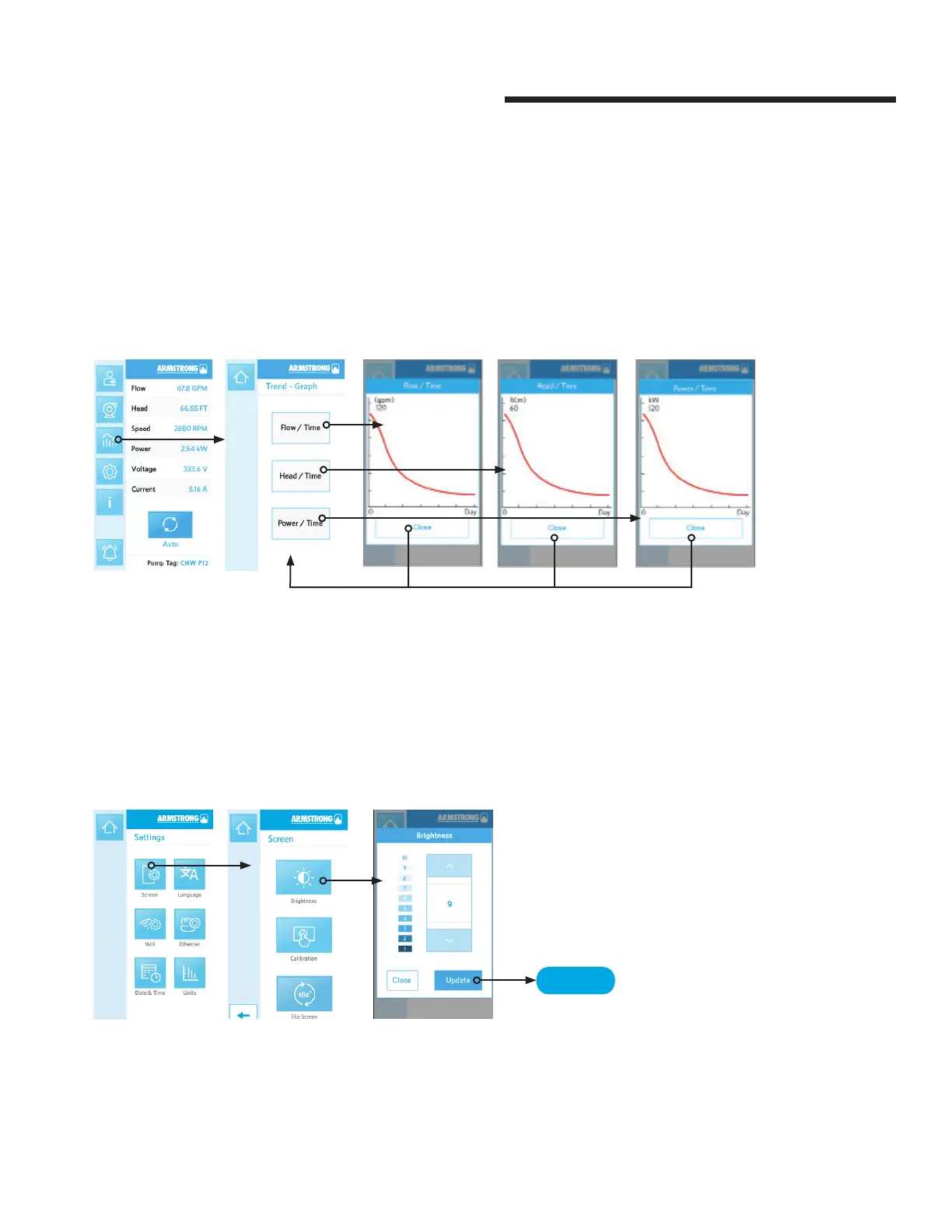
4.3.8 trend-graph
There are 3 parameters that can be trended on the touch
screen interface:
• Power
• Flow
• Head
Which allows users to see a quick history of key performance data.
To see a more comprehensive view of the trends, the pump data can
be exported in CSV format for review and analysis on a separate
computing device.
4.3.9 brightness adjustment
To adjust the brightness of the touch screen interface, go to Settings -> Brightness.
10 = highest brightness, 1 = lowest brightness
save






 To Next Page