8.4
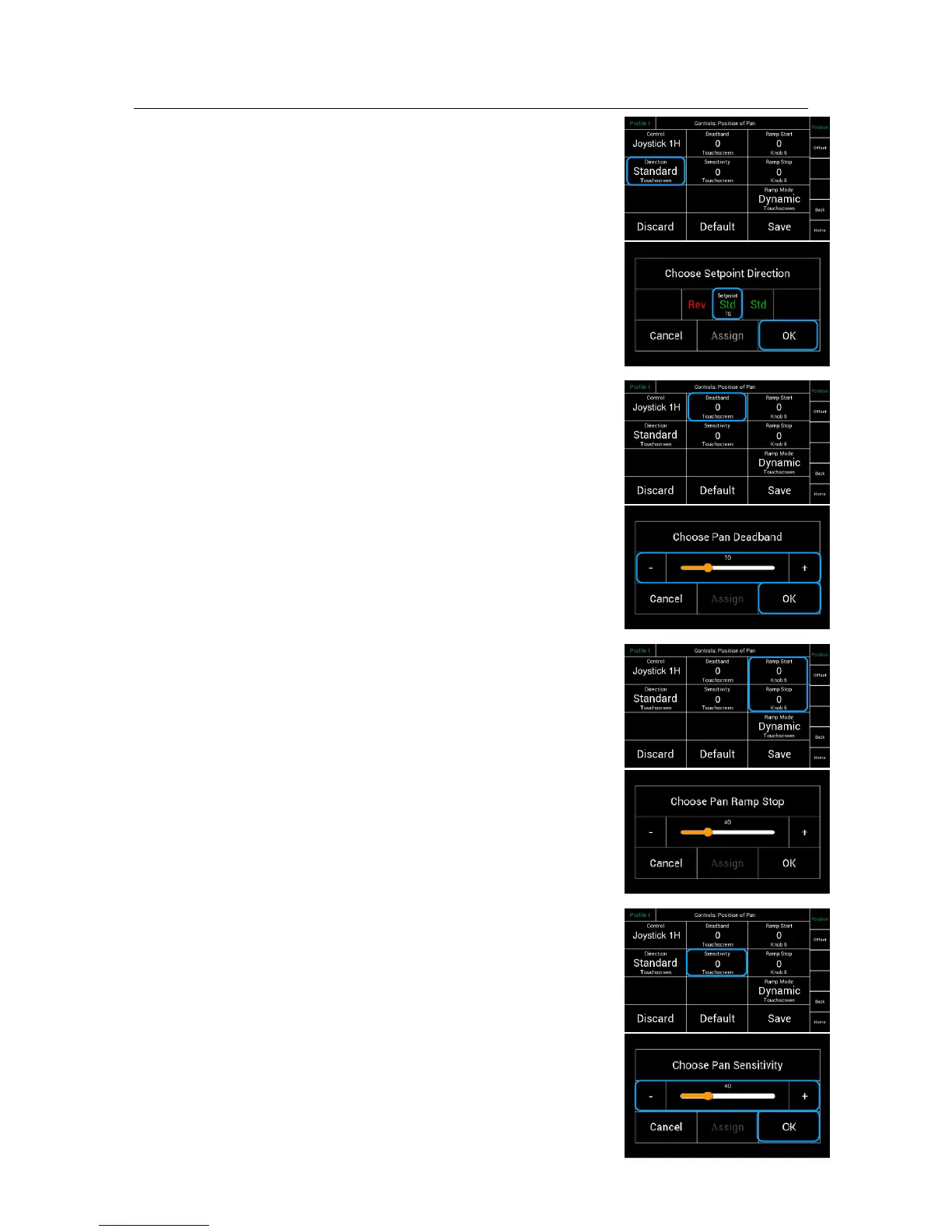
Direction of the controllers
!
This selection will open a new touchscreen !
that allows to change the direction of the !
control device from standard to reverse.
NOTE
The center position shows the actual selection.
Touching Rev in this case will reverse the direction of
the assigned controller.
!
8.5 !
Deadband Submenu!
!
This selection will open a new touchscreen slider that allows !
you to change the Deadband setting on the selected axis.
NOTE
Deadband is defined as delay before the control device !
activates the selected function.!
!
Deadband sets the starting point of the Joystick.
This value controls when the Joystick will react after
it was touched.!
!
NOTE!
The Deadband for this axis can only be changed, if the !
assigned controler is a Joystick for example, but not the !
touchscreen.!
8.6
Ramp Start / Stop Submenu
This selection will open a new touchscreen slider that allows !
you to change the Start Ramp and the Stop Ramp setting
on the selected axis.!
NOTE
In the factory preset, the Start and Stop Ramps are assigned
to the knobs K4, K5 and K6. Turning the knobs will change
the Values for the Start and Stop Ramps equally.
NOTE
If different values for start and stop are needed, than
the knobs K4, K4 and K6 have to be unsigned first.
Now the values for start and stop cab be adjusted
independently on the individual slider for start and stop.
!
8.7 !
Sensitivity Submenu
This selection will open a new touchscreen slider that
allows you to change the sensitivity of the control device
for the selected axis.!
!



 To Next Page