12
X5001 USER GUIDE - 501-3327100
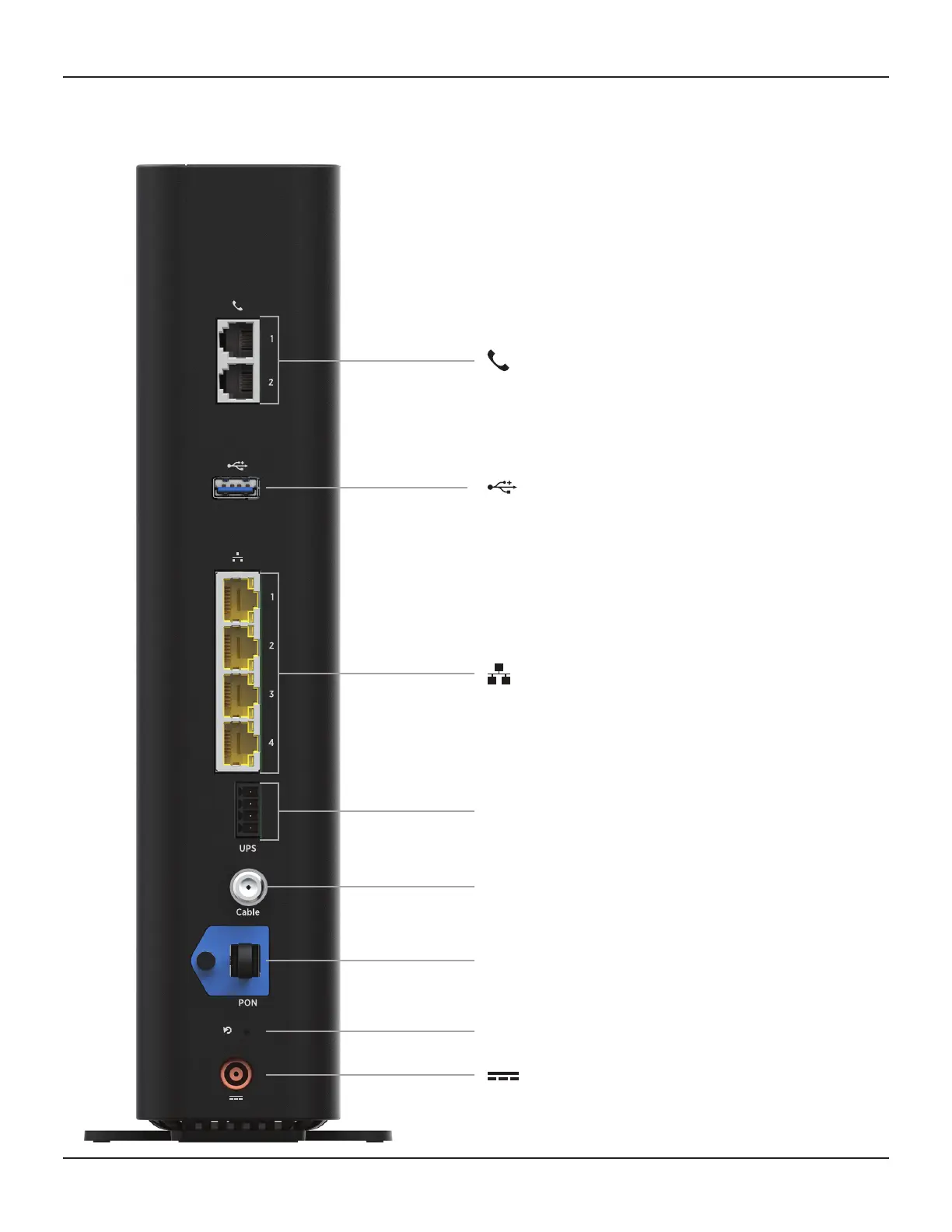
Phone 1 and 2
For connecon to your home telephones
Ethernet 1-4
For connecon to devices on your home network
(LAN), such as a computer, hub, or switch
UPS
For connecon to a baery backup
UPS (uninterrupble power source)
Power
Connect your power supply unit here.
Make this connecon last of all.
Reset
Reset buon
PON
10G EPON ber-opc uplink port
Cable
For connecon to a MoCA network
USB
For future use
Rear Panel
INSTALLING THE GATEWAY (cont.)














 To Next Page