16
X5001 USER GUIDE - 501-3327100
CONFIGURING THE GATEWAY (cont.)
WPS (WiFi Protected Setup) wireless setup
WPS is a quick way to set up the gateway’s wireless network automacally and set
up your wireless computer to connect to it at the same me. WPS, also called Wi-Fi
Protected Setup, is relavely new technology, so before you decide to use it, check
to make sure your wireless computers and devices support WPS. Look for the symbol
(shown right) on all the computers that will connect wirelessly to the gateway.
If you do not see this symbol on all the computers that will connect to the wireless
network, manually set up your network rst. Aer that, you can sll use WPS to set
up the wireless connecon for the computers that support WPS.
Note: All WPS-capable products should be compable with the gateway. For more
informaon about the WPS standard, see hp://www.wi-.org.
Using the WPS buon
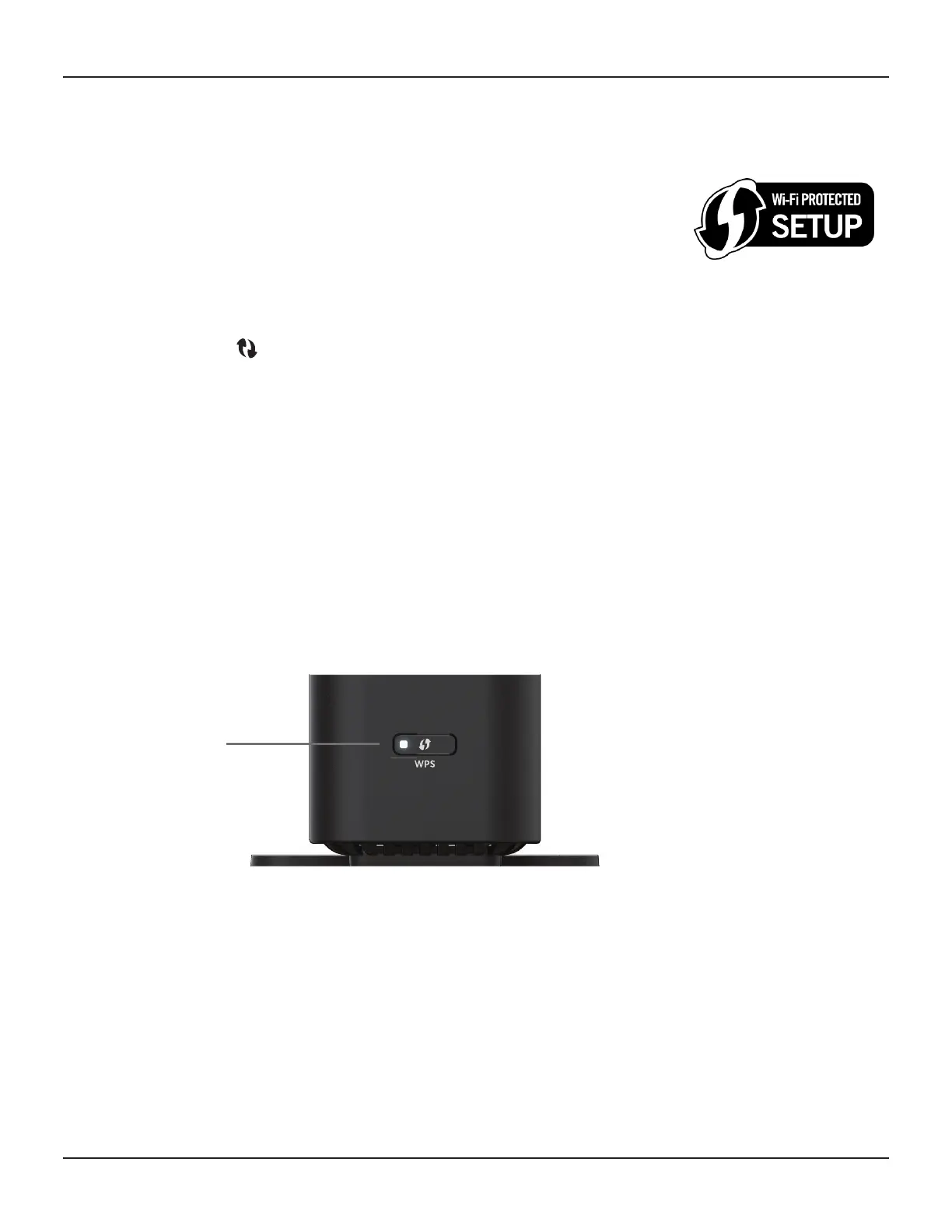
The WPS buon, located at the boom of the gateway’s front panel. The gateway
supports WPS, a quick and easy way to set up a secure Wi-Fi network. However, your
laptops, tablets, and mobile devices must be WPS-compable to do so.
If you are not sure whether your devices support WPS, check them for the WPS label
(shown above).
If you cannot nd it, the device most likely does not support WPS and you will have to
use the manual setup method. If your device does support WPS:
1. Press the WPS buon on your device (refer to the device’s manual).
2. Within two minutes, press the WPS buon on the front of the gateway:
A message appears when the connecon succeeds. If it fails, wait a few minutes, and
then connect another device using WPS.
WPS buon














 To Next Page