7
X5001 USER GUIDE - 501-3327100
GETTING STARTED
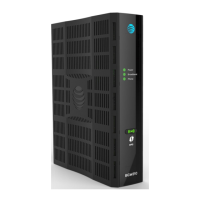
About your X5001 gateway
• 10G EPON ber interface for OLT connecvity
– DPoE for DOCSIS provisioning system integraon
– 10G/10G and 10G/1G operaon
• Best-in-class, High-Power, Dual-Band Concurrent 802.11n/ac Wi-Fi with WPS
• MoCA 2.0 Channel Bonding for 800 Mbps Networking
• Up to 1 GB DDR3 RAM / 512 MB Flash
• Four Gigabit Ethernet ports with acvity and link LEDs
• Embedded MTA with 2x RJ-11 FXS ports supporng POTS VoIP features
• USB 2.0 host port
• TR-069 and SNMPv3 for provisioning and monitoring
• Wi-Fi Spectrum Analyzer
Typical applicaon
You can integrate the X5001 gateway into your XFINITY home system. With this
applicaon, the gateway uses a:
• 5 GHz wireless connecon to communicate with an X1 wireless client connected to
a digital video recorder (DVR).
• 2.4 GHz wireless connecon to communicate with a mobile device, such as a
mobile phone, tablet, or laptop.
• Wired coaxial connecon to communicate with an X1 DVR or a mul-tuner video
gateway.
What’s in the box
Unpack the items and conrm that no items are missing or damaged. Your package
should include:
• X5001 gateway
• Power cord
• One set of user documents
If any items are missing or damaged, please contact your place of purchase. Keep the
carton, including the original packing material, in case you need to store the product
or return it.
What else you need
To complete your installaon, you will need the following items:
• SC/UPC ber-opc cable
• Provisioned Internet access via an opcal network interface.
System Requirements
The gateway operates with most computers. The following describes requirements for
each operang system; see the documentaon for your system for details on enabling
and conguring networking.
To use the gateway, you need DPoE Fiber high-speed Internet service from your service
provider. Telephone service requires that the service provider has PacketCable support.














 To Next Page