MAX1000 User Guide www.arrow.com
Page | 39 July 2017
5.2.4.4 Click “Next”.
5.2.4.5 Continue to select Next to go through the various options (e.g. Pages 3 to Pages 5), but
leaving the default options as they are. The page numbers can be seen on the top of the
window.
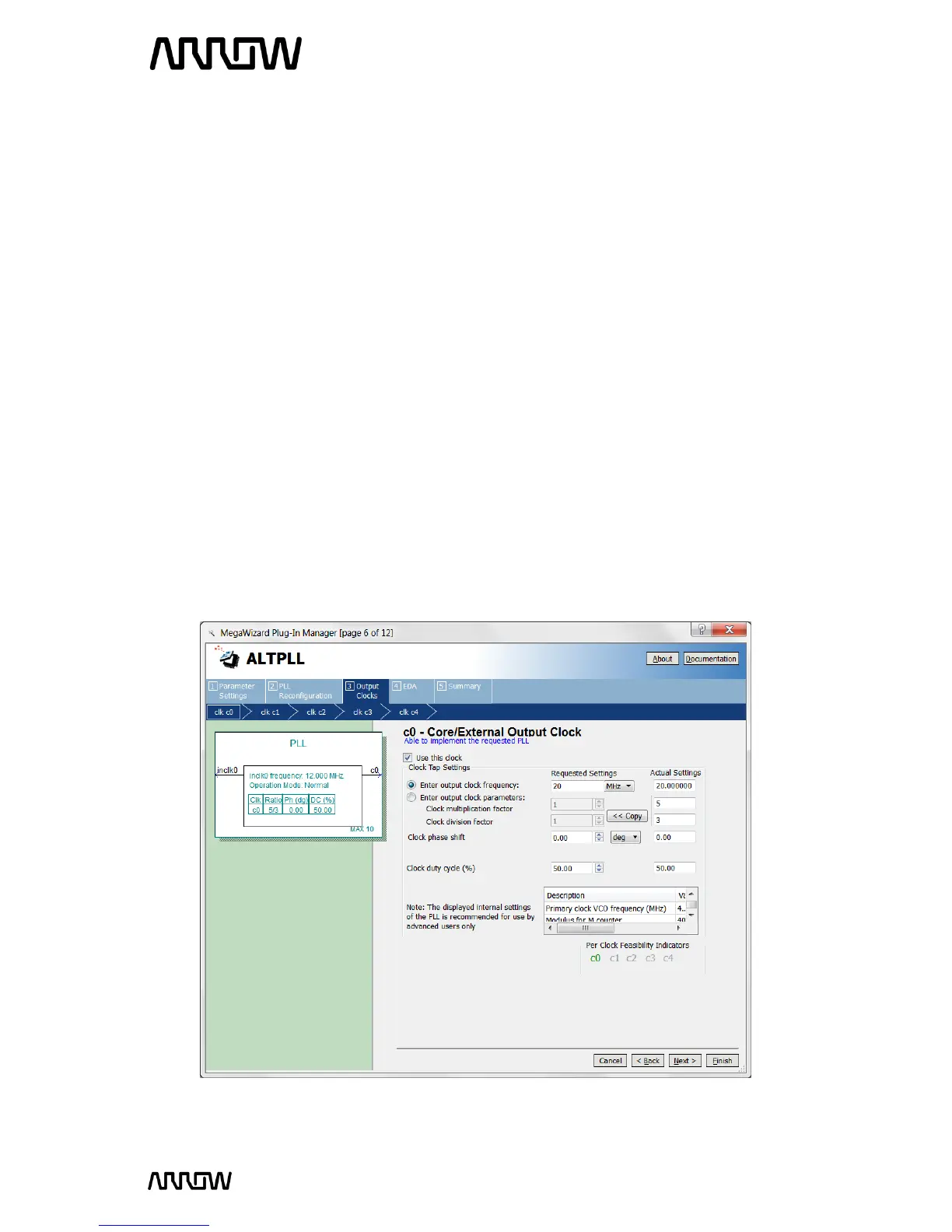
5.2.4.6 On page 6, (c0-Core/External Output Clock) select “Enter output clock frequency” and set
the requested setting to 20 MHz, leave the rest as default. For simplification, there is one
input to the PLL (12 MHz), and one output of the PLL (20 MHz)
The setting should look like this:



 To Next Page