MAX1000 User Guide www.arrow.com
Page | 46 July 2017
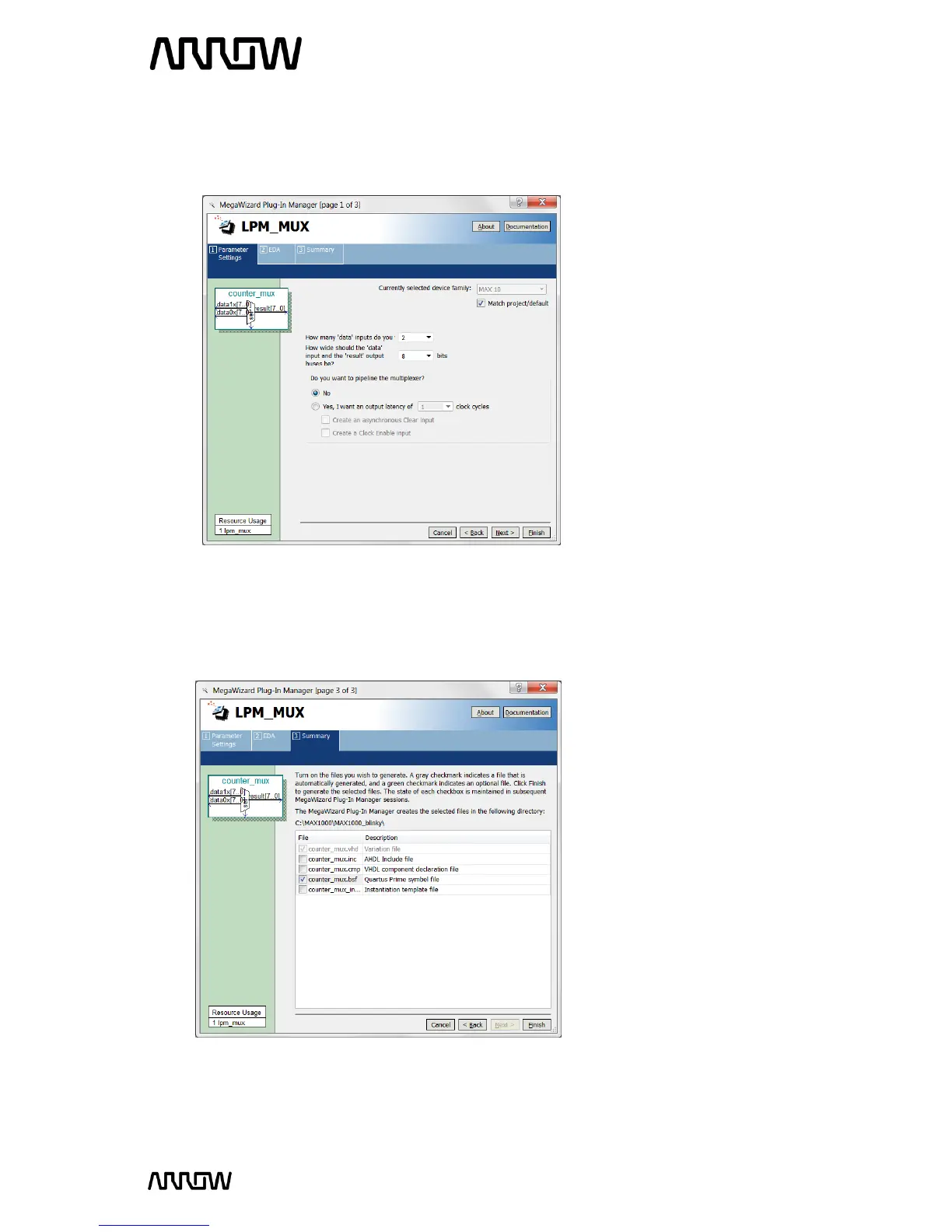
5.2.6.5 Select 2 data inputs and the width of the input and output buses to be 8 bits. The reason
for 8 bits is that there are 8 LEDs to be toggled (showing count values).
The screen should look like this now:
5.2.6.6 Click “Next” until Page 3.
5.2.6.7 Select counter_mux.bsf checkbox to generate a symbol for our schematic design.
The view of this now looks like:
5.2.6.8 Click “Finish”.



 To Next Page