MAX1000 User Guide www.arrow.com
Page | 51 July 2017
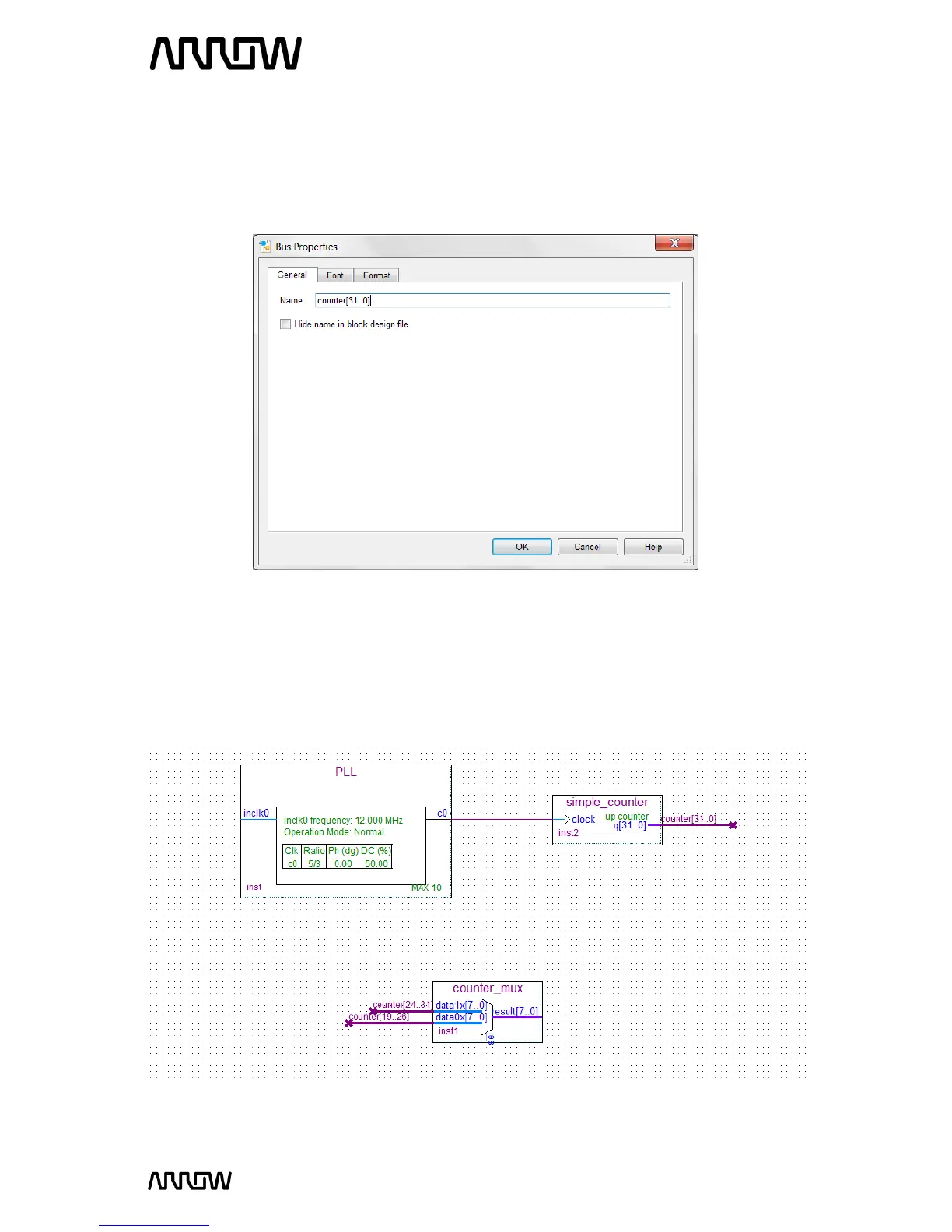
5.2.8.5 Right click on the output bus of the simple counter that you just created and select
“Properties”.
Set the name of the bus to: counter[31..0]
The view of the “Bus Properties” should look like this:
5.2.8.6 Do the same for input buses of the mux:
Name the top bus input: data1x[7..0] counter[24..31]
Name the bottom bus input: data0x[7..0] counter[19..26]
Schematic should look like this:



 To Next Page