MAX1000 User Guide www.arrow.com
Page | 53 July 2017
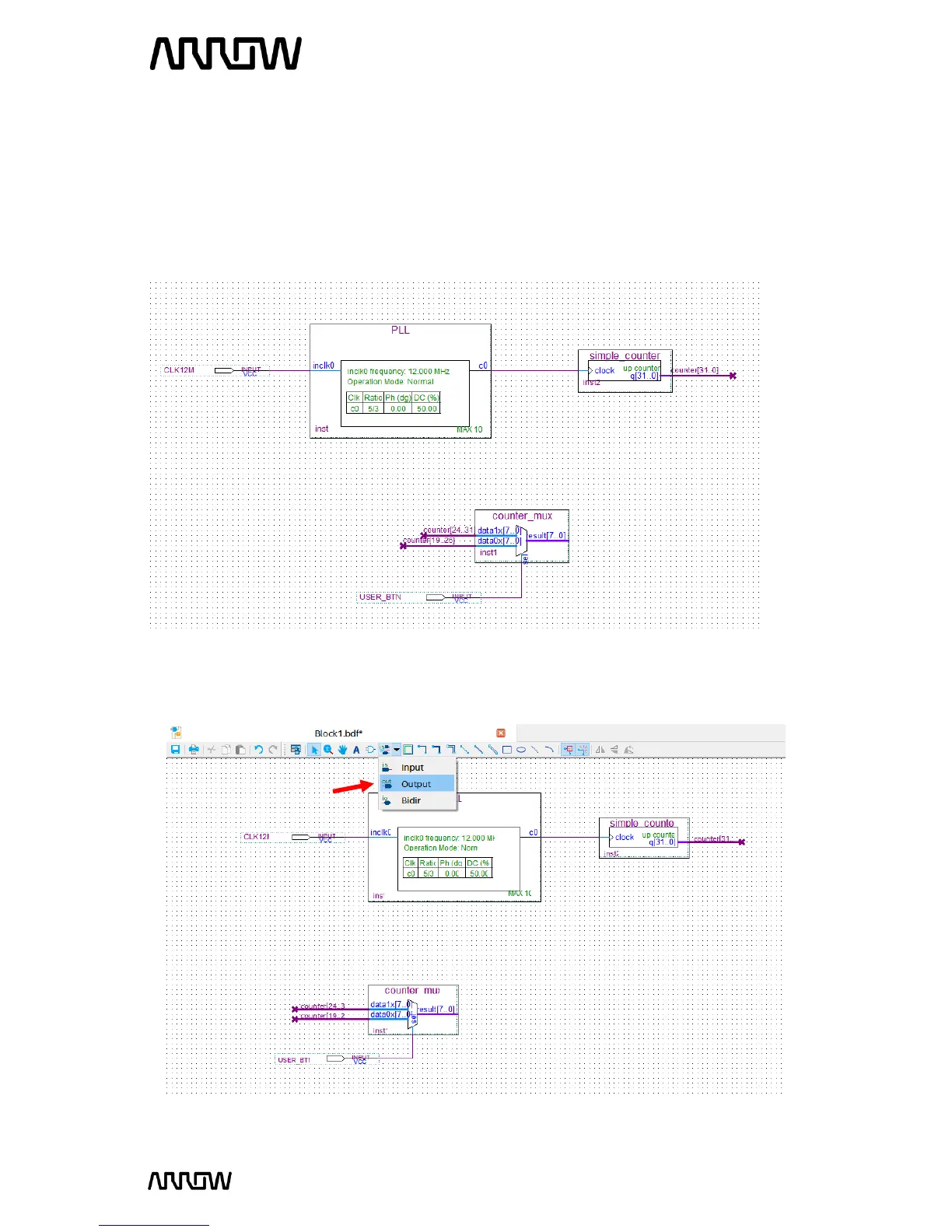
5.2.8.10 Rename the pin_name2 to USER_BTN by double clicking its current name. This is going
to be the user button of the MAX1000 board to select the mux.
5.2.8.11 Using the “Node Tool” connect:
CLK12M inclk0 (of the PLL component)
USER_BTN sel (of the counter_mux component)
Your schematic should look like this now:
5.2.8.12 Add the outputs to the schematic
Click on the “Pin Tool” as before, but this time select “Output”.



 To Next Page