2.5. Load a preset
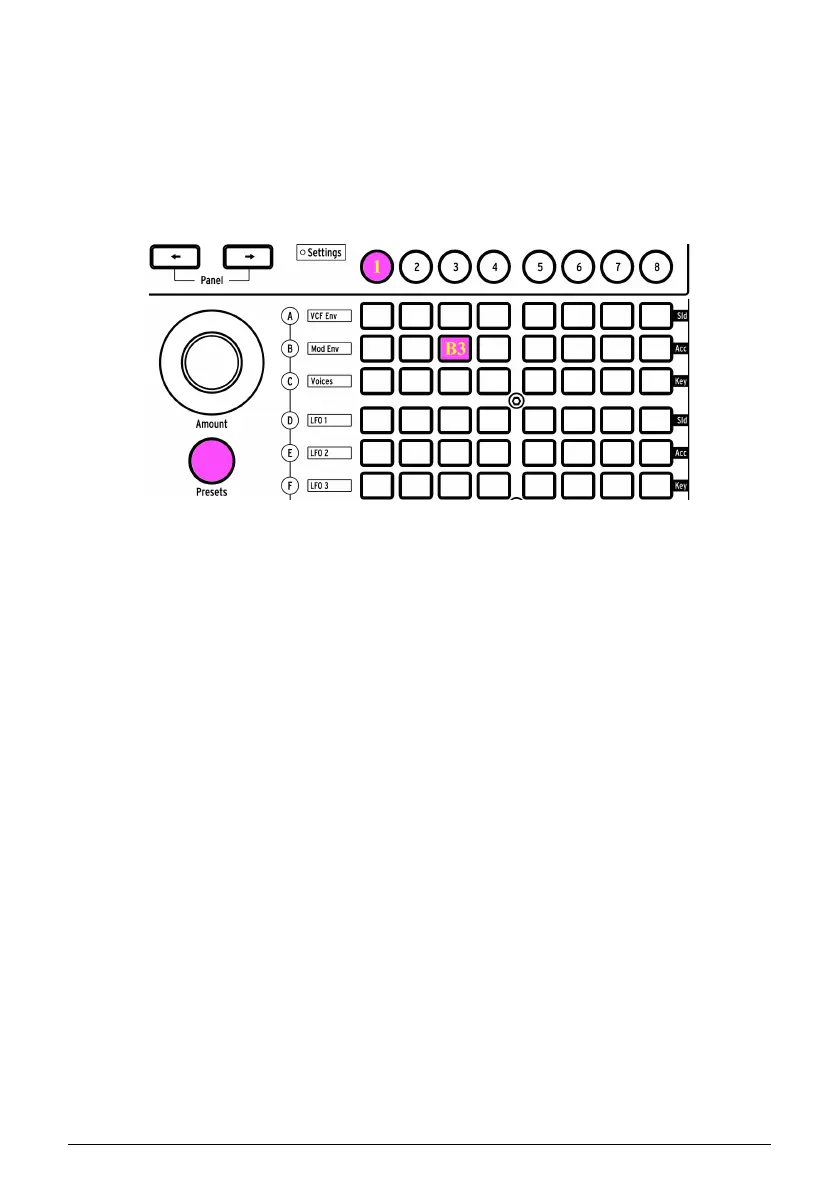
To start exploring the presets, press the large Presets button. It turns purple when selected.
PolyBrute has 8 banks of 96 presets (for a total of 768). Select the banks with Assign buttons
1-8, then select the presets inside the bank using the 12 rows of 8 buttons in the Matrix panel.
To load patch B3 in bank 1, for example, press the round "1" button under the display (if you're
not already in bank 1). Then find the third button from the left in row B and press it. The
Program display shows "1.B3": "1" is the bank, "B" is the row, and "3" is the column.
[Program < or >] also can be used to select adjacent patches.
Bank 1, preset B3 selected
Arturia - User Manual PolyBrute - PolyBrute Basics 11















 To Next Page