12.3. Preset: Out section
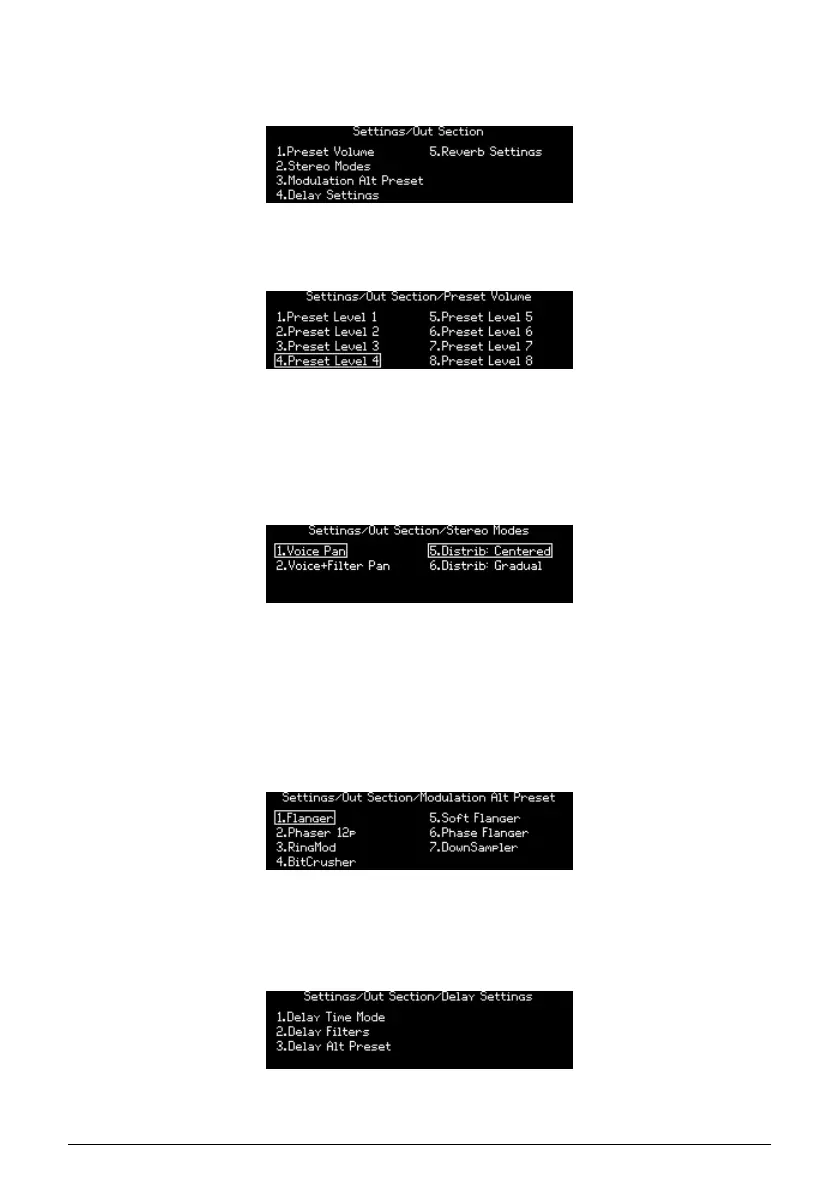
The Settings / Out Section category has eight main areas, as pictured below.
12.3.1. Out: Preset volume
Use [Assign 1-8] to set the volume for the current patch. The range between levels 1 and 8
is about 15 dB, with 8 being the default setting. This can help control the levels between
patches.
12.3.2. Out: Stereo modes
Use [Assign 1-2] to define the operation of the stereo control. For descriptions of each mode,
see the Stereo spread section [p.33].
Use [Assign 5-6] to define the distribution of the voices in the stereo field and the values sent
by the voices in the matrix. See Voice source section [p.52]
12.3.3. Out: Modulation Alt Preset
Use [Assign 1-7] to select the kind of effect to use on the Mod FX when the Alt Type is selected.
12.3.4. Out: Delay settings
Arturia - User Manual PolyBrute - Settings 89















 To Next Page