• Instant return to 0: When modulation input stops for one or more axes, values
return to zero instantly.
• Fast return to 0: When modulation input stops for one or more axes, values
return to zero quickly, but not instantly.
• Never return to 0: When modulation input stops, modulation values hold at
current levels.
12.4.5. Expression: Ribbon
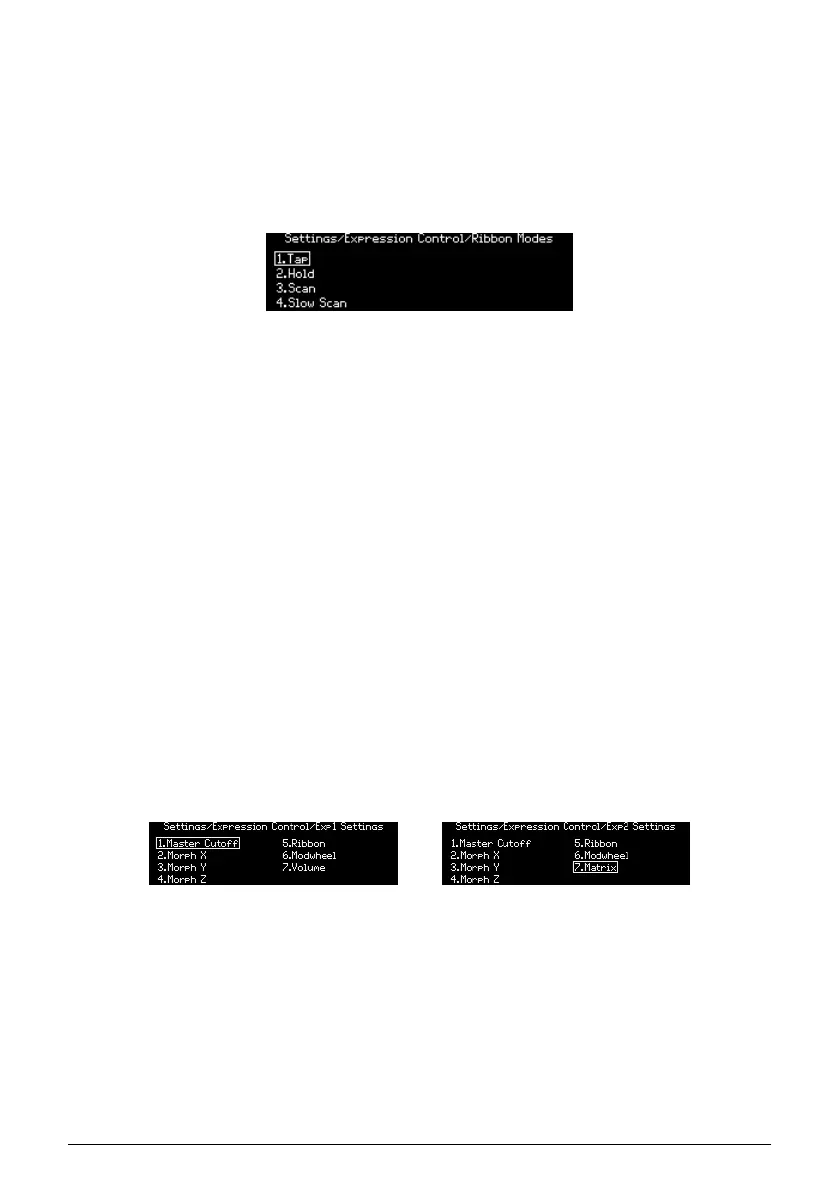
Use [Assign 1-4] to define the Ribbon response.
• Tap: Absolute, Instant return to 0.
• Hold: Absolute, Never return to 0.
• Scan: Relative, Fast return to 0.
• Slow Scan: Relative, Slow return to 0.
where:
• Absolute: If touched on the left side, output a value below 64. If touched on the
right side, output a value above 64. Exact values are determined by physical
position of the finger.
• Relative: The physical position of the finger becomes the zero point for
modulation. Motion to the left generates values that decrease from 64; motion
to the right generates values that increase from 64 upward. Min/max values
might not be reached, or might be reached early, depending on physical space
remaining.
• Instant return to 0, Never return to 0, Fast return to 0: See descriptions in the
Expression: Morphée section above.
• Slow return to 0: Same as Fast return to 0, but slower.
12.4.6. Expression: Exp1, Exp2
Use [Assign 1-7] to choose the setting for the selected Expression pedal. The options for both
pedals are almost identical, with the exception of option 7: Exp1 controls master volume;
Exp2 becomes a source in the Mod Matrix.
Arturia - User Manual PolyBrute - Settings 93















 To Next Page