Page 35
• REMOTE RESET: From the ‘Run Tool’ Screen:
o Tap the ‘Setup’ Button
o Make sure the task shown at the top is the one to be programmed.
o Tap the ‘Inputs’ Button
o Tap the arrow button on the bottom next to ‘Setup Bolt(s)’ so that ‘Setup Misc’ appears.
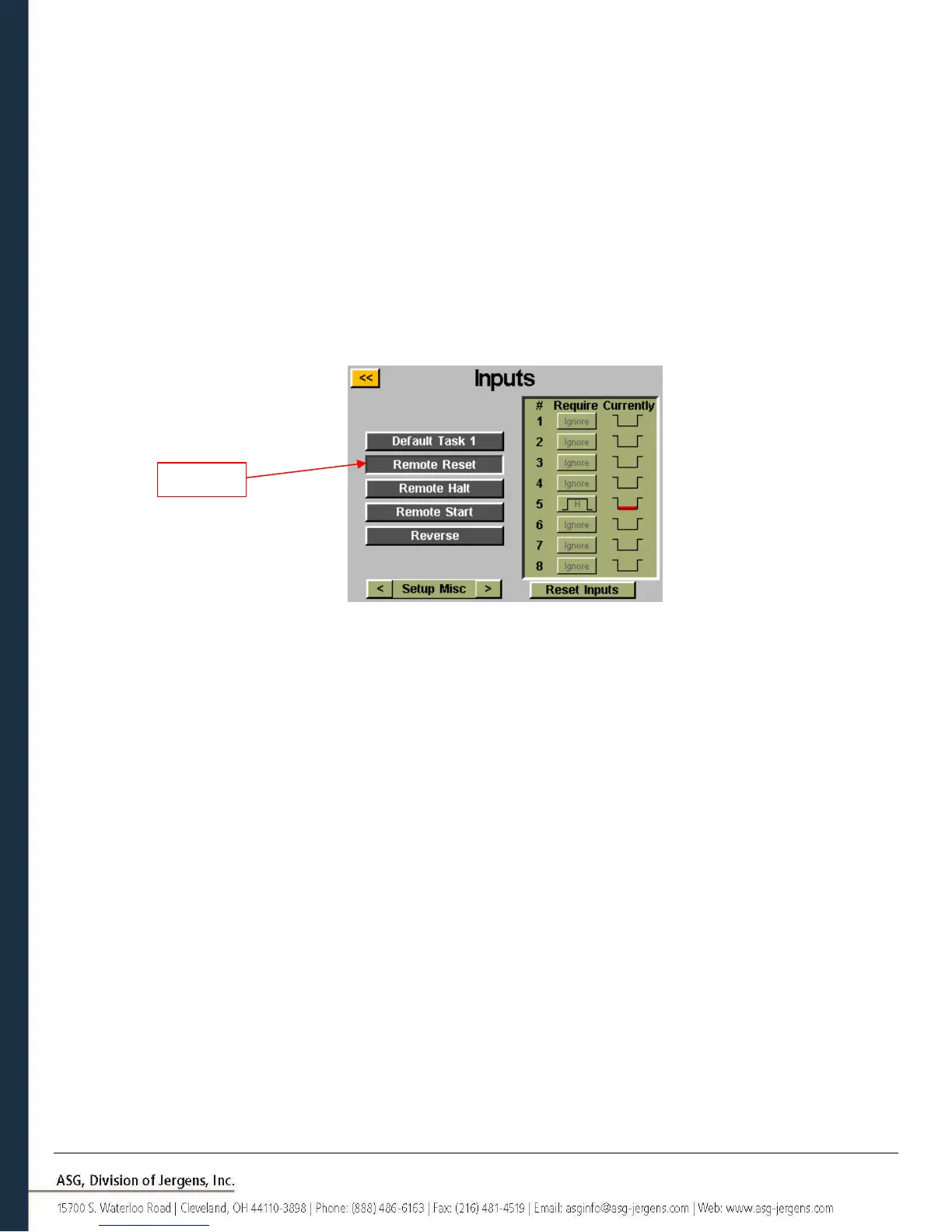
Select the ‘Remote Reset’ button on the left side of the screen. You should now see a column of buttons appear
in the chart next to each input number. You may now select which input you want to use to reset the tool by
tapping the ‘Ignore’ button to the right of that input. This will toggle between ‘H’,’L’, and ‘Ignore’ with each tap.
The picture to the right of this button shows what the controller is currently seeing on that input. Press the
yellow [<<] button at the top and save changes if desired.



 To Next Page