Page 52
Firmware Update
When a USB flash drive is inserted to the controller, the ‘Firmware Update’ buttons are active on the ‘Controller
Information’ screen. Tapping the button will allow you to navigate to the flash drive and select a file to upload to the
controller. The firmware file can be obtained from ASG, contact ASG Customer Service for more information and
eligibility.
The USB flash drive must be FAT32 formatted for this feature to work properly. Failure to use a properly
formatted flash drive can result in firmware corruption and require the controller to be serviced at ASG to reset it to
proper function.
Touch Screen Calibration
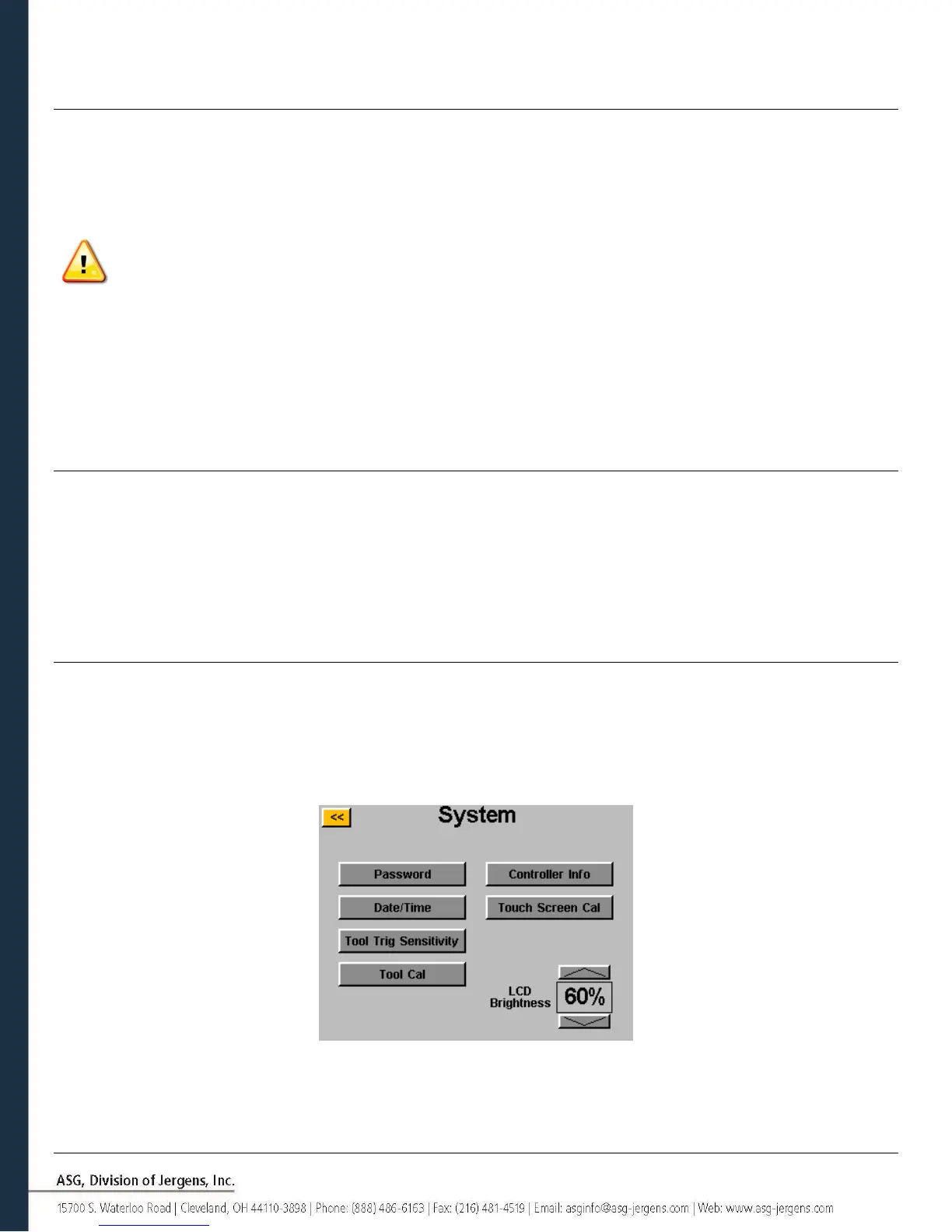
Should the user feel the need to recalibrate the touch screen, this option is available under the ‘System’ screen. Tap the
‘Touch Screen Cal’ button and follow the on-screen directions to complete this process.
LCD Brightness
Should the controller be used in extremely dark or light environments, the LCD touch screen brightness can be adjusted
under the ‘System’ screen. Use the up and down arrow buttons to adjust the brightness. The controller comes factory
set at 60%.



 To Next Page