Page 44
Data Screen
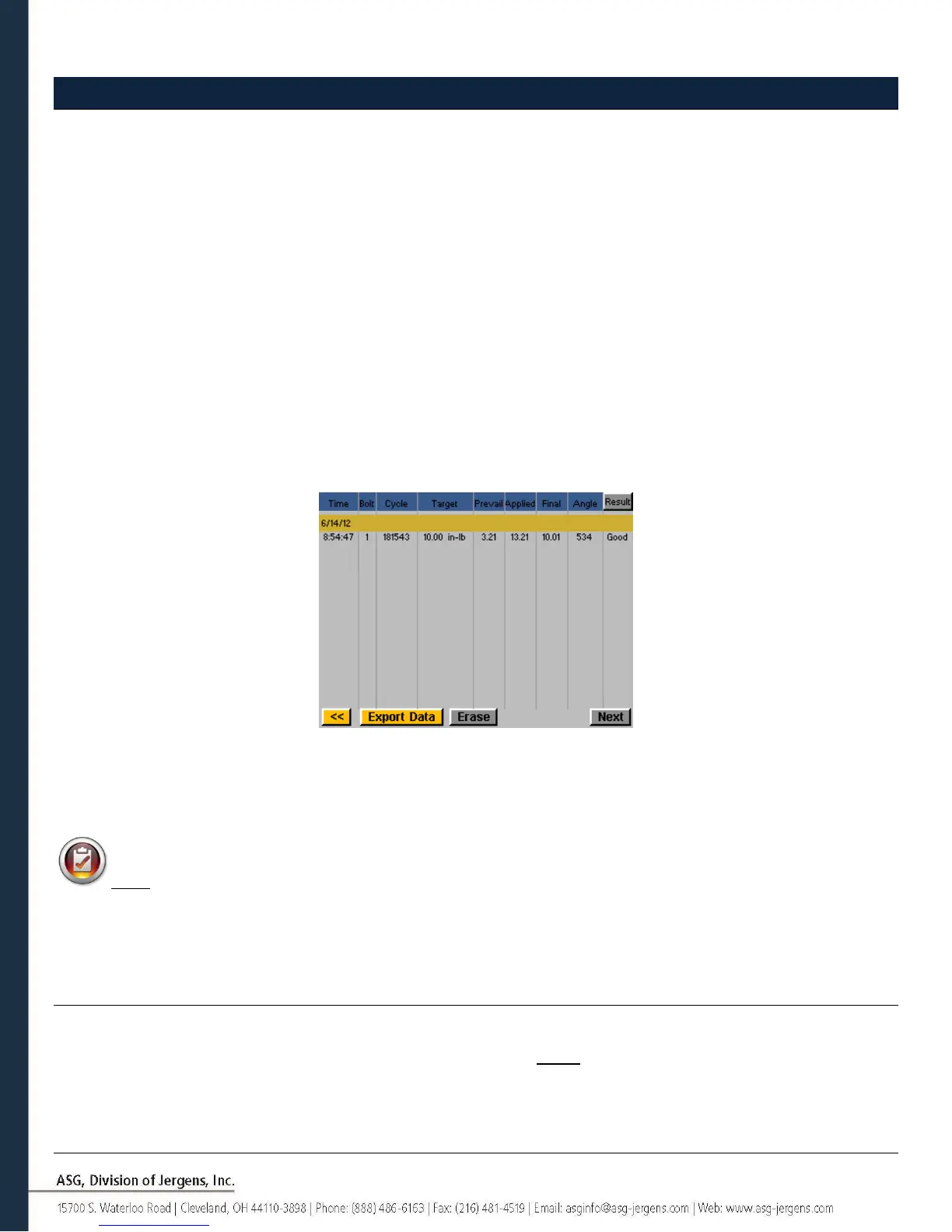
For data traceability, rundown information is stored in table form for view and download from the controller. To access
this data, tap the ‘Data’ button on the bottom of the ‘Run Tool’ screen. The last 100 rundowns since the last controller
reboot is available to view on screen. The data available to view on screen is:
• Date/Time
• Bolt Number
• Result (Good, High Torque, Low Angle, etc)
• Tool Cycle
• Target Torque/Angle
• Prevailing Torque
• Applied Torque (Sum of Final Torque and Prevailing Torque)
• Final Torque
• Final Angle
To page through the on-screen data, use the ‘Next’ and ‘Previous’ buttons available at the bottom of the screen.
An expanded data set is stored in the controller’s internal memory, the number of rundowns stored is limited only by
the memory of the controller, and once filled is replaced in a first in/first out basis. Refer to the ‘Downloading Data’
section of this manual for more information on how to retrieve this data.
NOTE: Turning off the controller will clear the table of all data. The data is retained in memory for download,
but will not be available for on-screen viewing.
Erasing Data
To erase the data shown on the screen, tap the ‘Erase’ button at the bottom of the chart. A screen will ask you to
confirm your intentions to erase the data before the data is cleared. NOTE: Erasing the data with this button will not
clear the data from the internal memory of the controller; it will merely remove it from view in the table. Any erased
data is still available for download to USB as described in the next section.



 To Next Page