Asiga MAX User Guide
Copyright ASIGA © 2017 VERSION 1.04
Enable the machine with warranty code
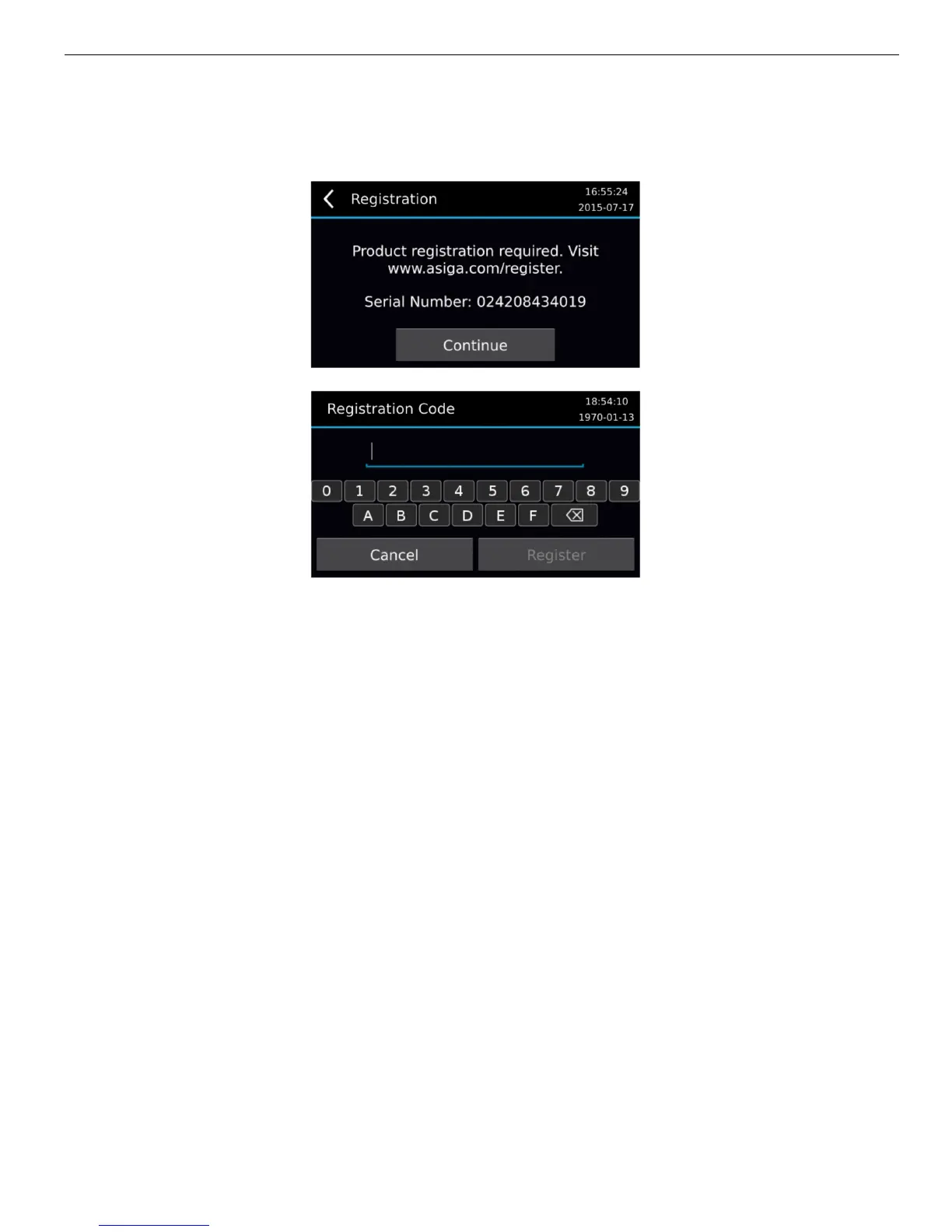
On first startup you will be presented with a screen to enter the warranty code.
You can obtain your warranty code by visiting:
www.asiga.com/register
You will be requested to register an account. Once your account has been activated you
will be directed to a screen where you can enter the serial number of your machine. The
warranty code registers your machine with Asiga and commences the one year warranty on
your system. Alternatively, your reseller may provide you with the warranty code.
You can operate the MAX without entering the warranty code. However, you can only
complete a maximum of five builds. After this the warranty code needs to be entered to
continue printing with the MAX.


 To Next Page