Asiga MAX User Guide
Copyright ASIGA © 2017 VERSION 1.04
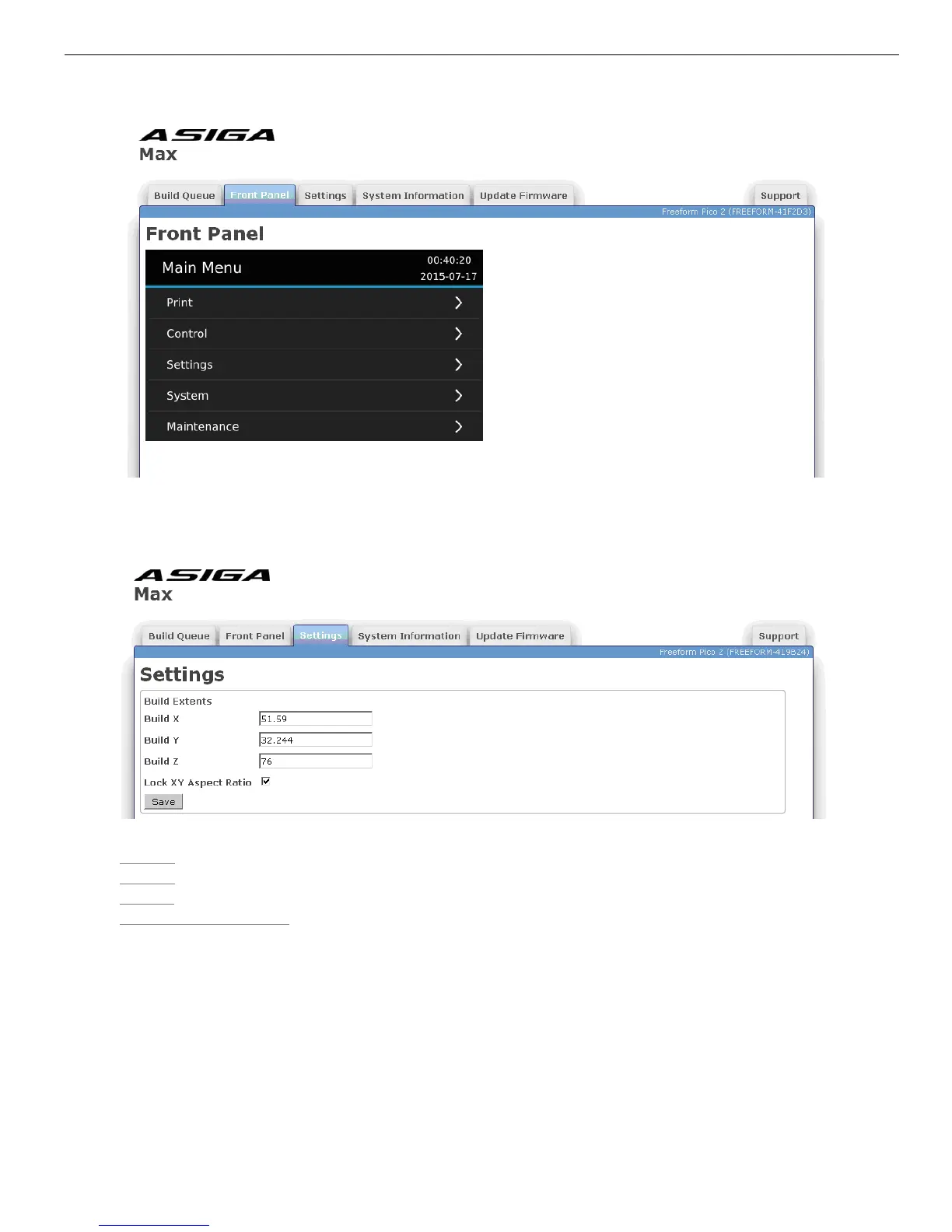
Settings Tab
The Settings tab is used to define the physical build extents of the MAX machine.
Build X – Width of the projected image (mm)
Build Y – Height of the projected image (mm)
Build Z – Depth of the build volume (mm)
Lock XY Aspect Ratio – Ticking this box locks the aspect ratio of the projected image to
that of the imaging chip. It forces the pixels to be square.
The values “Build X” and “Build Y” must be determined by experimentation. This is typically
done by building an object or objects which span the build volume and measuring the
actual span in the X and Y direction. A suitable build may be one which included a cube in
each corner of the build volume, commonly known as a “four cubes” build. The setup in
composer for such as print is as follows:


 To Next Page