Asiga MAX User Guide
Copyright ASIGA © 2017 VERSION 1.04
Add Resin to the Vat
The resin height in the vat should be sufficient to keep the bottom film covered with resin
during the print. Approximately 10mm of resin depth is generally sufficient.
See ‘MAX LEVEL’ mark on Build Tray sticker.
Clean the Vat Bottom
Note: Refer to the video on this topic included on the USB stick that shipped with your MAX
machine.
Commencing a build when there is solid debris in the vat can cause damage to the vat film.
Debris can result whenever:
1. A part has failed to print correctly.
2. A model breaks during fabrication.
3. Resin in the vat is exposed to light.
It is prudent to check the vat bottom for any solid debris before every print. Do this by
wiping resin away from the bottom of the vat with a piece of cardboard (a business card is
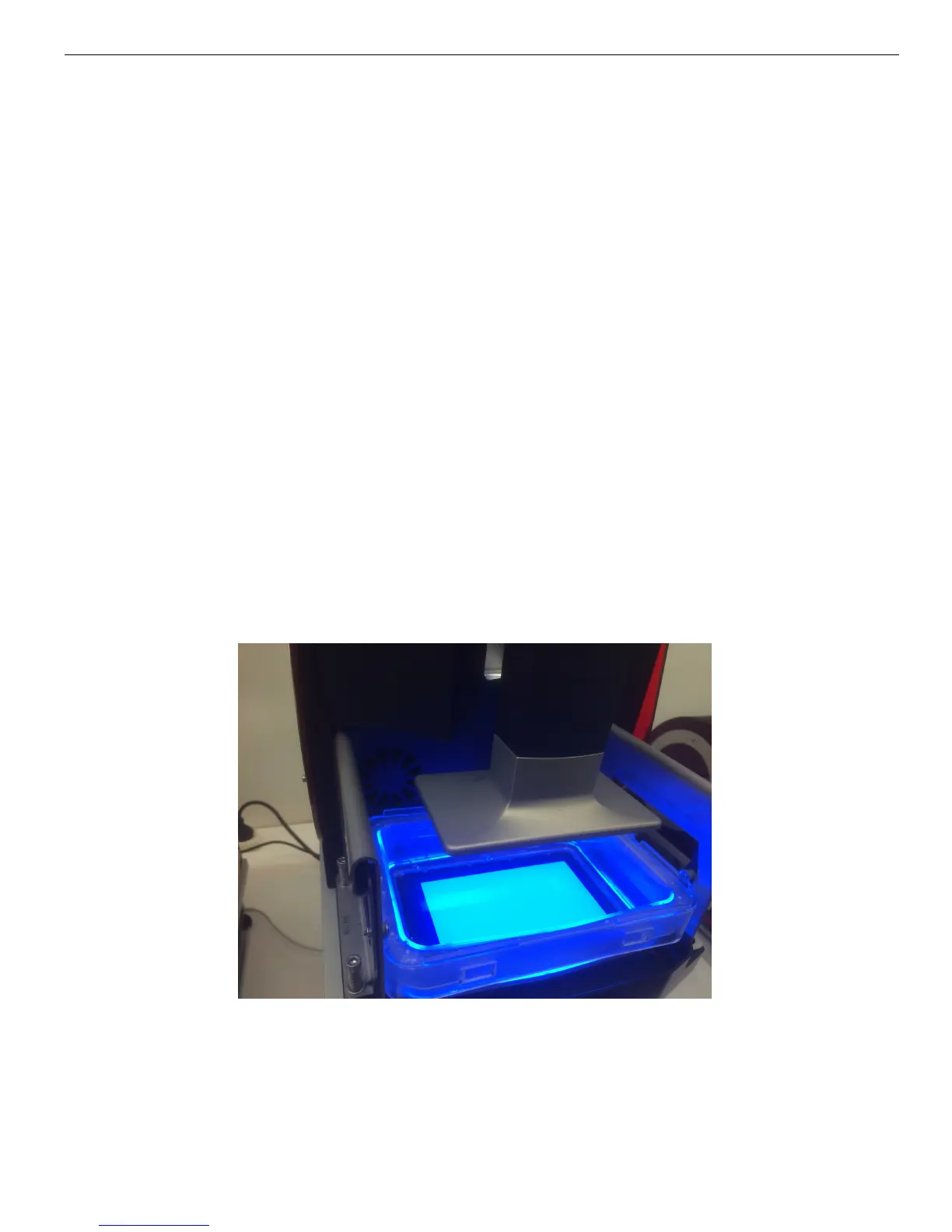
ideal). Any cured debris can be aggregated by blanket exposing the build envelope with UV
light from the projector. The following procedure should be used:
1. Go to LCD menu item Control > LED > LED On. Allow exposure for approximately
20 seconds or until a firm layer is achieved, then switch off the LED by pushing the
“off” button on the LCD screen.
2. Remove the vat from the machine. There will be a cured rectangle of material
adhered to the vat bottom.


 To Next Page