Asiga MAX User Guide
Copyright ASIGA © 2017 VERSION 1.04
View BuildLog.ini – Shows a log of builds started/cancelled and information about each
build
View printer.ini – Shows the printer's current configuration
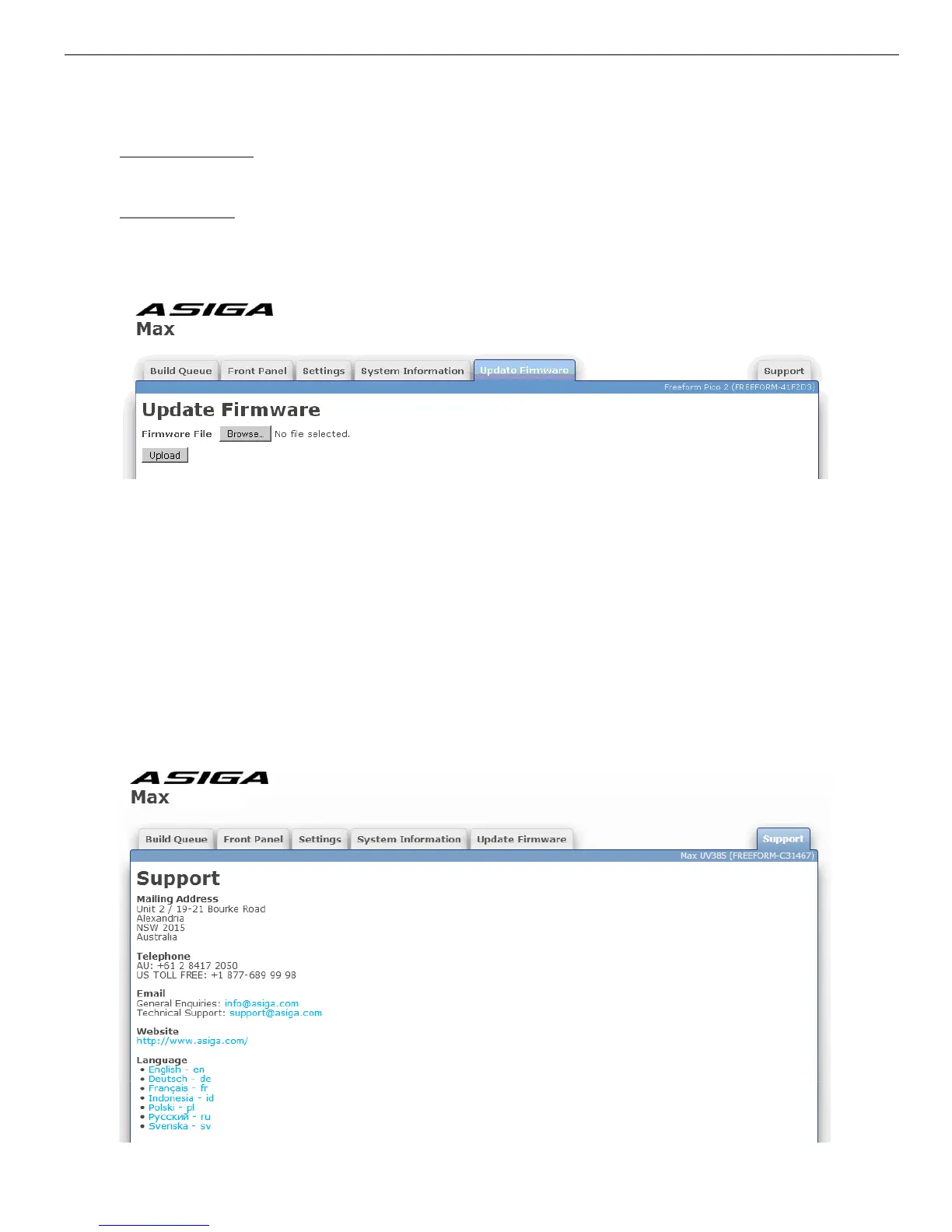
Update Firmware Tab
The Update Firmware tab allows you to upload a new firmware file onto the printer.
Firmware files have the file extension “.fw”. You can click Browse to select a firmware file
and then click Upload to upload it. The printer will verify the firmware is valid and if it is, it
will be added to the list of firmware in the System > Firmware Version menu on the front
panel. You can then select the desired firmware from the Firmware Version menu to update
to the selected version. The printer will keep the 5 most recently uploaded firmware files.
Support Tab
The Support tab provides contact details for obtaining support from Asiga for the printer
and also provides an option to change the language of the web interface. The selected
language is stored in a cookie in the web browser. If no language has been selected or the
web browser cookie is not present, the web browser's default language will be used if
available.


 To Next Page