Asiga MAX User Guide
Copyright ASIGA © 2017 VERSION 1.04
2. The machine is building a part.
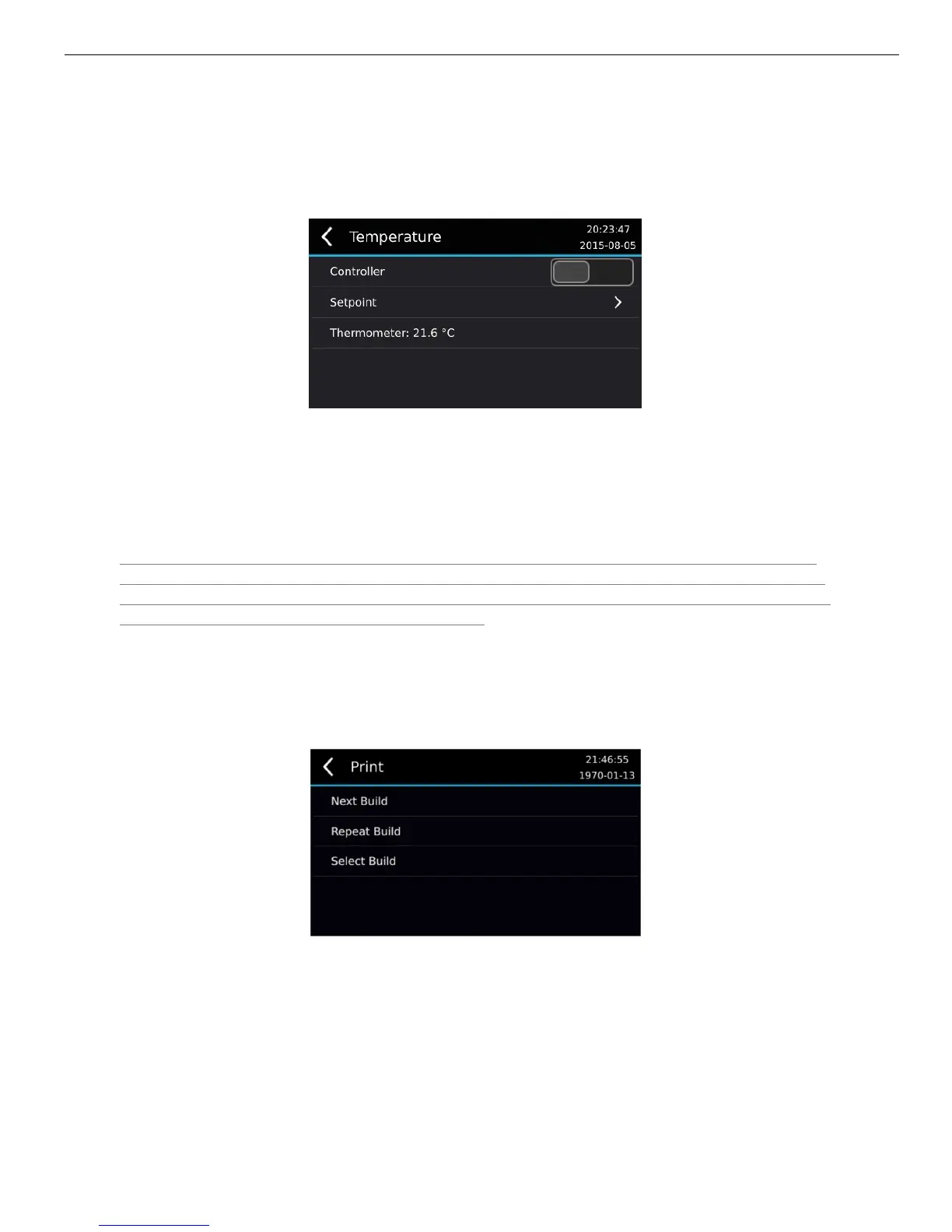
The idle chamber temperature settings are accessed via the menu Settings >
Temperature.
The Controller toggle allows the temperature controller to be activated or deactivated.
The Setpoint sub-menu allows the setpoint temperature to be entered.
The Thermometer field shows the current chamber temperature.
Note that the controller and setpoint settings under this menu are only employed while the
machine is idle. Use this menu to control the temperature of the material while the machine
is not building parts. When the machine is building a part, the build temperature setpoint set
in the Asiga Composer Build Wizard is applied.
Starting the Build
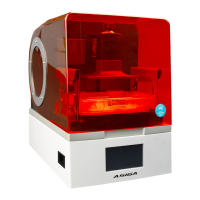
Start the build on the MAX’s LCD screen with Print menu. There are either 3 or 4 options
present:
1. New Job. Starts the next job in the build queue.
2. Repeat Job. Repeats the previously started job
3. Continue Job. Continues the current job that was either aborted by the user or halted
by power failure. This option is only present if the previous job was aborted before
completion.
4. Select Job. Shows a list of jobs in the build queue and allows a job to be selected.


 To Next Page