Asiga MAX User Guide
Copyright ASIGA © 2017 VERSION 1.04
2. Press “Zero Position Encoders”
3.
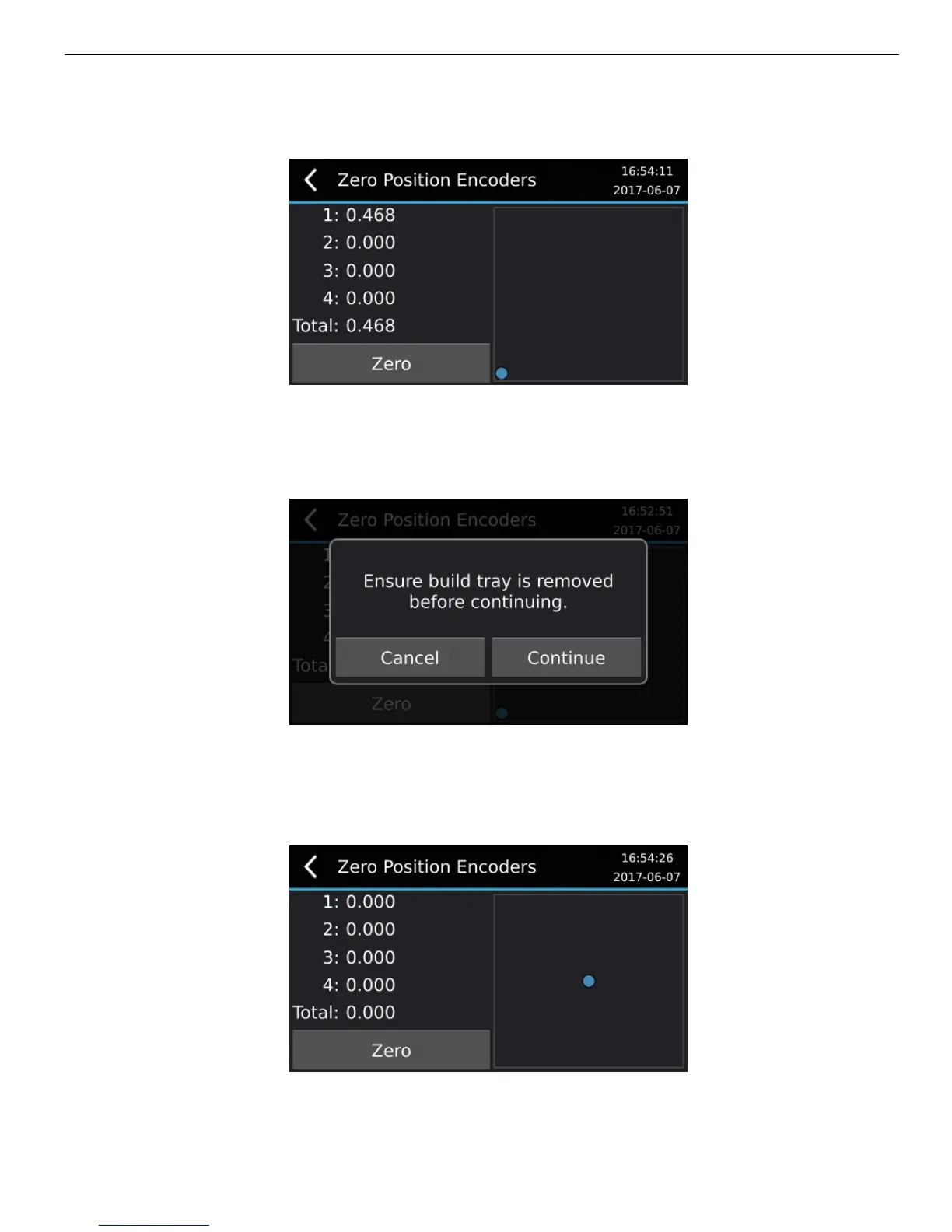
The empty square region shows a two-dimensional deflection map of the build
envelope with a blue dot at the zero centre.
4.
Pressing the “Zero” button will show the following prompt:
5. Remove the build tray from the machine. There should be no objects in the build
tray area or anything pressing on the machine. The machine should be on a level
surface in a low vibration area. Press “Cancel” to abort the process, otherwise, when
ready, click “Continue” to record the zero position.
6. The process is complete. The blue dot should be in the centre of the square.
Network Connection


 To Next Page