Servicemanual TD60
14
Making settings TD60.3
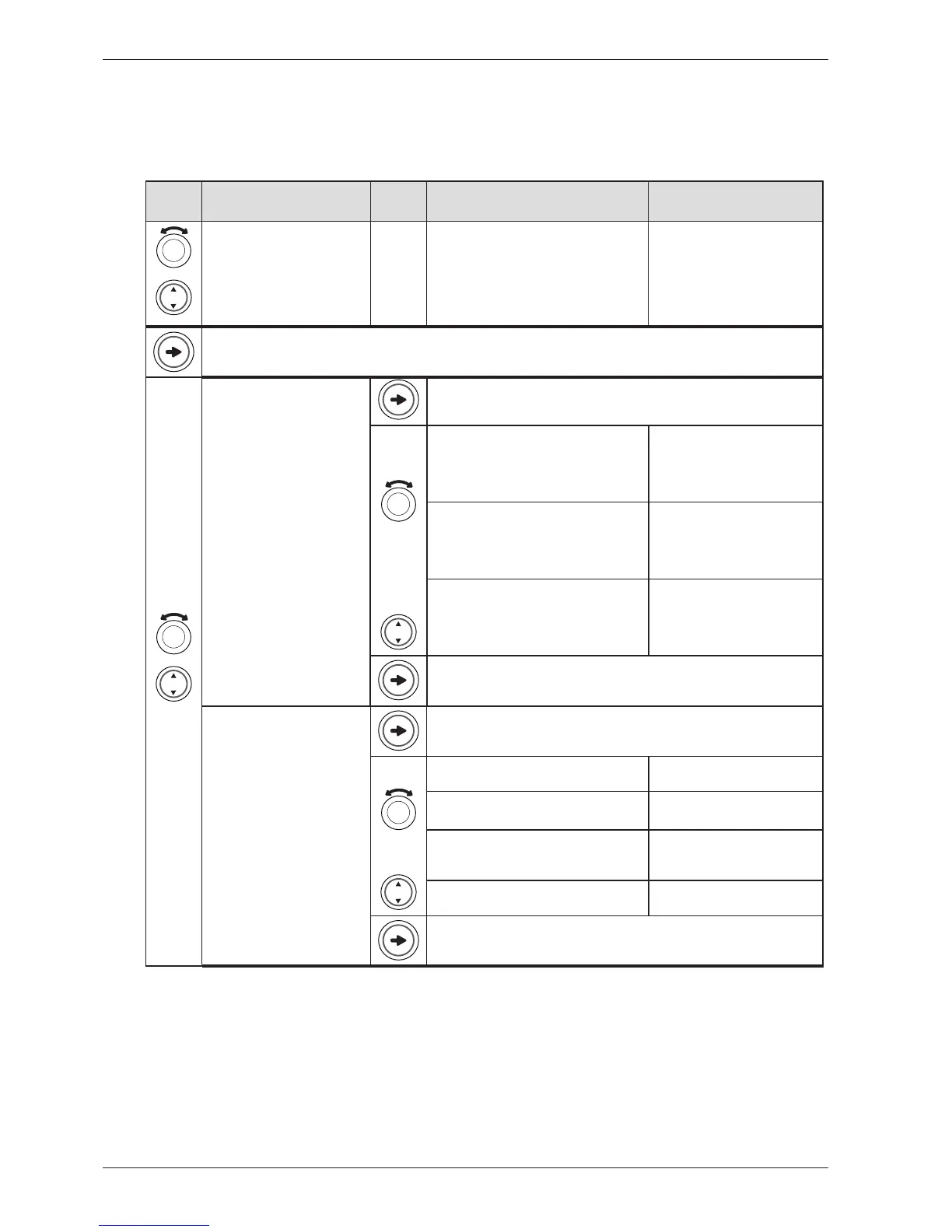
The setting options below are shown in the order they occur in LCD2 (Position 7 under the pro-
gram menu is, however, shown in LCD1). All display text language versions are displayed.
Press/
turn
LCD 2 Press/
turn
LCD3 Comments/instructions
Settings, Settings, Settings,
Inställningar, Indstillinger,
Innstillinger, Asetukset, Réglage,
Einstellungen, Impostazioni,
Ajustes, Haстрoйки, Instellingen
In the programme menu: Scroll to
program 9 (Settings)
You will now enter the Settings menu.
1 Clock/Auto Start, 1 Clock, 1
Klocka, 1 Ur, 1 Klokke, 1 Kello, 1
Horloge, 1 Klok, 1 Orologio, 1
Reloj, Чaсы, 1 Uhr
24hr Realtime, 24 Hour Clock, 24hr
Realtime, 24 timmarsvisning, 24 timers ur,
24t realtid, 24 h aika, Horloge 24 h, 24 Std.
Echtzeit, 24h Tempo reale, Reloj 24 horas,
Фoрмaт врeмeни 24-ч., 24 uur weergave
Three O’clock is displayed as
”15.00”. Press S1 to access a sub-
menu where you can set the cor-
rect current time. Press S1 again
to store and exit the sub-menu.
12hr Realtime, 12 Hour Clock, 12hr
Realtime, 12 timmarsvisning, 12 timers ur,
12t realtid, 12 h aika, Horloge 12 h, 12 Std.
Echtzeit, 12h Tempo reale, Reloj 12 horas,
Фoрмaт врeмeни 12-ч., 12 uur weergave
Three O’clock is displayed as
”03.00”. Press S1 to access a sub-
menu where you can set the cor-
rect current time. Press S1 again
to store and exit the sub-menu.
No Real time, No Real Time, No Real time,
Ej realtid, Intet ur, Ingen realtid, Ei aikaa,
Pas d’horloge, Keine Echtzeit, No tempo
reale, Sin hora real, Время не установлено,
Geen tijdsweergave
No Real Time. Press S1 to return
to program menu.
Saves the setting and returns to the program menu.
2 Buzzer Volume, 2 Audible
Volume, 2 Ljudsignal, 2 Lydsignal,
2 Lydsignal, 2 Hälytysääni,
2 Volume buzzer, 2 Volume
eindsignaal, 2 Volume allarme,
2 Volumen timbre, Гpoмкoсть
сигнaлa, 2 Tonsignal
Off, Off, Off, Av, Fra, Av, Poissa, Off, Aus,
Off, apagado, Bыкл., Uit
No buzzer
Low, Low, Low, Låg, Lav, Lav, Matala, Faible,
Niedrig, Bassa, Bajo, Hизкaя, Laag
Buzzer that indicates the end of a
program or error.
Normal, Normal, Normal, Normal, Normal,
Normal, Normaali, Normal, Normal, Nor-
male, Normal, Hoрмaльнaя, Normaal
Buzzer that indicates the end of a
program or error.
High, High, High, Hög, Høj, Høy, Korkea,
Elevé, Hoch, Alta, Alto, вoд, Hoog
Buzzer that indicates the end of a
program or error.
Saves the setting and returns to the program menu.



 To Next Page