Servicemanual TD60
17
Auto Extra Dry
Auto Dry
Timed Dry
Auto Normal
Auto Iron Dry
Air Fluff program
T 7 5 3 C
B U T T E R F L Y D R Y I N G
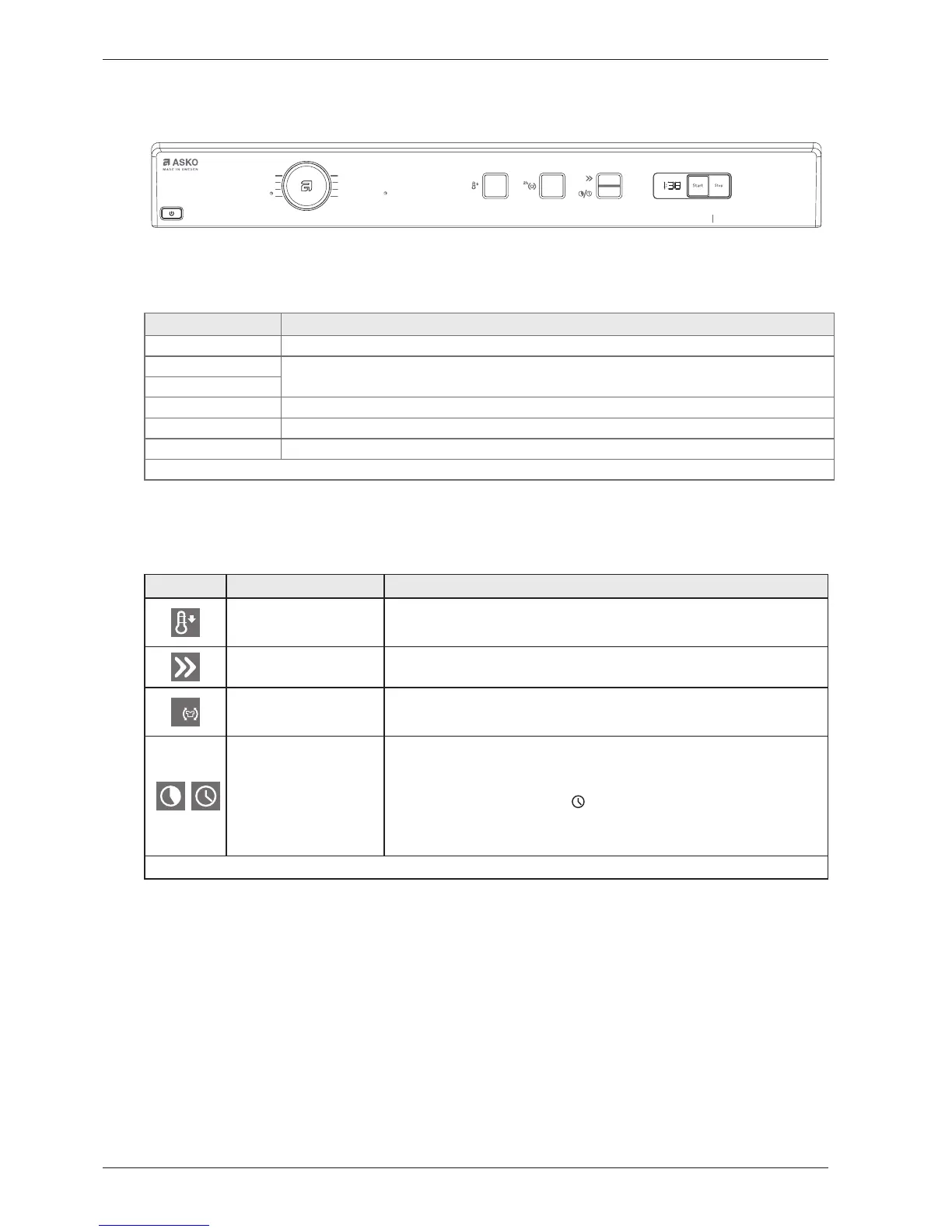
Selecting programme and making options TD60.1
Turn the program selector to select a program. See the program table below.
Program Program description and type of fabrics
1. Auto Extra dry Program for fabrics that are especially difficult to dry.
2. Auto Dry These programs end automatically when the load is dry. The Auto Dry programme gives slightly drier laundry
than Auto Normal dry.
3. Auto Normal dry
4. Auto Iron dry This programs ends when the load is just damp enough for ironing or mangling.
5. Timed dry 1) Select the program length according to what you intend to do with the items after drying them.
6. Air fluff programme
1) For items that simply need to be freshened up, aired or softened.
1 Only machines with panel type 1
Press the option buttons to select options. See the options table below.
Press
Options Comments/instructions
• Temperature low You can select low temperature with all program except Air fluff.
• Time saver 1)
The program is shortened by about twelve minutes. Time saver can be selected with all
programmes except Air fluff.
2h
• Anti-crease
If you are not able to remove the load immediately you can select the Anti-crease option.
The drum rotates for three seconds per minute for two hours once tumble drying has
finished. This prevents the fabrics from lying still and becoming creased.
• Delayed start 1)
Choose the number of hours that you want to delay the start by. You can delay the start
by between 1 and 24 hours. The option cannot be used with the Timed dry and Air fluff
programmes.
First select which programme you want to use.
Press the + button below the symbol
in the display to select Delayed start.
Delay the start by 1-24 hours by pressing the -/+ buttons.
Finish by pressing the Start/Stop button. The machine counts down 1 hour at a time and
starts after the selected delay.
1 Only machines with panel type 1



 To Next Page