Servicemanual TD60
21
Service menu TD60.2
Switch off, and then on main power.
S3
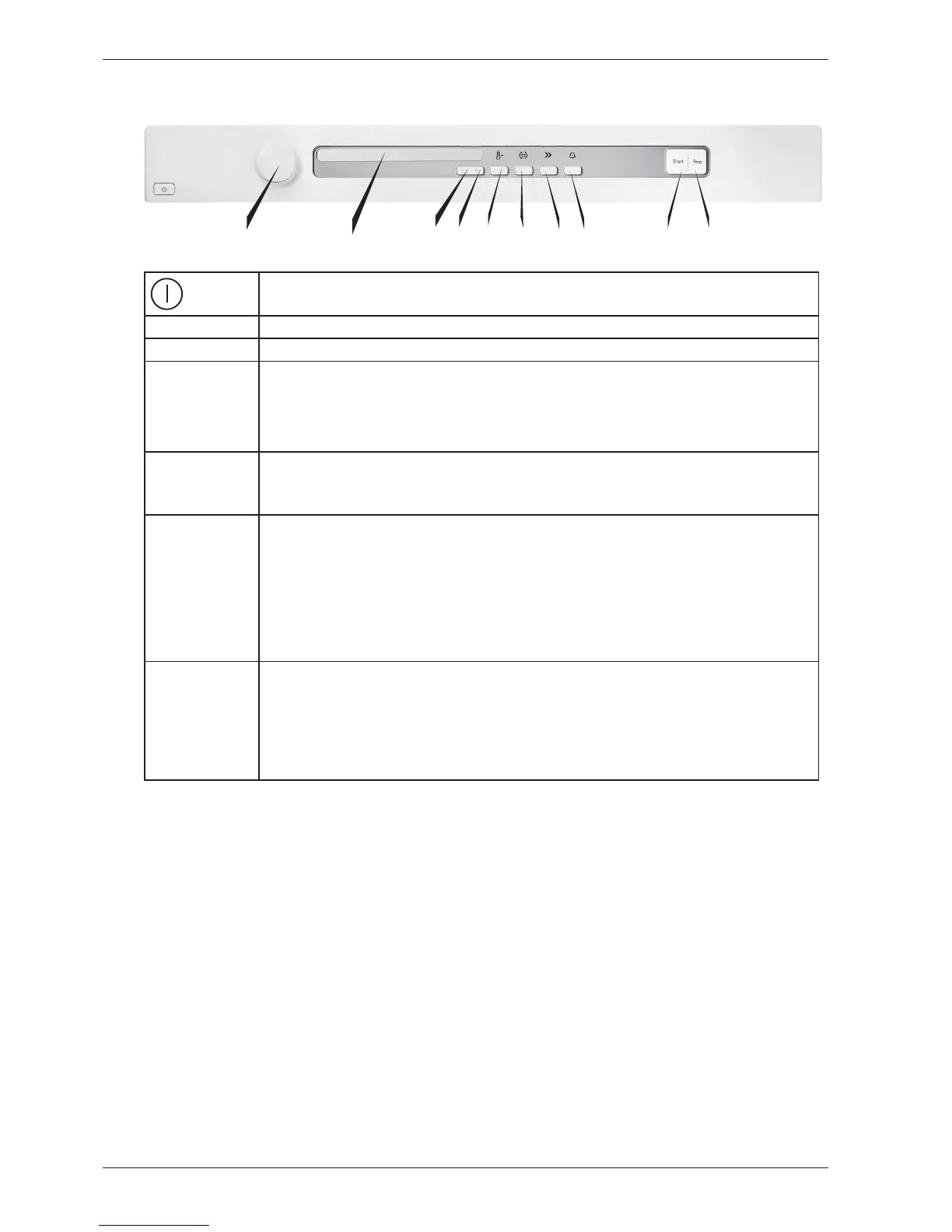
• Pressing S3 when power on followed by 3 pushes on S6 within 5 sec enters the service menu.
NOTE!
Make all selections. Pressing S8 stores all selections made in service menu and leaves Service mode.
Turn
J1
Tracking data reed out
SP: (Software programming date: year week
CM: (Control unit manufacturing date: year week
SV: (Software version)
NC: Number of cycles
Press S9 next step is accessed.
Failure reed out
LCD will display last fault and cycle no: ex “Max time, 451”. Rotating J1 will display 2
nd
and 3
rd
last deviating fault,
Failure record is cleared by total reset
Press S9 next step is accessed.
Diagnostics
Separate test of auxiliary components.
Rotating J1 each component will be turned on (with a 1 sec delay) and inputs detected in sequence:
“Testing” (no component),
“Testing motor” (motor on),
“Testing heater 1” (motor and heater 1 on max 70°),
“Testing heater 2” (motor and heater 2 on max 70°),
“Testing drain” (drain pump on - condense only),
“Testing buzzer” (buzzer on),
Press S9 next step is accessed.
Dryness adjustment
Turn J1
Dry level: 0 (default, no extension)
Dry level: 5 (5 minutes extension)
Dry level: 10 (10 minutes extension)
Dry level: 15 (15 minutes extension)
Dry level:20 (20 minutes extension)
Pressing S9 the first step is accessed or S8 to store and leave Service mode l
J1
LCD
S4
S3
S5
S6 S7
S8 S9
S2



 To Next Page