EasyManua.ls Logo

Assa Abloy NORTON RIXSON 5200 Series - User Manual

Assa Abloy NORTON RIXSON 5200 Series
20 pages
Print Icon
To Next Page IconTo Next Page
Loading...
80-9352-0022-020 Rev 2 06/23
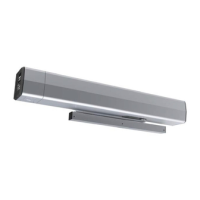
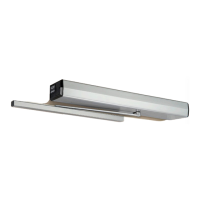
5200 Series Full Feature Low Energy Operator
Programming Instructions
Onboard or Wi-Fi Smart Device
Copyright © 2023, ASSA ABLOY Accessories and Door Controls Group, Inc. All rights reserved. Reproduction in whole or in
part without the express written permission of ASSA ABLOY Accessories and Door Controls Group, Inc. is prohibited.
This programming instruction provides setup information for the 5200
operator via the control board or a Wi-Fi enabled smart device.
Pour la version francaise voir www.nortonrixson.com.
READ AND FOLLOW ALL INSTRUCTIONS.
SAVE THESE INSTRUCTIONS.
This product can expose you to lead which is known to
the state of California to cause cancer and birth defects or
other reproductive harm. For more information go to
www.P65warnings.ca.gov.
WARNING

Other manuals for Assa Abloy NORTON RIXSON 5200 Series

Questions and Answers

  • M
    Mary HallAug 3, 2025
    What to do if Assa Abloy Garage Door Opener has an error during learning?
    • T
      Tony StephensAug 3, 2025
      If the Assa Abloy Garage Door Opener encounters an error during the learning process because the door hit an obstruction, reset the operator to factory defaults. Press and hold the FACTORY RESET button until all LEDs light up, then release. Repeat the Open/Closed Positions and Learn processes. If the door did not hit an obstruction, inspect hinges or the door/frame for excessive wear or misalignment. Replace worn components and repeat the steps to set Open and Closed Positions and Learn.
  • V
    Valerie GrayAug 7, 2025
    Why is my Assa Abloy Garage Door Opener showing a 24VDC power error?
    • D
      Dr. Scott BrownAug 7, 2025
      If you encounter a 24VDC power error that is too high or too low with your Assa Abloy Garage Door Opener, check the incoming voltage to the power supply and from the power supply to the control board.
  • C
    Christy BarajasAug 11, 2025
    How to reset Assa Abloy Garage Door Opener?
    • M
      morganvictoriaAug 11, 2025
      To reset your Assa Abloy Garage Door Opener to factory defaults, press and hold the FACTORY RESET button until all LEDs light up, then release. The unit will reset, and the CLOSE button will flash. Repeat the Open/Closed Positions and Learn processes.
  • E
    Elizabeth VelazquezAug 16, 2025
    What to do if Assa Abloy Garage Door Opener is not working, focus on main board harnesses?
    • M
      Matthew JohnsonAug 16, 2025
      Ensure all harnesses are securely plugged in on your Assa Abloy Garage Door Opener, paying close attention to the main board harnesses.
  • J
    John SmithAug 20, 2025
    What to do if Assa Abloy Garage Door Opener motor is not working?
    • R
      Rachael HarveyAug 20, 2025
      Make sure all harnesses are plugged in and secure on your Assa Abloy Garage Door Opener, especially the motor wires.
  • S
    Sandra HudsonAug 25, 2025
    What to do if Assa Abloy Garage Door Opener is not working, focus on harnesses attached to backplate?
    • M
      maldonadodustinAug 25, 2025
      Make sure all harnesses are plugged in and secure on your Assa Abloy Garage Door Opener, especially those attached to the backplate.
  • J
    Jennifer JeffersonAug 28, 2025
    What to do if TEMP connector is not plugged in Assa Abloy Garage Door Opener?
    • T
      Tonya BrownAug 28, 2025
      If the TEMP connector is not plugged in on your Assa Abloy Garage Door Opener, plug it into the backplate.

Summary

5200 Series Operator Programming

Initial Operator Setup

Steps for powering up and preparing the operator for initial programming and connection.

Operator Setup via Control Board

Configure the operator's arm mode, open, and closed positions using the control board.

Operator Setup via Wi-Fi

Program the operator using a smart device and Wi-Fi for advanced settings and adjustments.

Connections

Details on customizing operator inputs/outputs and understanding terminal block connections.

Troubleshooting and Support

Guidance for diagnosing issues, viewing logs, error codes, and restoring factory defaults.

Wiring Diagrams

Illustrations for common configurations like single-use restrooms and various activation methods.

Assa Abloy NORTON RIXSON 5200 Series Specifications

General IconGeneral
BrandAssa Abloy
ModelNORTON RIXSON 5200 Series
CategoryDoor Opening System
LanguageEnglish

Related product manuals