4. Unit operation
PHG 700C / 701C User Manual Page 30 of 47
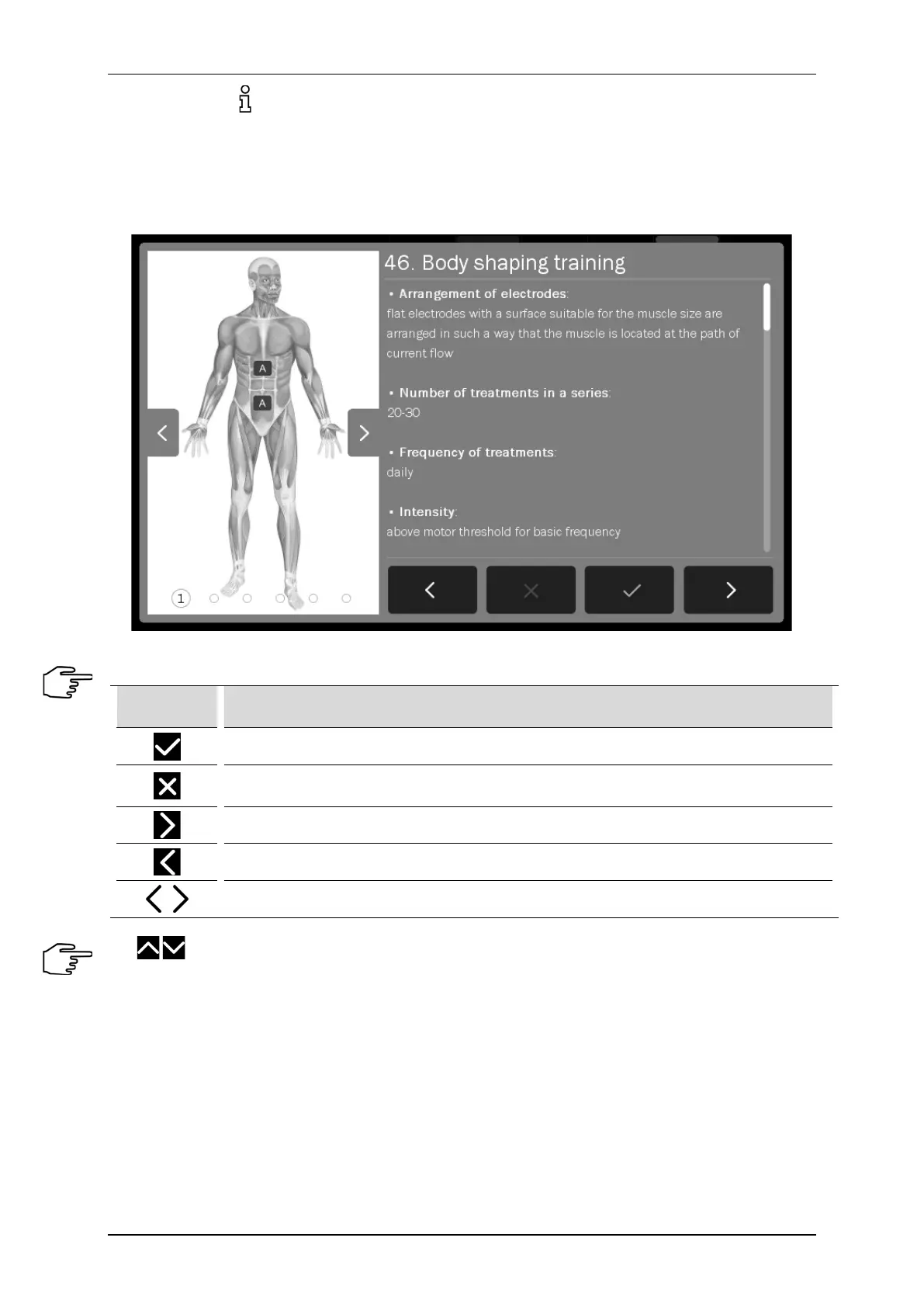
Pressing the button after program / sequence selection results in appearing information which contains:
• technique description of electrodes, ultrasound heads placement and conducting laser irradiation,
• illustrations with highlighted points or areas of the body covered by the treatment,
• suggested number of procedures, the frequency of repetition,
• impact on the patient,
• notes,
• treatment parameters.
Figure 4.10. Information screen sample view
Information mode navigation:
Symbol Explanation
Approval of the program / sequence and return to the list (the current position)
Back to the list of preset programs / sequences on a position from which there was an
encyclopedia entry
Go to the next program / sequence
Go to the previous program / sequence
Model of the human body – go to the previous / next illustration for the program / sequence
Use keys or a bar located on the right side of the display to scroll the information.
If it is necessary to interrupt the treatment procedure (pause), press STOP key. To resume the treatment
procedure it is recommended to follow the instructions shown on the display.
Schematic procedures for different therapies are presented below. In continuous operation, it is recommended
to start the treatment procedure from step 3 of each of the schemes.



 To Next Page