2. INSTALLATION
This chapter explains the procedures for installing an OmniBus II PCIe/PXIe
card. There are four steps to installation:
Step 1: Insert the Card into the System
Step 2: Install the Driver Software
Step 3: Set the Card Number and Test the Installation
Step 4: Connect to Databus(s) I/O
After the installation steps are completed, the PCIe/PXIe card is ready to
communicate on the databus(es).
2.1 Step 1: Insert the Card into the System
In an ESD safe environment, do the following:
For a PCIe System:
• Shut down the system.
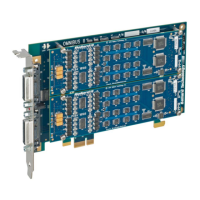
• Insert the card into an empty PCIe slot.
• Secure the card with a screw.
• Restart the system.
WARNING
Static Discharge
As with most electronic devices, static discharge may damage or degrade
components on a circuit card. When handling a circuit card, the user
should be grounded (e.g., through a wrist strap). Each circuit card is
shipped in an anti-static bag, and should be stored in a similar container
when not installed in the system.
OmniBus II PCIe/PXIe User’s Manual 2-1


 To Next Page