MODULE CONFIGURATIONS
6.4.1 Parametric Waveform
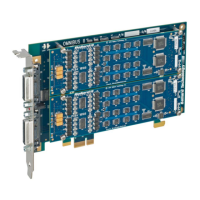
OmniBus II ARINC 429 modules with parametric waveform capability provide
control over transmit amplitude, offset and null voltages, rise time, and fall time.
The amplitude, offset and null voltages are controlled by specifying the high,
null, and low voltages of the differential waveform. These parameters can be
individually set in software for each channel as shown in the following table.
10 V (nominal)
Range = 0 to 200%
-10 V (nominal)
Range = 0 to 200%
Rise/Fall Time
(High speed)
Slew rate limit: 40V/µsec
Rise/Fall Time
(Low speed)
Slew rate limit: 40V/µsec
* Differential.
** Differential and must be between the waveform high and low.
Table 6.9—ARINC 429 Parametric Waveform Characteristics
6.4.2 Configurable Frequency
Parametric ARINC 429 modules can be operated at non-standard speeds. This
configurable frequency can be set in software for each transmit and receive chan-
nel. Thus, 429 channels may be used with equipment that varies from the ARINC
429 standard (such as some implementations of ARINC 575).
Use a bit rate configuration function to get a non-standard frequency. Contact
Ballard Technology (see Section 1.5) for the appropriate parameters for your
module part number and desired frequency.
6.4.3 Output State
ARINC 429 modules with output state functionality have the capability under
software control to:
• Open either output leg of a transmit channel
• Short either output leg of a transmit channel to ground
OmniBus II PCIe/PXIe User’s Manual 6-5


 To Next Page