OMNIBUS II PXIE SPECIFIC FEATURES
5.5 Chassis Slot Glyph
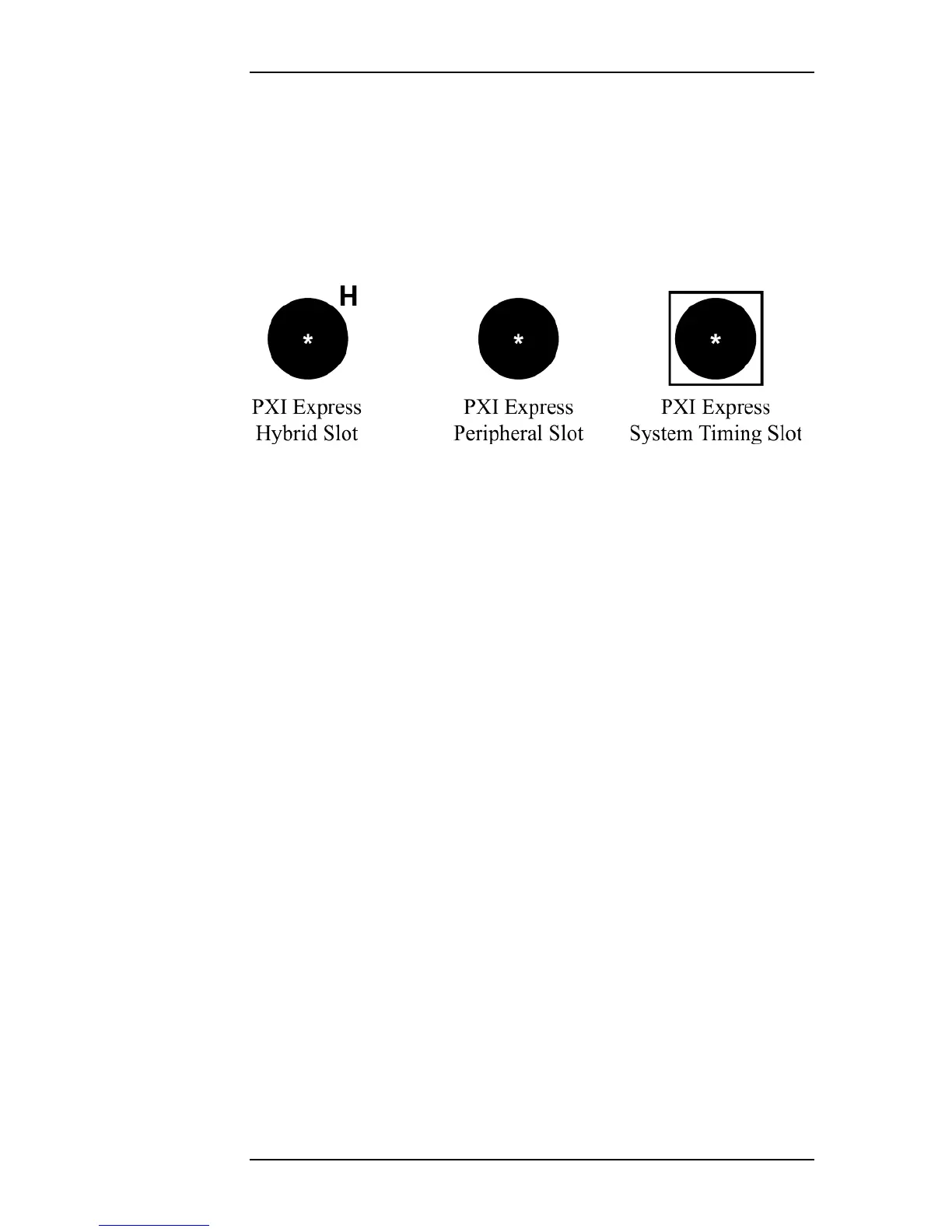
The PXIe card can be installed in a “PXI Express Hybrid Slot”, a “PXI Express
Peripheral Slot”, or a “PXI Express System Timing Slot”. These slot types will
be marked on the system chassis with one of the three Glyphs from * replaced
with chassis slot number
Figure 5.2
. Note that, while the PXIe card will operate normally in the System
Timing Slot, it will not function as a System Timing Module.
* replaced with chassis slot number
Figure 5.2—PXIe Chassis Slot Glyphs
OmniBus II PCIe/PXIe User’s Manual 5-5


 To Next Page