20 HOME SERVER TS mini
Setting up your server
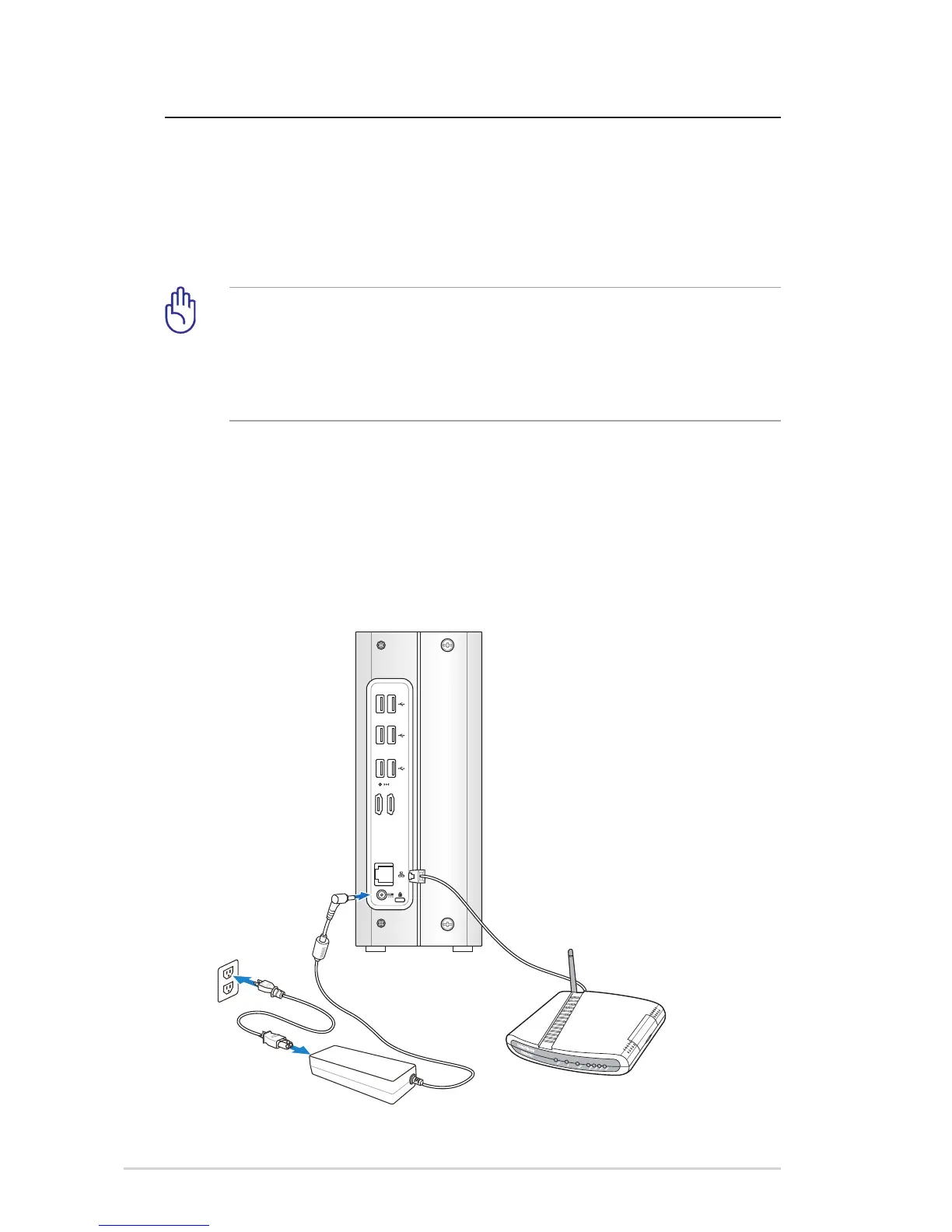
Connecting to the home network
Connect one end of a network cable to the LAN port on the server
rear panel and the other end to your broadband router or to a
switch that is connected to your broadband router.
You must use a network cable to connect the TS mini to your
broadband router. Wireless connection to your broadband router
is not supported. However, after you connect your server to your
home network, home computers can connect to your server
through wireless connection.
Connecting to the power supply
Connect the supplied power cord to the supplied AC adapter. Then,
plug the AC adapter to the DC IN jack on the TS mini rear panel and
the power cord to an electrical outlet.












 To Next Page