48 HOME SERVER TS mini
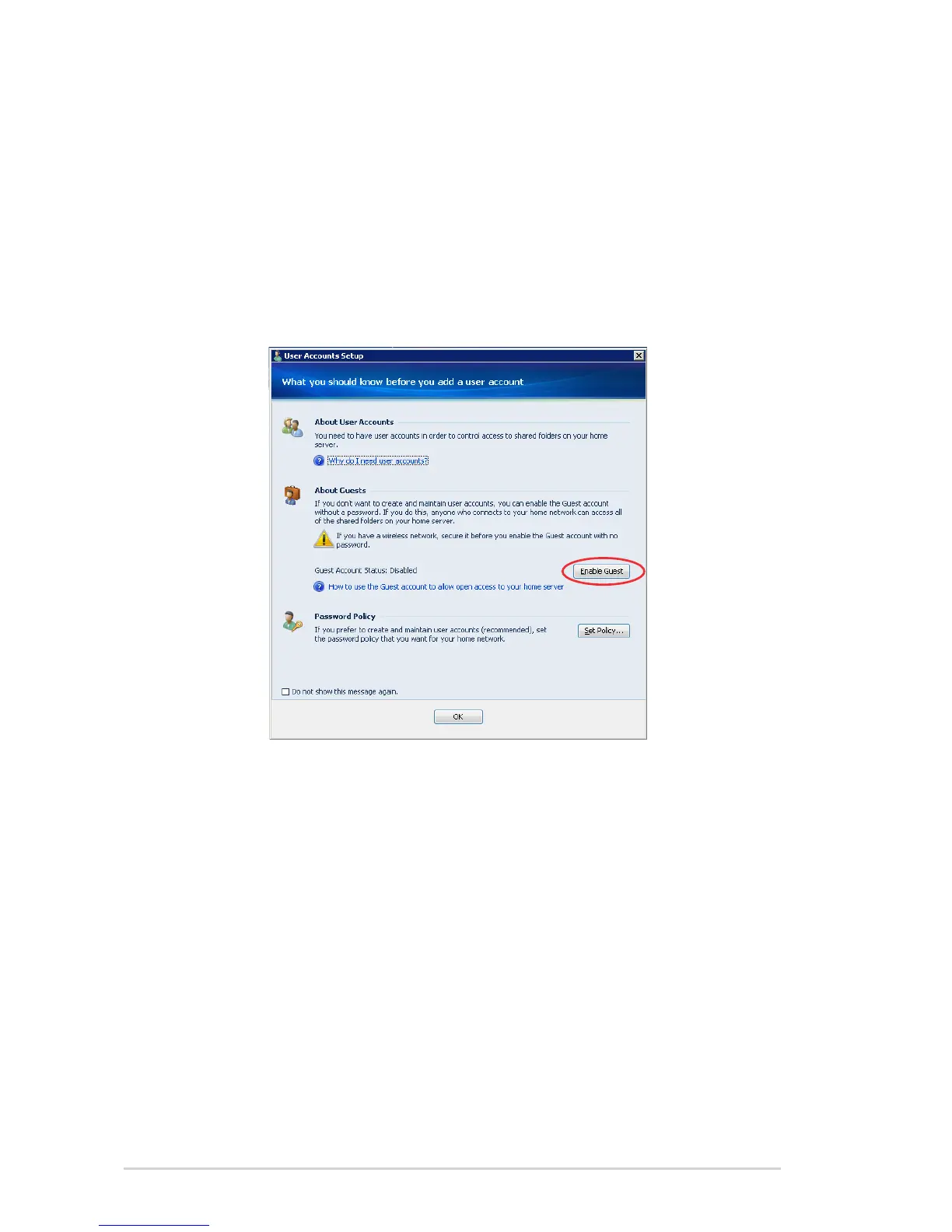
Enabling the Guest account
When the Guest account is enabled, all of the users in your
household have full access to all the shared folders and to other
network resources on the home server.
1. Log on to the Windows Home Server Console.
2. Click the User Accounts tab, and then the User Accounts Setup
window appears.
3. Under About Guests, click Enable Guest.
-or-
1. Log on to the Windows Home Server Console.
2. Click the User Accounts tab,.
3. Right-click Guest, and then click Enable Guest Account.
4. Complete the Enable Guest Account Wizard.
Disabing the Guest account
1. Open the Windows Home Server Console.
2. Click the User Accounts tab,.
3. Right-click Guest, and then click Disable Account.
4. A confirmation message appears. Click Yes.












 To Next Page