HOME SERVER TS mini 43
Creating user accounts
After you complete Windows Home Server Setup and install the
Windows Home Server Connector software on all of your home
computers, you are ready to add user accounts for the people who
use the home network.
Windows Home Server has a 10 user account limit, not including
the built-in Administrator and Guest Account.
To add a personal user account
1. Log on to the Windows Home Server Console.
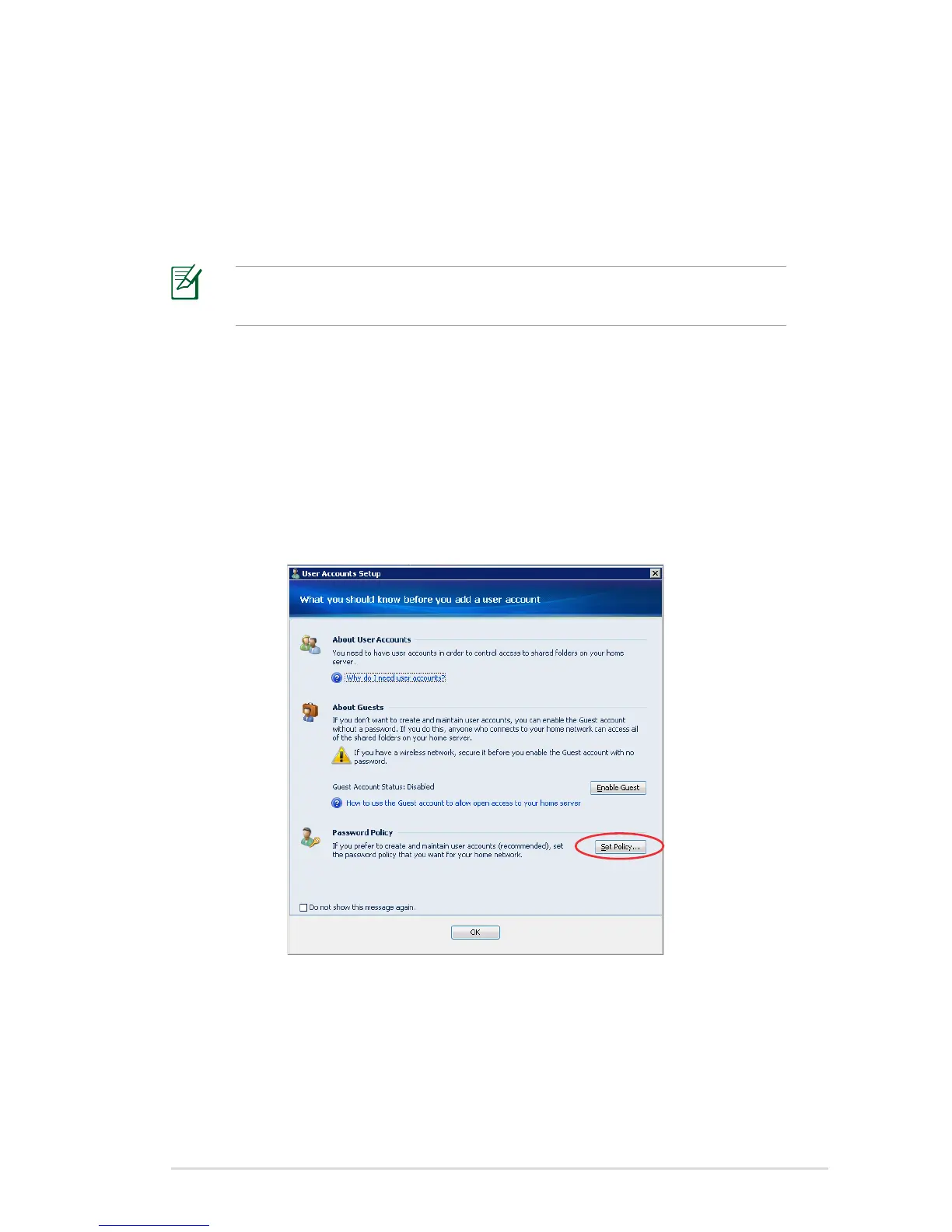
2. Click the User Accounts tab, and then the User Accounts Setup
window appears.
3. On the User Accounts Setup window, click Set Policy to bring up
the Passwords setting page.












 To Next Page