HOME SERVER TS mini 87
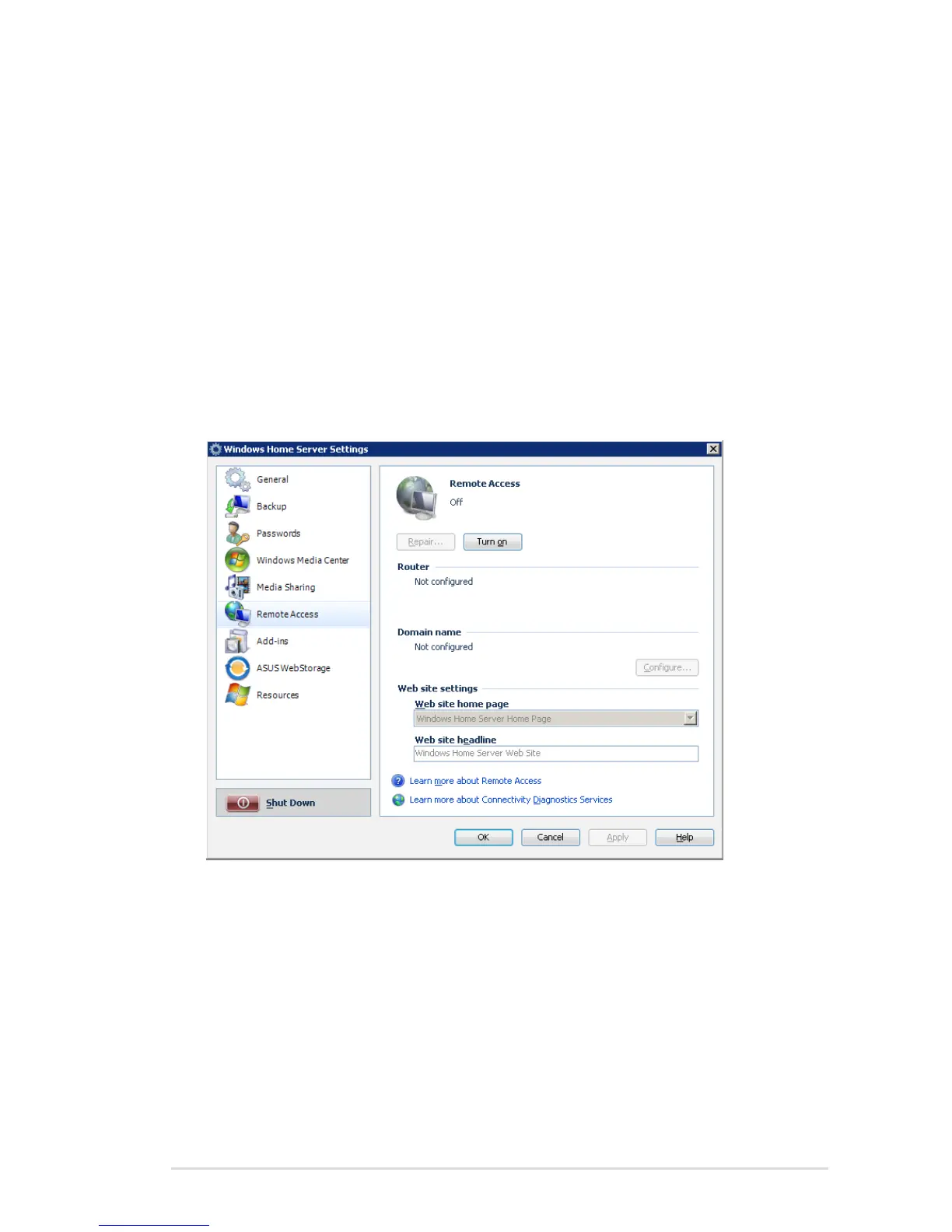
Enabling remote access
To access your data and home computers from the internet
whenever you are, you need to configure Windows Home Server to
allow Remote Access.
1. Log on to the Windows Home Server Console.
2. Click Settings on the upper right corner of the Windows Home
Server Console window, and then click Remote Access in the left
pane.
3. Under the Web Site Connectivity heading, click Turn On to
enable the remote access configuration to your home server.
4. Follow the onscreen instructions to go through the remote
access configuration.
5. Under the Router heading, click Setup to configure your
broadband router. Windows Home Server automatically
configures your broadband router to forward Web site requests
to your home server. Your router must support Universal Plug
and Play (UPnP) and UPnP must be enabled on your router for
Windows Home Server to automatically configure it.












 To Next Page