66 HOME SERVER TS mini
File Manager
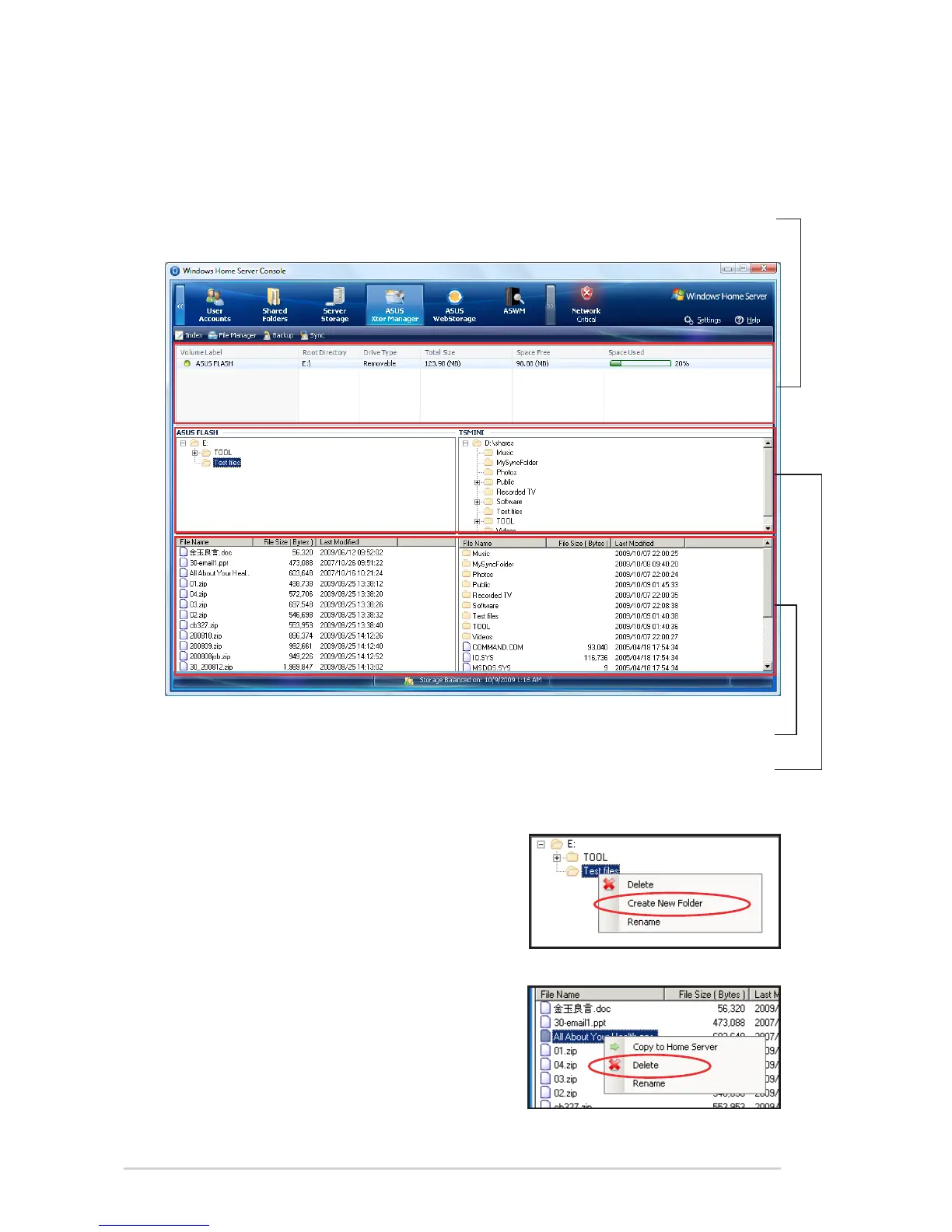
Click the File Manger icon or the File Manager tab on the main page
to bring up the File Manager page.
Information about the
detected external storages
Root directory and sub-directories
Folders and files in the selected directory
To manage folders and files
• To add a new folder, right-click a
folder from the root-/sub-directories
and select Create New Folder.
• To delete a folder or a file, right-click
a folder/file and then select Delete.












 To Next Page