72 HOME SERVER TS mini
Using My Web Backup
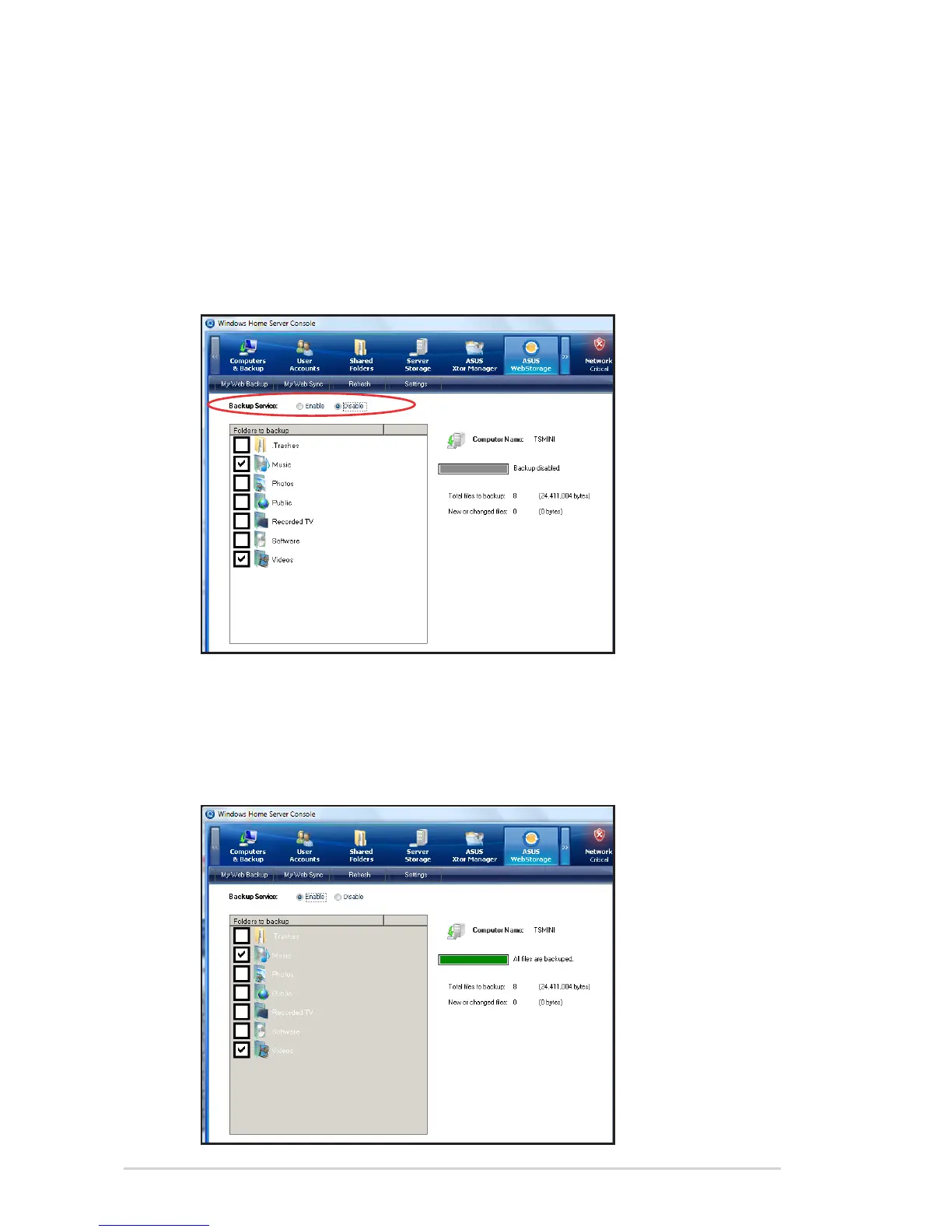
My Web Backup allows you to enable the backup of the shared
folders on the home server.
1. From the ASUS WebStorage tab, click My Web Backup.
2. From the Backup Service, click Disable, and then select the
shared folders that you want to back up to the online space.
3. When done, click Enable to start the backup task. The backup
starts automatically whenever new files are added to the
selected shared folders. Click Refresh to update the current
progress.












 To Next Page