HOME SERVER TS mini 71
ASUS WebStorage
ASUS WebStorage allows you to enjoy one-year-free online space.
With Internet connection, you can access and share any files
whenever you want and wherever you are.
Initializing ASUS WebStorage
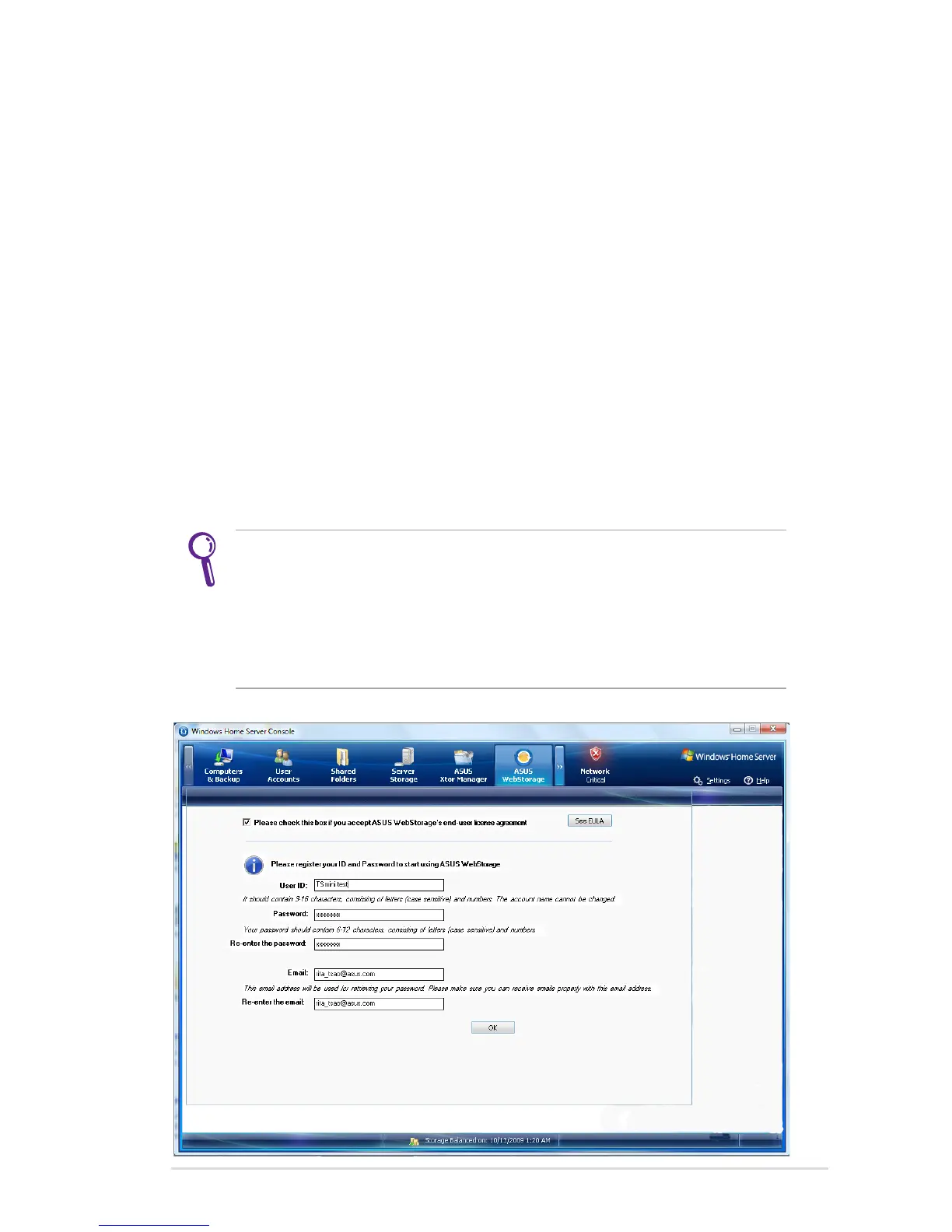
1. Click the ASUS WebStorage tab to bring up the first-time startup
page.
2. Click See EULA to read the End User License Agreement. If you
accept the agreement, check the box before Please check the
box before if you accept ASUS WebStorage’s end-user license
agreement.
3. Enter your Uer ID, Password, and email address, and then click
OK to finish the registration.
If you are a Eee PC user and already have a set of account
and password for ASUS WebStorage, you can log into ASUS
WebStorage with the account and password without registering
a new set and enjoy the online space and the expire date you
already have. However, if you do so, you will give up the free online
space of 500GB only given to the TS mini user.












 To Next Page