58 HOME SERVER TS mini
Adding a hard disk drive
Always install the hard disk drive in which the OS is or will be
installed to the HDD1 bay.
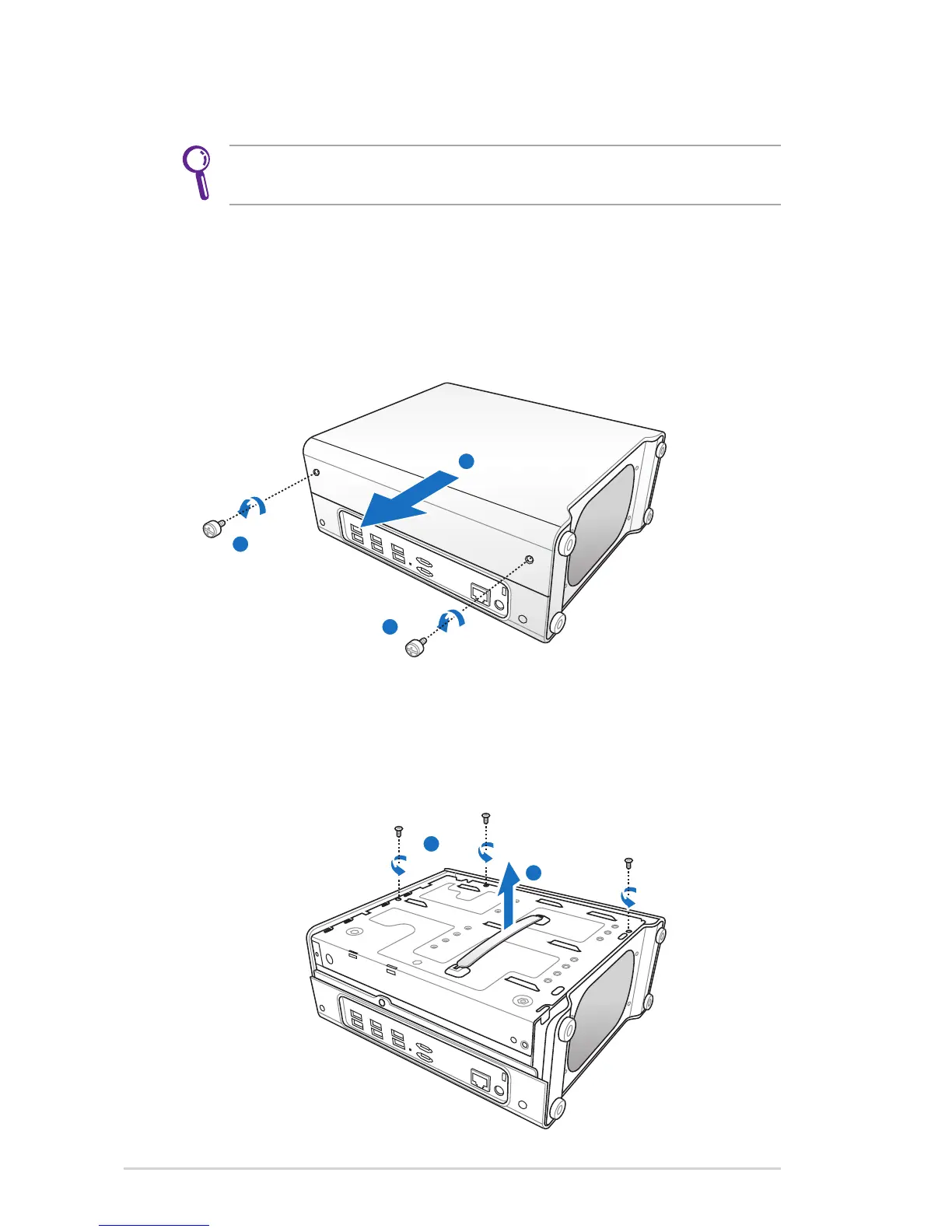
1. Install the new HDD to the home server.
(a) Power off the server and unplug the power cord.
(b) Lay the server horizontally on a stable surface, and then
loosen the two thumbscrews to remove the left side case.
(c) Use a coin to loosen the three screws and put the screws at
a visible place in case they are lost.
(d) Hold the plastic grip, and then lift up the HDD cage
horizontally.












 To Next Page