64
4 MACHINE DESCRIPTION / CONTROLS
RT-75 / RT-75HD US O&M
0405-073 2020-07
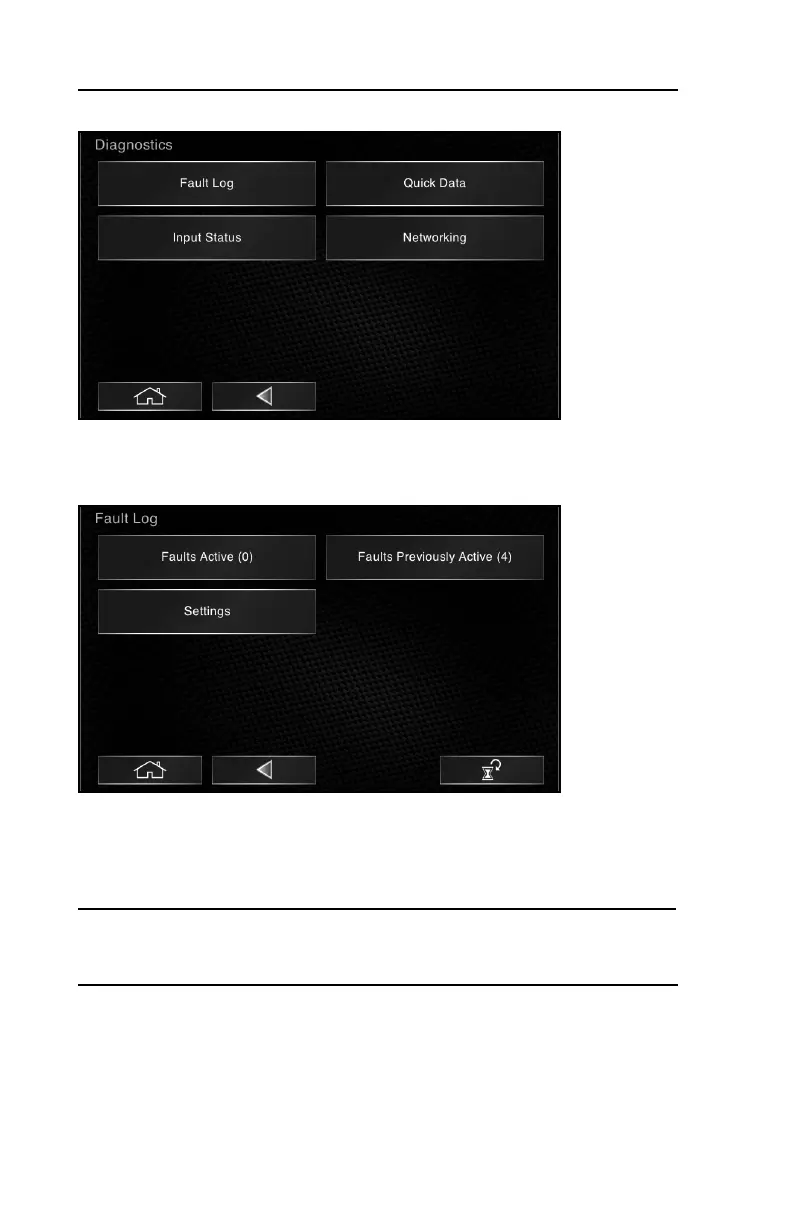
Diagnostics
This screen allows access to various sub-menus relating to diagnostics.
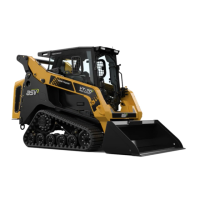
Fault Log
Selecting Fault Log allows access to currently active faults, previously active
faults and settings (in which you can enable or disable fault pop-ups).
The faults recorded in Faults Active are typically ones that must be corrected in
order to operate the machine.
Note: When a fault is detected, indicators may illuminate accompanied by a pop
up message listing the current fault. Indicators will stay illuminated until acknowl-
edged and will remain until the fault is cleared.
• Read, then clear any pop-ups by selecting the icon in the lower right corner.
• Remedy the issue(s) that caused the fault(s) to occur.
• Select the reset icon in the lower right corner of this screen to clear active
faults from the operator interface. Some faults are permanently stored in the
engine computer and cannot be reset by the operator interface. Faults not
reset by the operator interface must be reviewed and addressed by your dealer.



 To Next Page