EasyManua.ls Logo

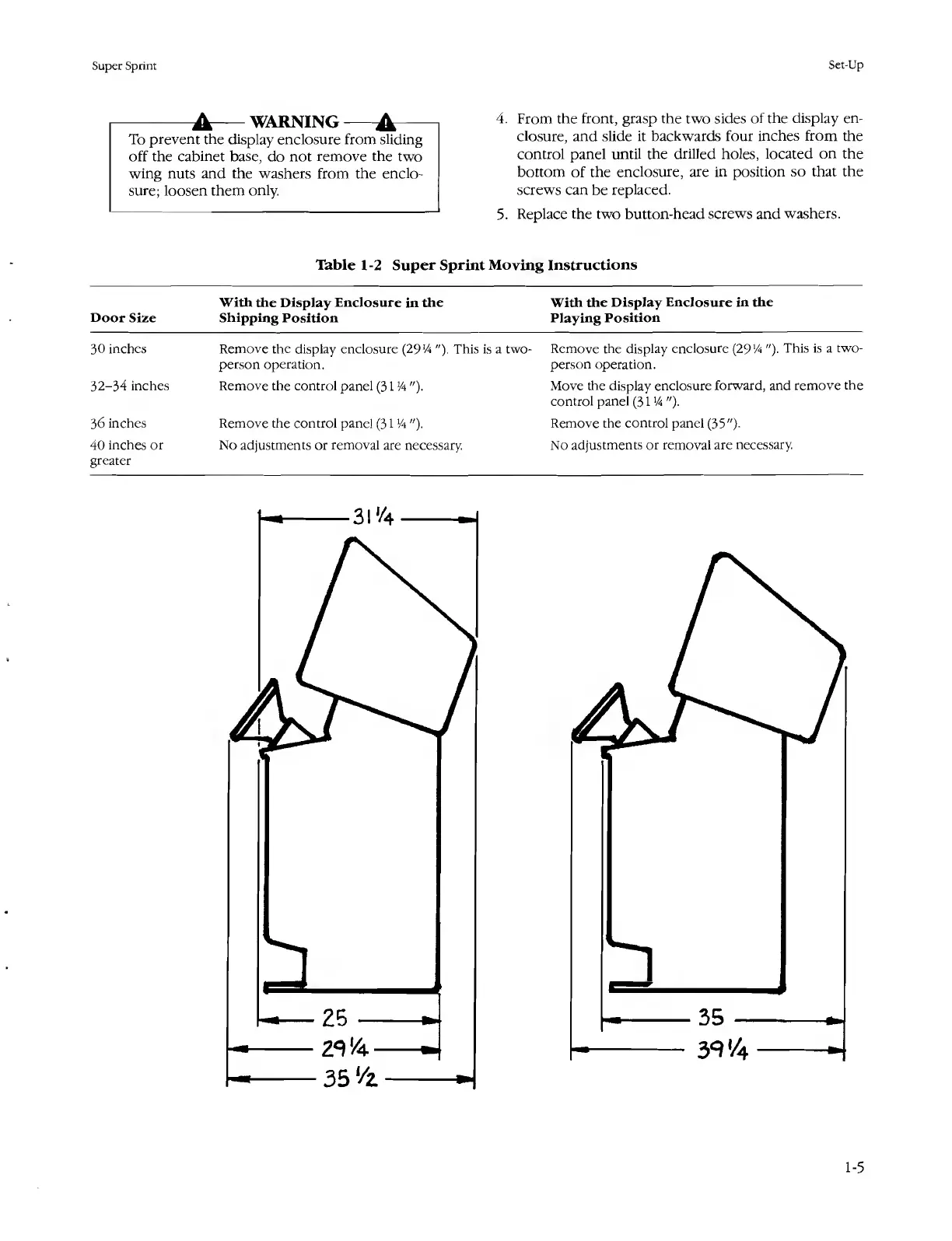
Atari SUPER SPRINT - Table 1-2 Super Sprint Moving Instructions

Atari SUPER SPRINT
80 pages
Print Icon
To Next Page IconTo Next Page
To Previous Page IconTo Previous Page
Loading...
Super
Sprint
Set-Up
-A-WARNING-A-
To
prevent
the
display
enclosure
from
sliding
off
the
cabinet
base,
do
not
remove
the
two
wing
nuts
and
the
washers
from
the
enclo¬
sure;
loosen
them
only.
4.
From
the
front,
grasp
the
two
sides
of
the
display
en¬
closure,
and
slide
it
backwards
four
inches
from
the
control
panel
until
the
drilled
holes,
located
on
the
bottom
of
the
enclosure,
are
in
position
so
that
the
screws
can
be
replaced.
5.
Replace
the
two
button-head
screws
and
washers.
Table
1-2
Super
Sprint
Moving
Instructions
Door
Size
With
the
Display
Enclosure
in
the
Shipping
Position
With
the
Display
Enclosure
in
the
Playing
Position
30
inches
Remove
the
display
enclosure
(2914
"),
This
is
a
two-
person
operation.
Remove
the
display
enclosure
(2914
").
This
is
a
two-
person
operation.
32-34
inches
Remove
the
control
panel
(3114
").
Move
the
display
enclosure
forward,
and
remove
the
control
panel
(3114
").
36
inches
Remove
the
control
panel
(3114
").
Remove
the
control
panel
(35")-
40
inches
or
greater
No
adjustments
or
removal
are
necessary.
No
adjustments
or
removal
are
necessary.
1-5

Table of Contents

Related product manuals