EasyManua.ls Logo

Atari SUPER SPRINT - Control and Switch Locations; Power On;Off Switch; Volume Control; Coin Counter

Atari SUPER SPRINT
80 pages
Print Icon
To Next Page IconTo Next Page
To Previous Page IconTo Previous Page
Loading...
Set-Up
Super
Sprint
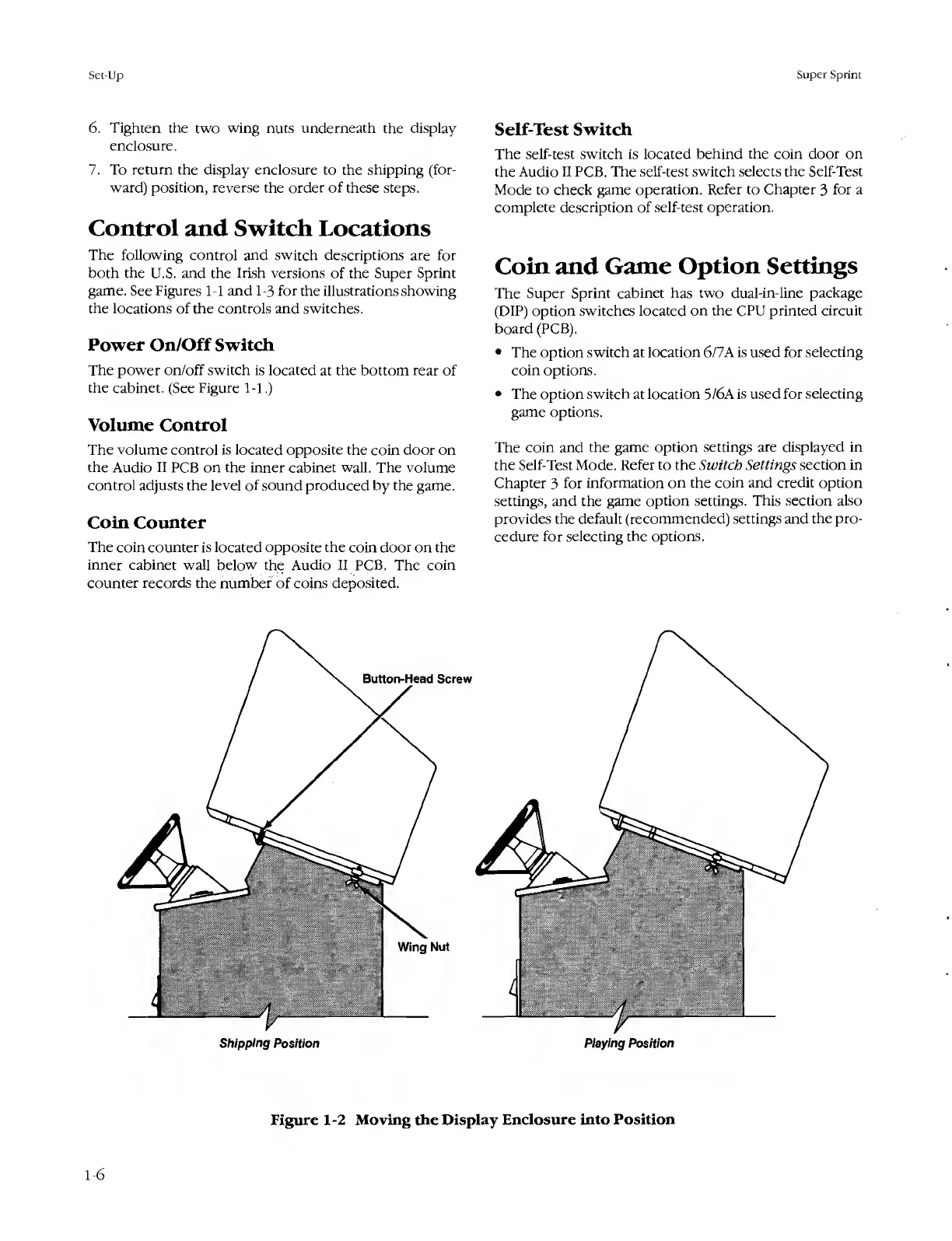
6.
Tighten
the
two
wing
nuts
underneath
the
display
enclosure.
7.
To
return
the
display
enclosure
to
the
shipping
(for¬
ward)
position,
reverse
the
order
of
these
steps.
Control
and
Switch
Locations
The
following
control
and
switch
descriptions
are
for
both
the
U.S.
and
the
Irish
versions
of
the
Super
Sprint
game.
See
Figures
1-1
and
1-3
for
the
illustrations
showing
the
locations
of
the
controls
and
switches,
Power
On/Off
Switch
The
power
on/off
switch
is
located
at
the
bottom
rear
of
the
cabinet.
(See
Figure
1-1.)
Volume
Control
The
volume
control
is
located
opposite
the
coin
door
on
the
Audio
II
PCB
on
the
inner
cabinet
wall.
The
volume
control
adjusts
the
level
of
sound
produced
by
the
game.
Coin
Counter
The
coin
counter
is
located
opposite
the
coin
door
on
the
inner
cabinet
wall
below
the
Audio
II
PCB.
The
coin
counter
records
the
number
of
coins
deposited.
Self-Test
Switch
The
self-test
switch
is
located
behind
the
coin
door
on
the
Audio
II
PCB.
The
self-test
switch
selects
the
Self-Test
Mode
to
check
game
operation.
Refer
to
Chapter
3
for
a
complete
description
of
self-test
operation.
Coin
and
Game
Option
Settings
The
Super
Sprint
cabinet
has
two
dual-in-line
package
(DIP)
option
switches
located
on
the
CPU
printed
circuit
board
(PCB).
The
option
switch
at
location
6/7A
is
used
for
selecting
coin
options.
The
option
switch
at
location
5/6A
is
used
for
selecting
game
options.
The
coin
and
the
game
option
settings
are
displayed
in
the
Self-Test
Mode.
Refer
to
the
Switch
Settings
section
in
Chapter
3
for
information
on
the
coin
and
credit
option
settings,
and
the
game
option
settings.
This
section
also
provides
the
default
(recommended)
settings
and
the
pro¬
cedure
for
selecting
the
options.
Button-Head
Screw
Playing
Position
Wing
Nut
Shipping
Position
Figure
1-2
Moving
the
Display
Enclosure
into
Position
1-6

Table of Contents

Related product manuals