EasyManua.ls Logo

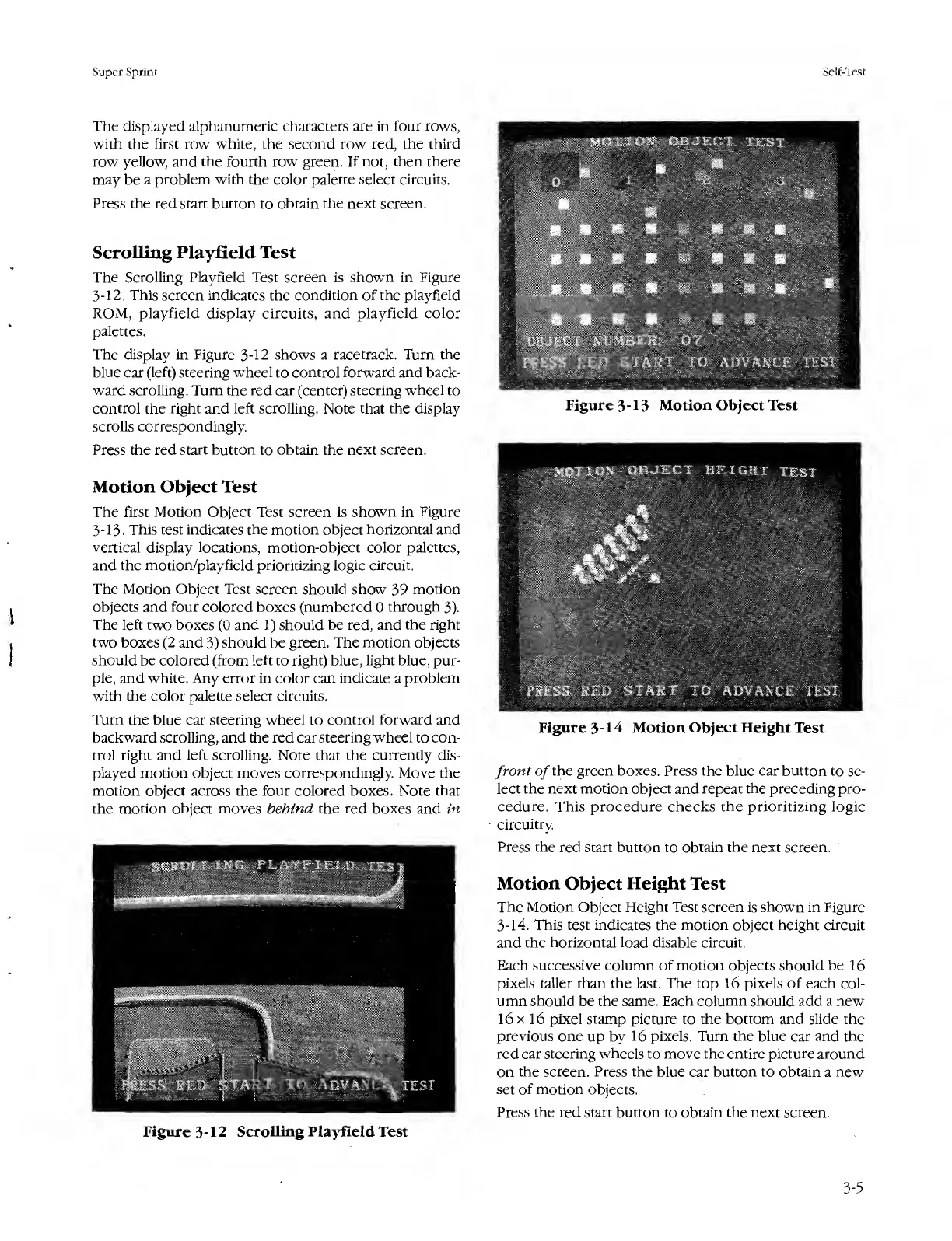
Atari SUPER SPRINT - Scrolling Playfleld Test; Motion Object Test; Motion Object Height Test; Figure 3-12 Scrolling Playfield Test

Atari SUPER SPRINT
80 pages
Print Icon
To Next Page IconTo Next Page
To Previous Page IconTo Previous Page
Loading...
Super
Sprint
Self-Test
The
displayed
alphanumeric
characters
are
in
four
rows,
with
the
first
row
white,
the
second
row
red,
the
third
row
yellow,
and
the
fourth
row
green.
If
not,
then
there
may
be
a
problem
with
the
color
palette
select
circuits.
Press
the
red
start
button
to
obtain
the
next
screen.
Scrolling
Playfleld
Test
The
Scrolling
Playfield
Test
screen
is
shown
in
Figure
3-12.
This
screen
indicates
the
condition
of
the
playfield
ROM,
playfield
display
circuits,
and
playfield
color
palettes.
The
display
in
Figure
3-12
shows
a
racetrack.
Turn
the
blue
car
(left)
steering
wheel
to
control
forward
and
back¬
ward
scrolling.
Turn
the
red
car
(center)
steering
wheel
to
control
the
right
and
left
scrolling.
Note
that
the
display
scrolls
correspondingly.
Press
the
red
start
button
to
obtain
the
next
screen.
Motion
Object
Test
The
first
Motion
Object
Test
screen
is
shown
in
Figure
3-13.
This
test
indicates
the
motion
object
horizontal
and
vertical
display
locations,
motion-object
color
palettes,
and
the
motion/playfield
prioritizing
logic
circuit.
The
Motion
Object
Test
screen
should
show
39
motion
objects
and
four
colored
boxes
(numbered
0
through
3).
The
left
two
boxes
(0
and
1)
should
be
red,
and
the
right
two
boxes
(2
and
3)
should
be
green.
The
motion
objects
should
be
colored
(from
left
to
right)
blue,
light
blue,
pur¬
ple,
and
white.
Any
error
in
color
can
indicate
a
problem
with
the
color
palette
select
circuits.
Turn
the
blue
car
steering
wheel
to
control
forward
and
backward
scrolling,
and
the
red
car
steering
wheel
to
con¬
trol
right
and
left
scrolling.
Note
that
the
currently
dis¬
played
motion
object
moves
correspondingly.
Move
the
motion
object
across
the
four
colored
boxes.
Note
that
the
motion
object
moves
behind
the
red
boxes
and
in
Figure
3-12
Scrolling
Playfield
Test
Figure
3-13
Motion
Object
Test
Figure
3-14
Motion
Object
Height
Test
front
of
the
green
boxes.
Press
the
blue
car
button
to
se¬
lect
the
next
motion
object
and
repeat
the
preceding
pro¬
cedure.
This
procedure
checks
the
prioritizing
logic
circuitry.
Press
the
red
start
button
to
obtain
the
next
screen.
Motion
Object
Height
Test
The
Motion
Object
Height
Test
screen
is
shown
in
Figure
3-14.
This
test
indicates
the
motion
object
height
circuit
and
the
horizontal
load
disable
circuit.
Each
successive
column
of
motion
objects
should
be
16
pixels
taller
than
the
last.
The
top
16
pixels
of
each
col¬
umn
should
be
the
same,
Each
column
should
add
a
new
16
x
16
pixel
stamp
picture
to
the
bottom
and
slide
the
previous
one
up
by
16
pixels.
Turn
the
blue
car
and
the
red
car
steering
wheels
to
move
the
entire
picture
around
on
the
screen.
Press
the
blue
car
button
to
obtain
a
new
set
of
motion
objects.
Press
the
red
start
button
to
obtain
the
next
screen.
3-5

Table of Contents

Related product manuals